Connecting to WiFi using WPS
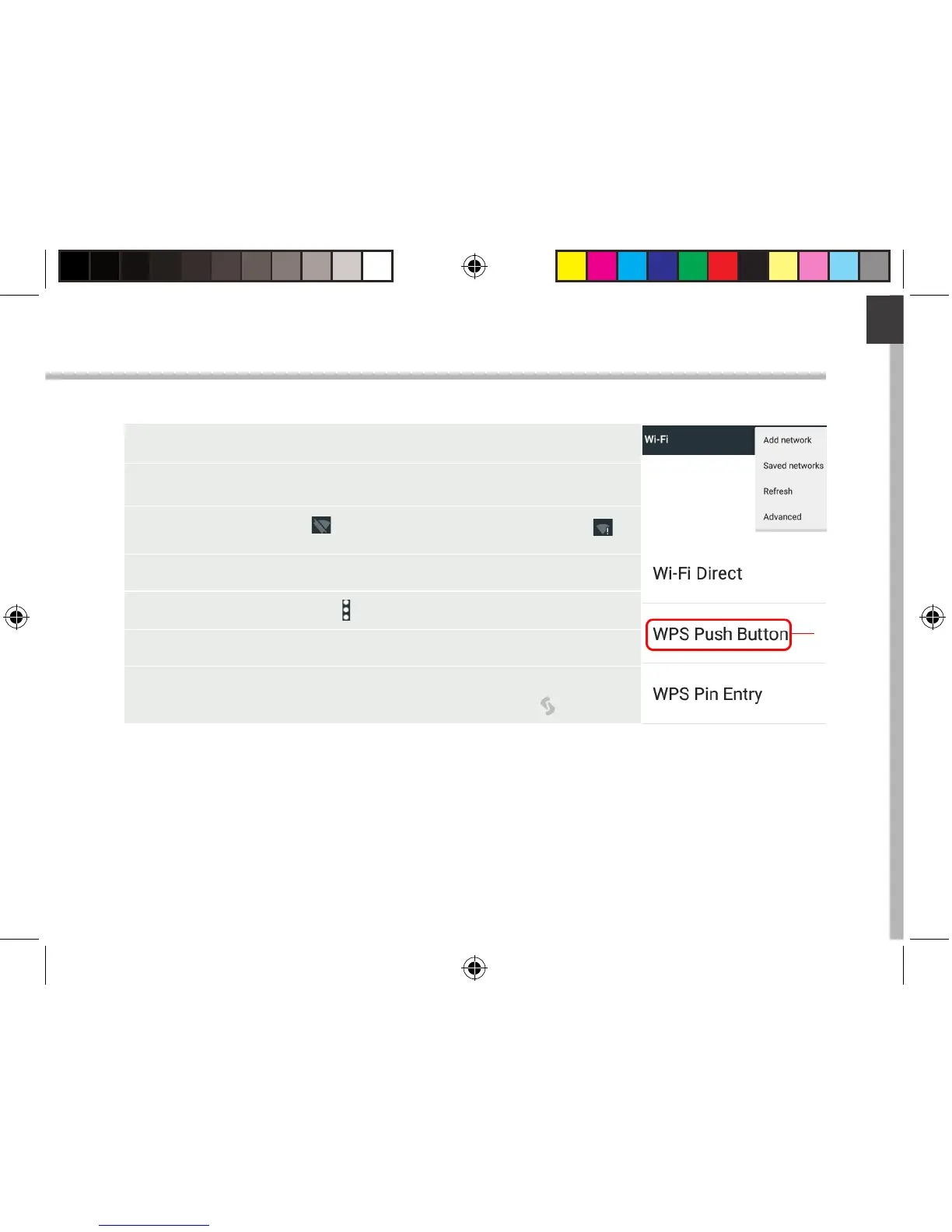
1. Touch and pull down the status bar to display it.
2. Touch again the bar to reveal the quick settings.
3. Select the WiFi icon to activate the WiFi connection .
4. Select “WiFi” below the WiFi icon.
5. Select the Menu button , then Advanced.
6. Select WPS Push Button.
7. Press the WiFi Protected Setup button on your
router. It may be called “WPS” or contain a symbol:
UserGuide_ARCHOS_70_Platinum_book.indd 7 26/06/2015 17:21:02



 To Next Page