EasyManua.ls Logo

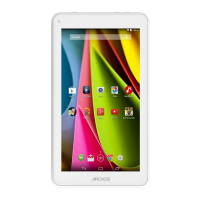
Archos 70c Cobalt - User Manual

Archos 70c Cobalt
158 pages
Print Icon
To Next Page IconTo Next Page
Loading...
1
ENEN
Table of contents
For more information, please consult the FAQs on www.archos.com. Make sure to read them before considering any
product return. Your deal may be no big deal. As we are often updating and improving our products, your devices
software may have a slightly dierent appearance or modied functionality than presented in this Quick Start Guide.
Package contents........................................................................................................................
Getting started.............................................................................................................................
Description of the device..........................................................................................................
Through the device....................................................................................................................
WiFi connection...........................................................................................................................
The Android
TM
interface............................................................................................................
Getting familiar with Android
TM
...........................................................................................
Troubleshooting........................................................................................................................
2
3
4
5
6
8
12
14
Consult the declaration of conformity on http://www.archos.com/products/declaration_conformity.html
113329_UserGuide_ARCHOS_70c_Cobalt_book.indd 1 17/10/2014 17:37:35

Table of Contents

Question and Answer IconNeed help?

Do you have a question about the Archos 70c Cobalt and is the answer not in the manual?

Archos 70c Cobalt Specifications

General IconGeneral
Resolution1024 x 600 pixels
Processor Speed1.3 GHz
RAM1 GB
Internal Storage8 GB
Rear Camera2 MP
Front Camera0.3 MP
Battery3000 mAh
Wi-Fi802.11 b/g/n
Display7-inch
ProcessorDual-core
Expandable StorageMicroSD, up to 32 GB
Operating SystemAndroid 4.2 Jelly Bean

Summary

Package Contents

Getting Started

Charging

Instructions for charging the device and initial setup.

Description of the device

Through the Wizard

Connectivity to a WiFi Network

The Android Interface

The Quick settings

Overview of quick settings icons for common functions and status indicators.

The Recent Apps

How to view and manage recently used applications via thumbnail previews.

Getting familiar with Android

The extended home screen

Navigate between different home screen panels by swiping left and right.

Moving a home screen item

Touch and hold an item until gridlines appear, then slide it to a new location.

Removing a home screen item

Touch and hold an item, slide it to the top screen, and drop it over the Remove icon.

Uninstalling an item

From All apps, touch and hold an app, slide it to the uninstall bin.

Creating application folders

Combine app icons by dropping one over another on a home screen.

Widgets

Add interactive app components to the home screen by selecting from a list.

Changing your wallpaper

Customize the device background by selecting a new wallpaper from the list.

Locking the touchscreen

Set up screen lock security (pattern, PIN, password) for device protection.

Troubleshooting

National restrictions

Open Source Software Offer

Related product manuals