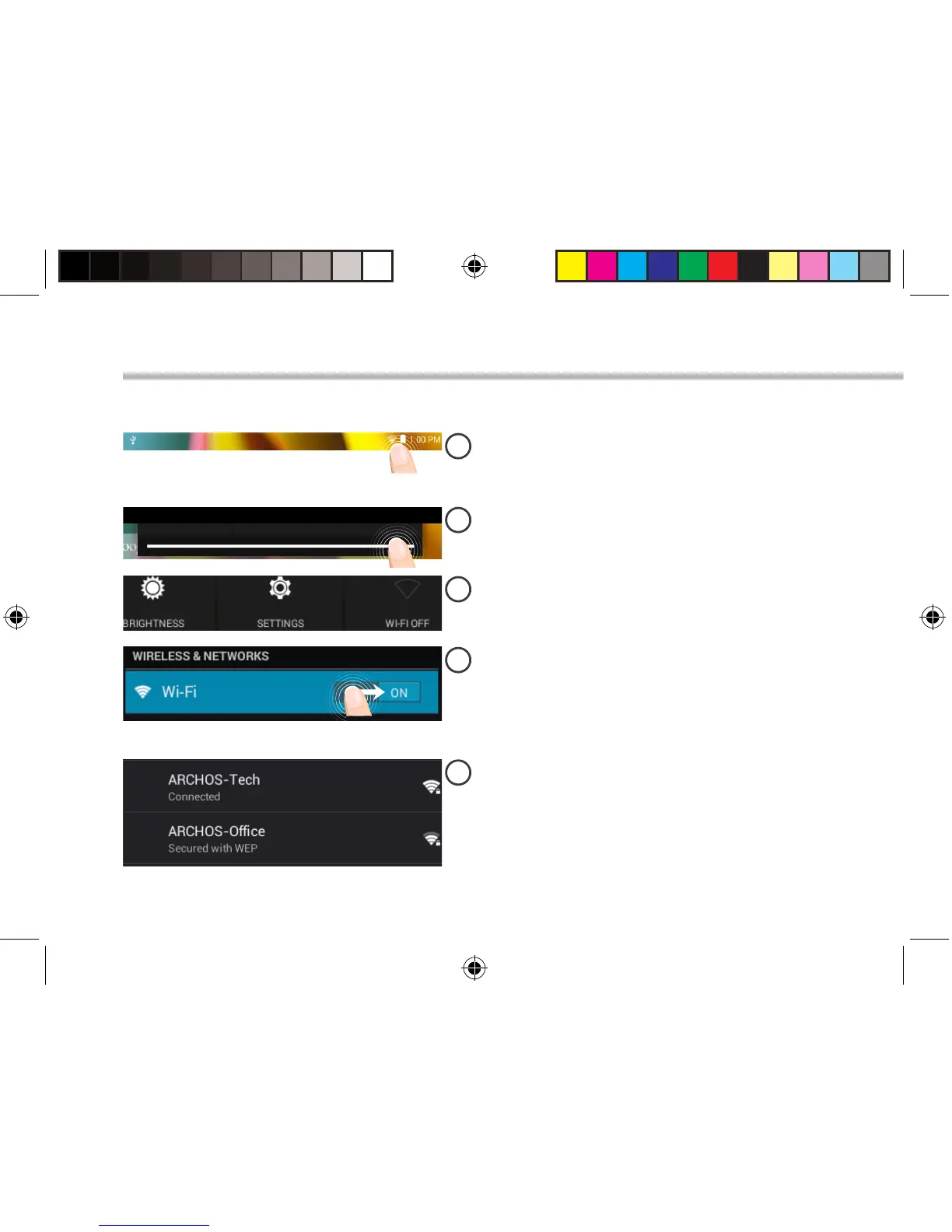
Connectivity to a WiFi Network
CAUTION: Make sure that you are in a WiFi zone.
Touch and hold the time & battery icons to
reveal the status bar. A white line is displayed.
Pull the white line down to display the
status dashboard.
Slide the WiFi switch to "ON" positon.
The ARCHOS will scan for Wi networks in
range. Touch the name of network you want
to connect to.
Touch "WiFi o" in the status dashboard.
The WiFi page will be displayed.
113329_UserGuide_ARCHOS_70c_Cobalt_book.indd 6 17/10/2014 17:37:37


 To Next Page