TIPS:
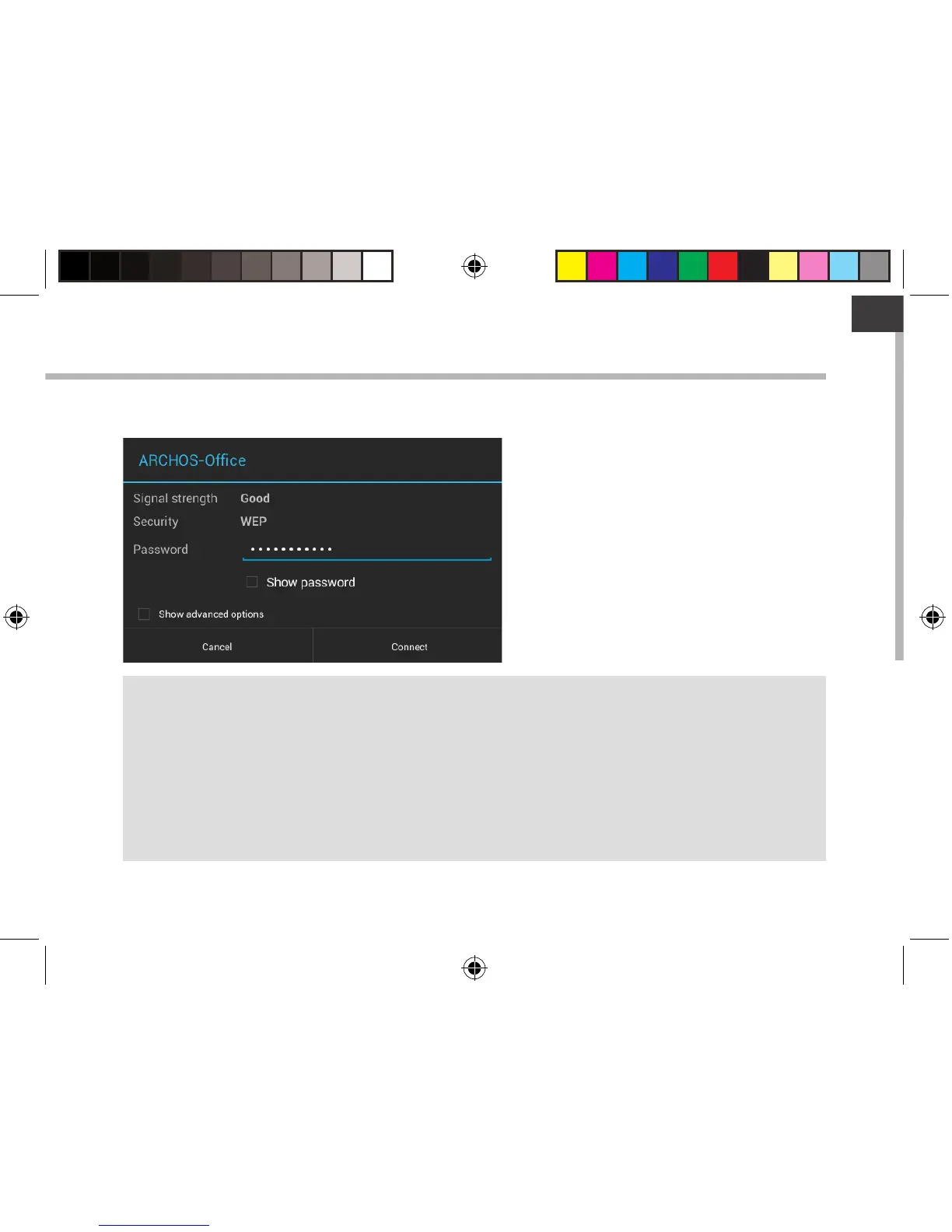
- When entering a WiFi password, we recommend that you select “Show password” so you can
see the characters you are typing. To get the correct WiFi password (or settings) for the network,
contact the WiFi network provider. If your WiFi is on and you are in range of a network that you
previously connected to, your ARCHOS will automatically attempt to connect to it.
- To keep your WiFi connection ON when the device is on sleep, select the Menu icon in the
“WiFi” page. Then, select Advanced > Keep WiFi on during sleep > Always.
Private networks are shown with a lock
icon and will require you to enter your
password.
113329_UserGuide_ARCHOS_70c_Cobalt_book.indd 7 17/10/2014 17:37:37



 To Next Page