12
Setting up fusion storage
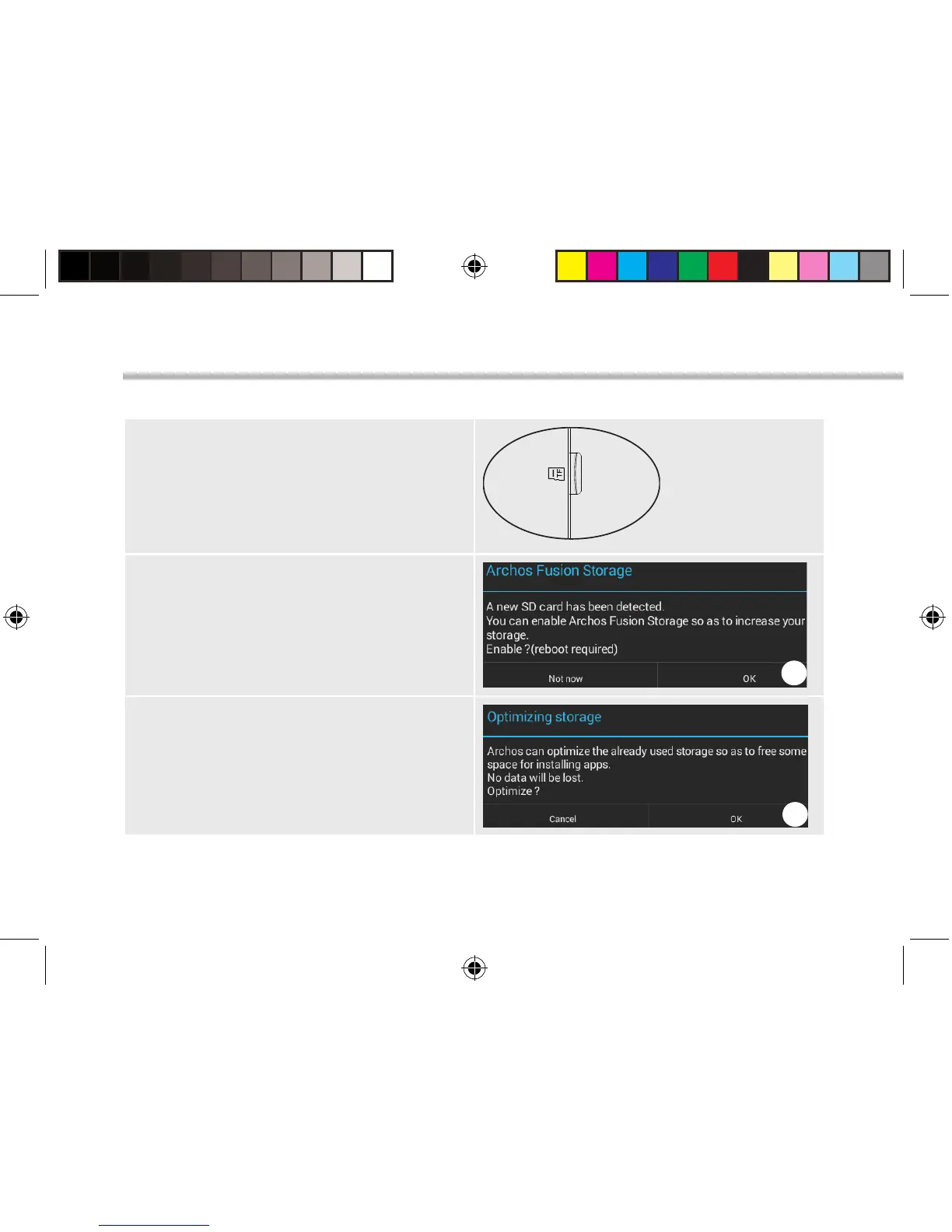
1. Insert a micro-SD card in the device’s
micro-SD card slot.
Make sure to insert the card in the right
direction.
Your device will detect the micro-SD card
automatically and oers you to merge
the internal storage with the micro-SD
card.
2. Select “OK”.
2
3. Select “OK” in the Optimizing storage
window to conrm your choice.
3
ARCHOS Fusion Storage
114319_ARCHOS_70b_Helium_QSG_book.indd 12 02/09/2015 10:53:19


 To Next Page