13
Calibration Instructions
Please follow below steps to calibrate the drone if the
drone becomes imbalanced after crashing during the
flight, and can not be adjusted by trimmer button and
causes flight difficulties.
1. Turn off the drone, then turn off the transmitter
switch.
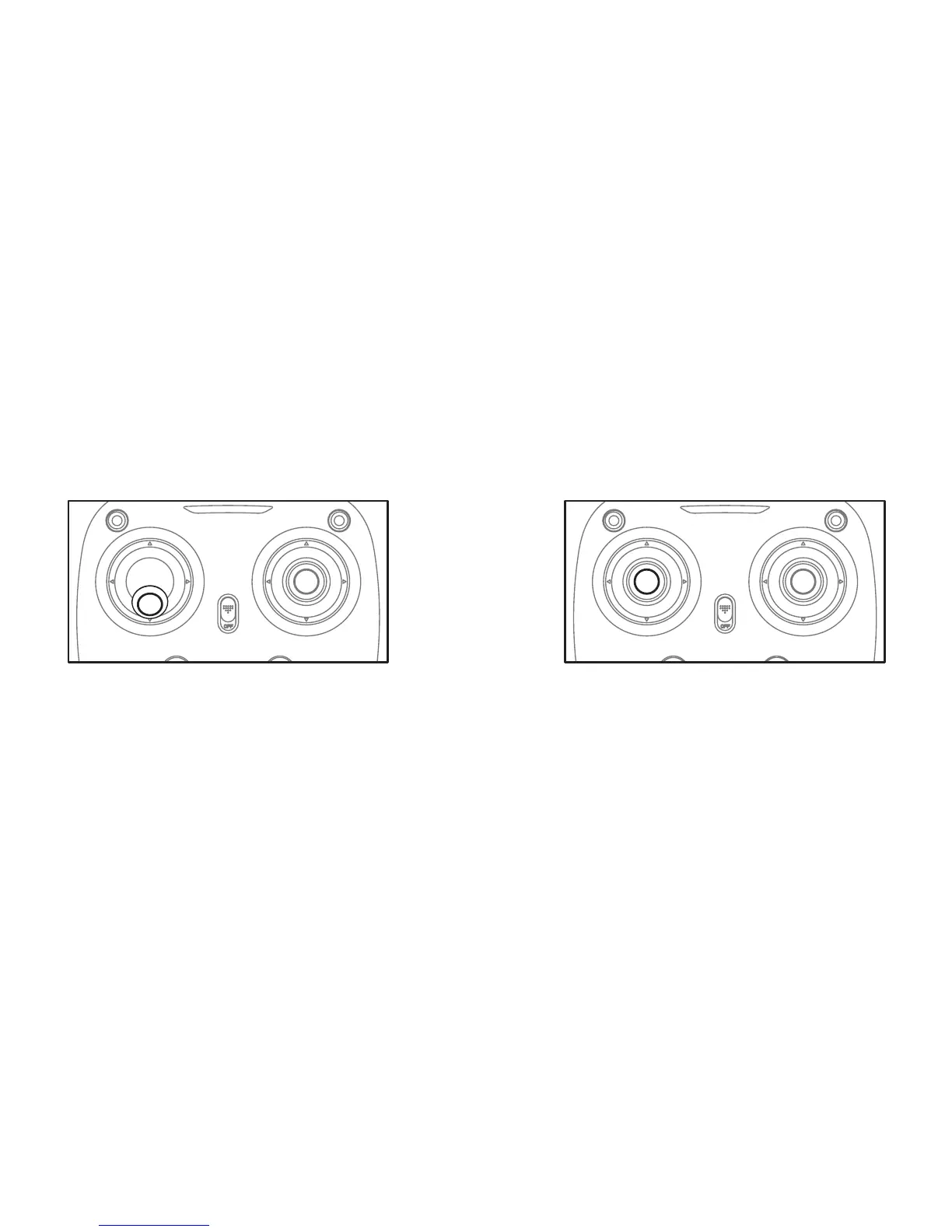
2. Turn on the transmitter switch, push the left lever all
the way down to the lowest position (Picture 6) and
then release. The left lever goes back to the middle
position automatically (Picture 7). The transmitter is
ready for frequency pairing mode.
Picture 6
Picture 7


 To Next Page