10
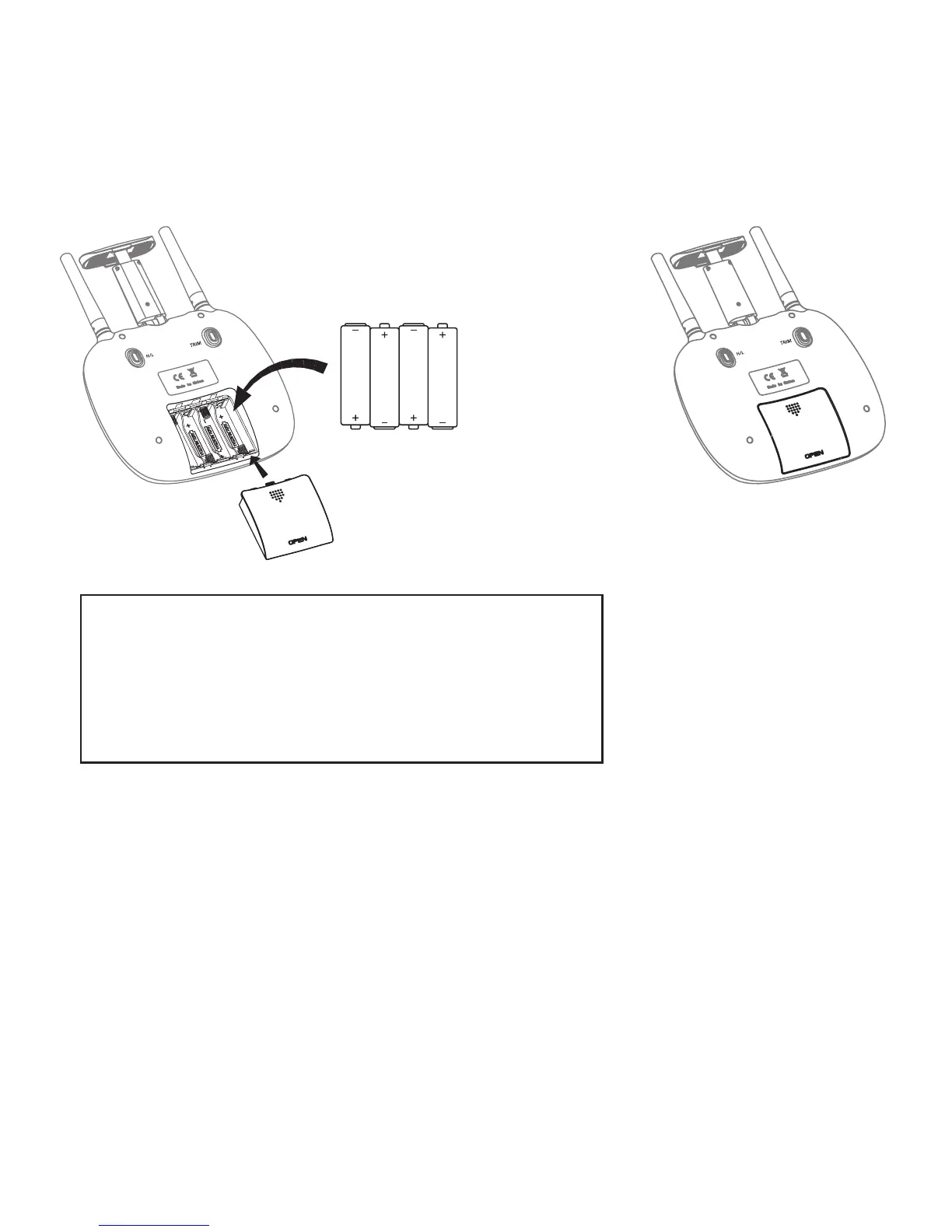
Installing the batteries:
Open the battery cover on the back side of the
transmitter and put 4 alkaline batteries (AAA, not
included) into the box in accordance with electrode
instructions, as picture shown.
Pre-ight Operation Instructions
Frequency Pairing
1. Turn on the transmitter switch (Picture 1) and the
power indicator light flashes rapidly. Push the Left
lever all the way down to the lowest position and
then release. The Left lever moves back to the middle
position automatically. (Picture 2 / 3) The power
indicator light flashes slowly, indicating the transmitter
is ready for frequency pairing.
Battery cover
4X1.5V
Alkaline Batteries
Notice:
1. Make sure the electrodes match.
2. Do not mix new with old batteries.
3. Do not mix dierent kinds of batteries.
4. Do not charge non rechargeable batteries.



 To Next Page