21
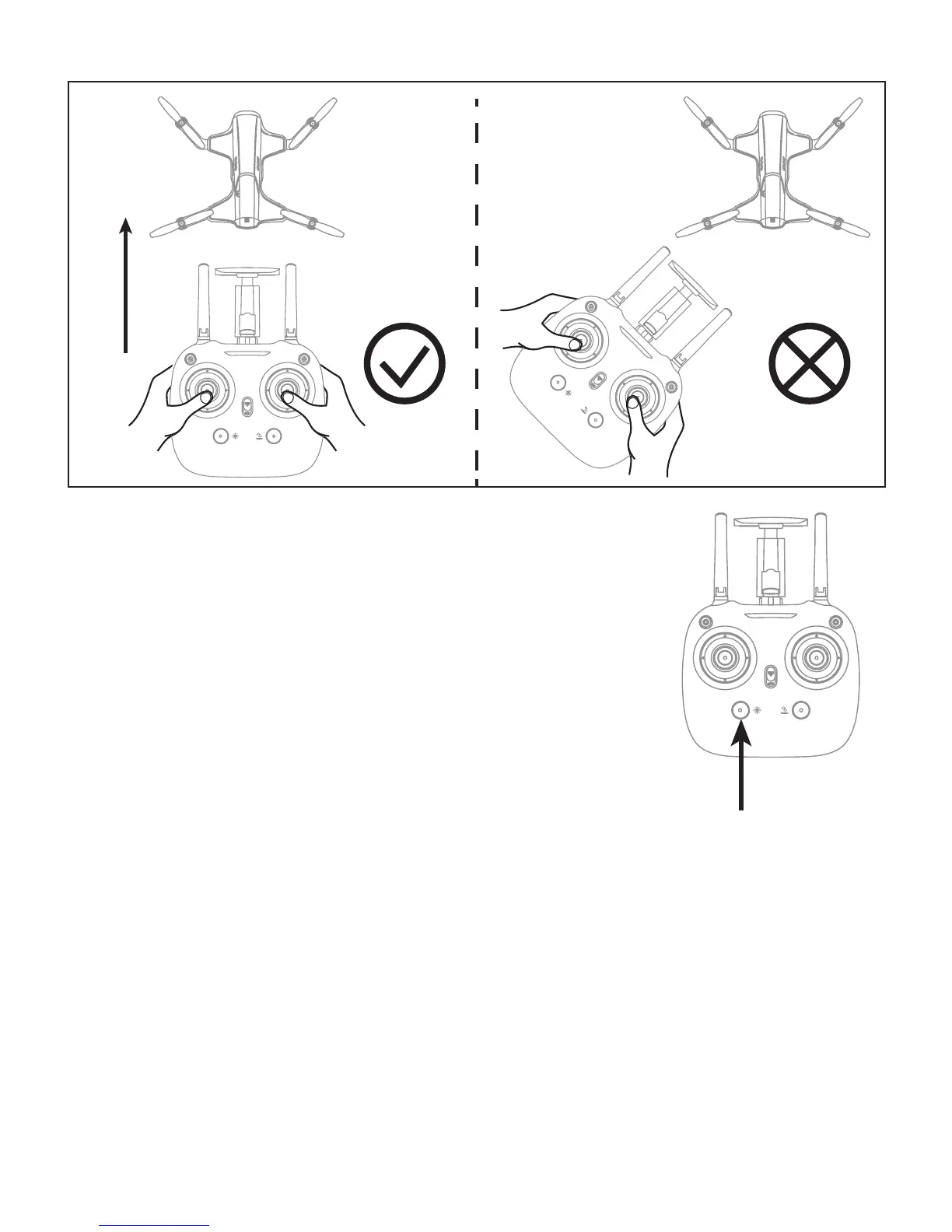
Picture 1
Picture 2
Prerequisite: Position the drone in such a way that its front is your front (see Picture 1). Tip:
Do not change the orientation of the transmitter (see Picture 2) after entering heading
hold mode.
To turn on Heading Hold Mode, press
Heading Hold Mode button and the drone
LED lights flash, which indicates the
drone enters heading hold mode.
To turn off Heading Hold Mode, press
Heading Hold Mode button again and
the drone LED lights turn solid, which
indicates the heading hold mode is off.
Low Battery Alarm
When the transmitter has low battery, the transmitter
will beep Di-di-di... to remind the user to land the drone
in order to replace the batteries as soon as possible. Or
the drone may lose control.
Heading Hold Mode Button


 To Next Page