8
Unfold the drone
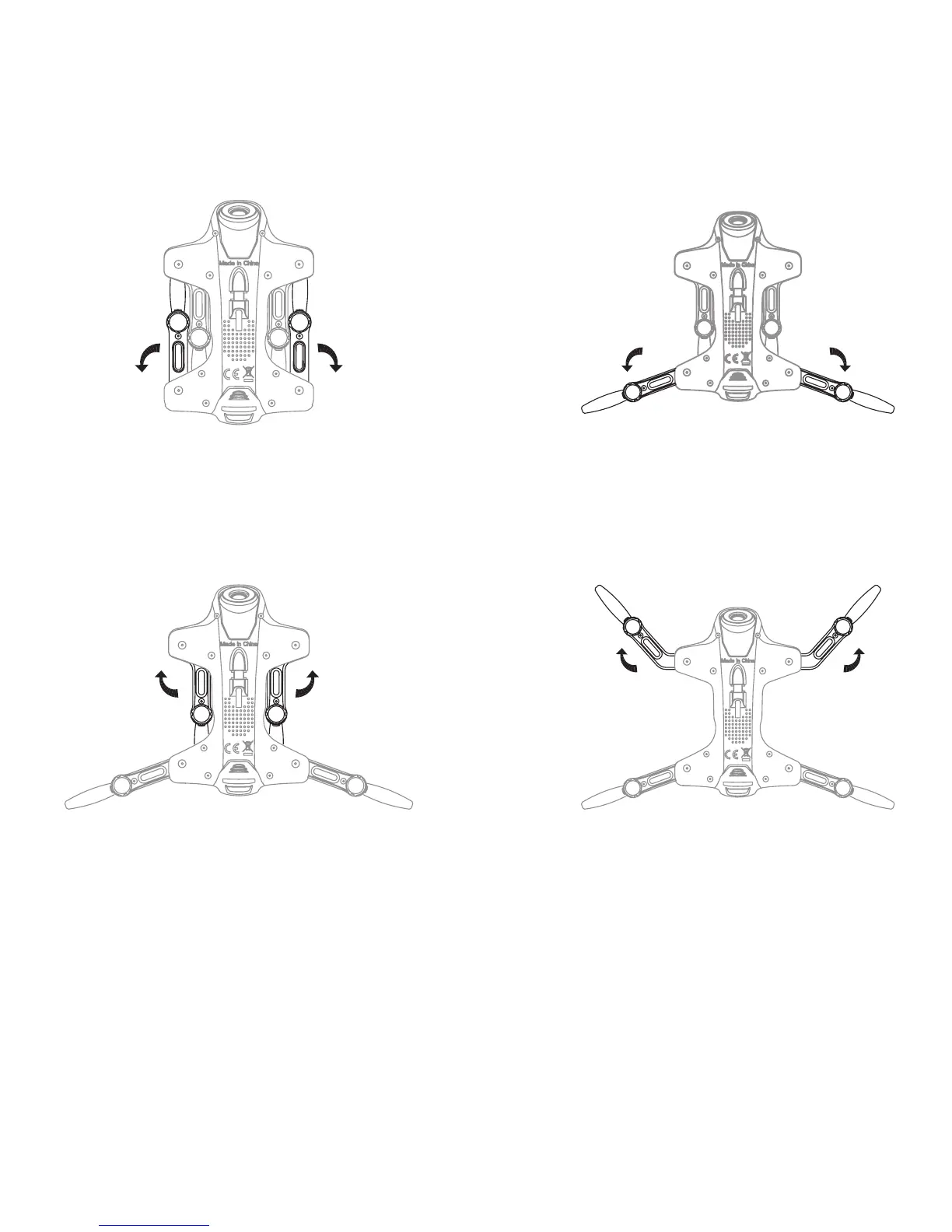
Pull out the arm bracket as per the below arrow shows
(picture 1) , it will make a click sound, then it means
fully opened(picture 2). On the contrary, then it’s
folded.
Pull out the arm bracket as per the below arrow shows
(picture 3) , it will make a click sound, then it means
fully opened(picture 4). On the contrary, then it’s
folded.
Notice: Improperly operation may cause damage to the
bracket part.


 To Next Page