Need help?
Do you have a question about the Arcomed syramed mSP6000 and is the answer not in the manual?
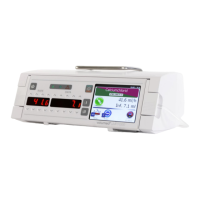
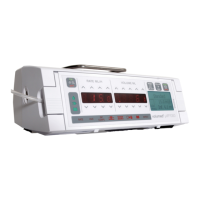
The Syramed µSP6000 is a syringe pump using the latest technology.
Check the pump and accessories for damage before operation. Mount on a flat surface or stand.
Switch off and disconnect before cleaning. Use alcohol-based disinfectant.
Check battery annually. Test operation time after full charge.
Explains pictograms and symbols used on the pump for various functions.
Steps for correctly loading a syringe, ensuring proper connection and priming.
Instructions on how to set the infusion rate in ml/h and the total volume in ml.
Details on pump operation, display indications, and data viewing options.
Procedure to stop the pump and reset the infused volume to zero.
How to administer a manual or automatic bolus infusion.
Steps to stop the pump, open the door, and safely remove or replace a syringe.
Procedure to recall infusion data after accidental power off.
Setting infusion volume and time, with the pump calculating the rate.
Details on automatic and manual pressure limit setting and occlusion alarms.
Instructions for setting the pump's internal clock and date, including service mode.
Contacting customer service for specific configuration requirements.
Information on approved accessories, consumables, and their compliance.
Details on the functions of key controls like START/STOP, PRIME/BOLUS, ALARM SILENCE/OPTION, ON/OFF, and KVO rate.
Considerations for potential complications when using multiple infusion systems.
Connecting external equipment like nurse call systems and RS232 interfaces.
Lists causes for pump alarms, including non-start conditions and operational interruptions.
Procedure to acknowledge and cancel an alarm condition to resume infusion.
Details on pressure alarms, occlusion detection, and required actions.
Notification about the syringe nearing emptiness, with countdown indication.
Alarm indicating the syringe is empty and the pump has stopped.
Information on battery operation, low battery alerts, and cautionary alarms.
Connecting the pump to an external nurse call system for alarm transmission.
How to silence audible alarms temporarily using the ALARM SILENCE key.
Explanation of pictograms indicating alarm causes like pressure, battery, or defect.
Description of indicators for pump running, mains, and battery operation status.
Explanation of the LCD window's function for displaying messages and infusion parameters.
Overview of the syramed µSP6000's microprocessor control, software management, and mechanism.
Explains trumpet graphs and their role in assessing flow rate deviations in clinical practice.
General overview of the syramed µSP6000 syringe pump, its capabilities, and features.
Detailed explanation of the pump's electronic circuit and its various components.
Description of the microcontroller's role in monitoring signals and controlling pump functions.
Explanation of the LED displays and illuminated pictograms indicating pump status.
Details on how to input infusion parameters using the pump's keys.
Description of the power supply system, including mains and battery operation.
Overview of the monitoring functions for camshaft, relays, microcontroller, and voltages.
Steps for disassembling the pump case, including separating sections and disconnecting connectors.
Procedure for removing the main printed circuit board (PCB).
Steps to remove the display PCB and associated covers.
Instructions for removing the mechanical drive assembly.
 General
| Type | Syringe pump |
|---|---|
| Syringe sizes | 10 ml, 20 ml, 30 ml, 50 ml, 60 ml |
| Flow rate accuracy | ±2% |
| Battery life | Up to 8 hours |
| Power Supply | 100 - 240 VAC, 50/60 Hz |
| Display | LCD |

 To Next Page