The light brightness to be dimmer or brighter can be
adjusted to your liking. Lights default to high bright-
ness, & when button is pressed, brightness can
be adjusted to half-brightness, or off.
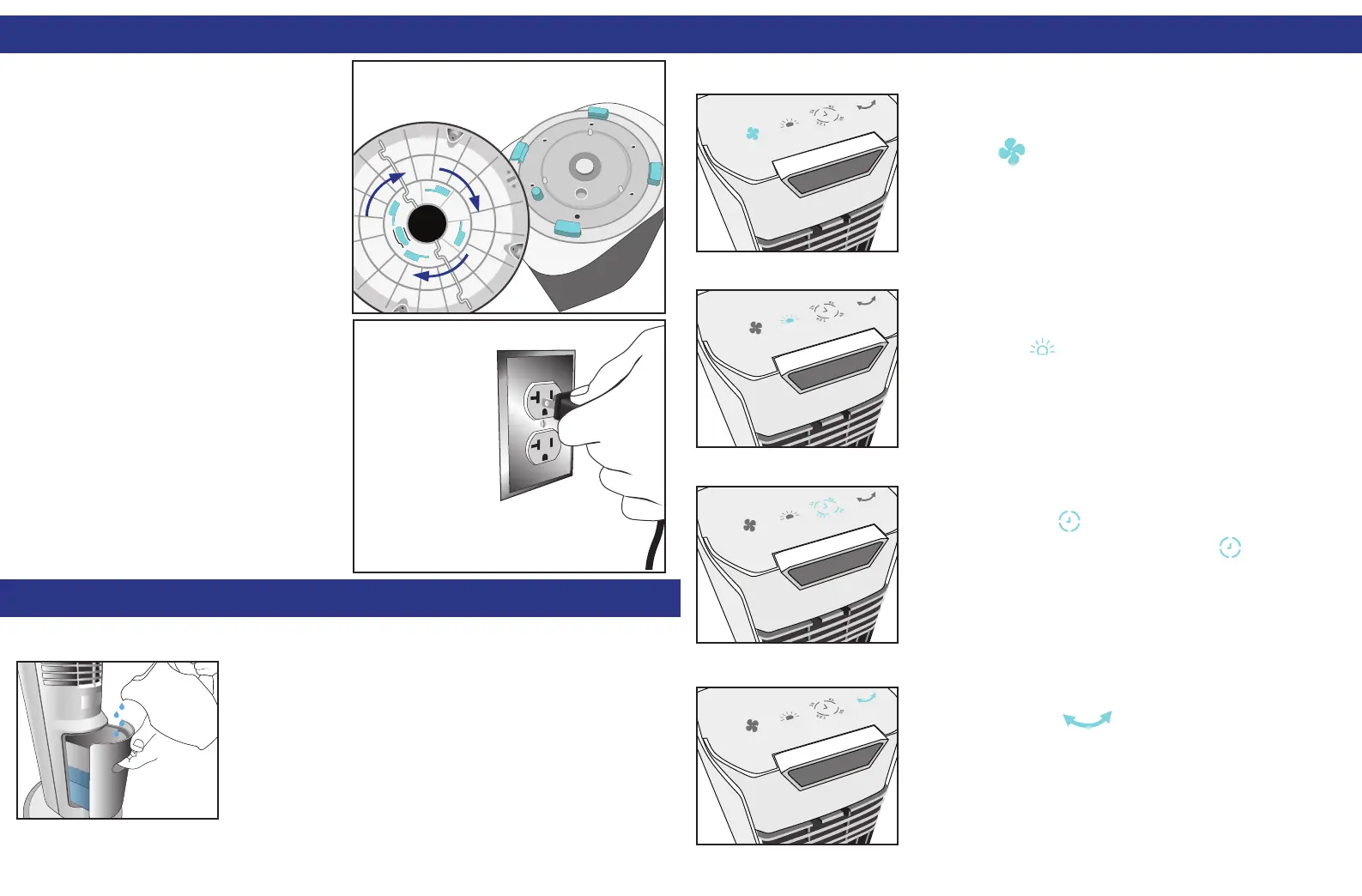
ASSEMBLY (CONT.):
4. Insert Tower Pegs (C) into
Base Slots (D) and turn the Base
clockwise (towards to the LOCK
symbol) until it locks in place.
5. Pull the excess slack of the Power
Cord through the hole. Plug the cord
into a wall-outlet.
USAGE:
FAN SPEED
FILLING THE TANK
LIGHT SETTINGS
TIMER
OSCILLATION
Arctic Air™ Tower has 3 fan speeds – High,
Medium, and Low. To set desired speed,
press the button on the top control panel.
Pull out the drawer on the backside of the unit. Using
a pitcher or other container, ll until MAX line. Be sure
to at least ll until over MIN line or water pump will
not function properly.
For Best Results, use cold water and/or ice cubes.
You can set an auto-off timer for 2, 6, 8, or 12 hours.
Simply press the button until your
duration is selected. To cancel, press
until no longer lit.
Arctic Air™ Tower also has wide-coverage oscillation
built-in. Press the button once for continuous
oscillation, or press again to stop the unit where it is
currently is.
USAGE (CONT.):
BASE
D
D
D
D
D
TOWER
C
C
C
C
C
2h
6h
8h
12h
2h
6h
8h
12h



 To Next Page