EasyManua.ls Logo

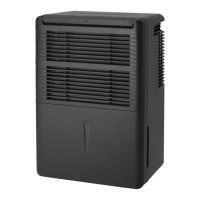
Arctic Aire ADR70B6G - User Manual

Default Icon
48 pages
Print Icon
To Next Page IconTo Next Page
Loading...
• OWNER’S USE AND CARE GUIDE
• GUIDE D’UTILISATION ET D'ENTRETIEN
MODEL • MODÈLE • MODELO
FOR YOUR SAFETY: Read these instructions carefully before operating the unit.
POUR VOTRE SÉCURITÉ: Lire attentivement ces instructions avant d’utiliser l’appareil.
PARA SU SEGURIDAD: Lea y observe todas las reglas de seguridad y las instrucciones de operación antes
de usar este producto.
GUÍA DEL PROPRIETARIO DE UTILIZACIÓN Y CUIDADO PARA EL PROPIETARIO
DANBY PRODUCTS LIMITED, ONTARIO, CANADA N1H 6Z9
DANBY PRODUCTS INC., FINDLAY, OHIO, USA 45840
2015.05.13
ADR30B6G / ADR50B6G / ADR70B6C / ADR70B6G
PORTABLE DEHUMIDIFIER
DESHUMIDIFICATEUR PORTATIF
DESHUMIDIFICADOR PORTÁTIL

Questions and Answers

  • F
    Frances BowenAug 9, 2025
    Why is my Arctic Aire ADR70B6G Dehumidifier running too much?
    • J
      Joanne MendezAug 9, 2025
      If your Arctic Aire Dehumidifier is running excessively, it might be due to a few reasons. The area you're trying to dehumidify might be too large for the unit's capacity. Alternatively, open doors and windows can also cause the dehumidifier to run more than necessary. Make sure that all doors and windows are closed to see if that resolves the issue; if not, your dehumidifier might not be adequate for the space.
  • S
    steven63Aug 15, 2025
    Why is my Arctic Aire ADR70B6G Dehumidifier not drying the air properly?
    • J
      Jesse LeeAug 15, 2025
      If your Arctic Aire Dehumidifier isn't drying the air effectively, several factors could be at play. It may not have been given enough time to remove the moisture initially; allow at least 24 hours after installation to reach the desired dryness. Airflow restrictions from curtains, blinds, or furniture blocking the unit's front or back can also hinder performance. A dirty air filter, humidity control set too high, open doors and windows, moisture from a clothes dryer, or low room temperature can also affect performance. Ensure proper filter maintenance, set the humidity control lower, close all openings, vent the dryer outside, and maintain room temperatures above 5°C (41°F) for optimal moisture removal.
  • B
    Bryan MooreAug 21, 2025
    What to do if my Arctic Aire ADR70B6G does not start?
    • B
      Brittany MartinezAug 21, 2025
      If your Arctic Aire Dehumidifier isn't starting, there are several potential causes. First, ensure the dehumidifier is fully plugged into the outlet. Check your house's fuse or circuit breaker and replace the fuse or reset the breaker if needed. The unit automatically shuts off when it reaches its preset level or if the bucket is full; adjust to a lower setting or empty the bucket and replace it correctly. The bucket must be correctly positioned for the unit to operate. Also, there's a protective 3-minute delay to prevent compressor overload, so the unit might not restart immediately after being turned back on.
  • W
    William CookAug 27, 2025
    Why is there water on the floor near my Arctic Aire ADR70B6G?
    • J
      Joseph DavisAug 27, 2025
      If you find water on the floor near your Arctic Aire Dehumidifier, it could be due to a loose hose connection if you're using continuous draining. Make sure to check the hose connection. Alternatively, if you're using the bucket to collect water, ensure the hose is disconnected.
  • A
    amy43Sep 2, 2025
    Why does frost appear on the coils of my Arctic Aire ADR70B6G Dehumidifier?
    • A
      Aaron ArmstrongSep 2, 2025
      It's normal for frost to appear on the coils of your Arctic Aire Dehumidifier if the unit has been recently turned on or if the room temperature is below 5°C (41°F). The frost should disappear within 60 minutes.

Summary

For Your Safety

Warranty Service Requirements

Important Grounding Method

Detailed instructions on proper electrical grounding for safety.

Important Safety Information

Electrical Requirements

Specific electrical specifications and safety guidelines for the unit.

Grounding Instructions

Detailed steps for safe grounding of the appliance.

Safety Precautions

Installation Instructions

Operating Instructions

Control Panel Instructions

Explanation of the function of each button and indicator on the control panel.

Error Codes and Indicator Functions

Dehumidifying Mode

Removing Collected Water

Operating Cautions

Care and Maintenance

Cleaning Procedures

Detailed instructions for cleaning the grill, case, bucket, and air filter.

Troubleshooting Common Issues

Limited Carry-In Appliance Warranty

Arctic Aire ADR70B6G Specifications

General IconGeneral
ModelADR70B6G
TypeDehumidifier
Energy Star CertifiedYes
Noise Level51 dB
Filter TypeWashable Filter
Operating Temperature41°F - 95°F
Capacity70 pints
Coverage Area4500 sq ft

Related product manuals