4
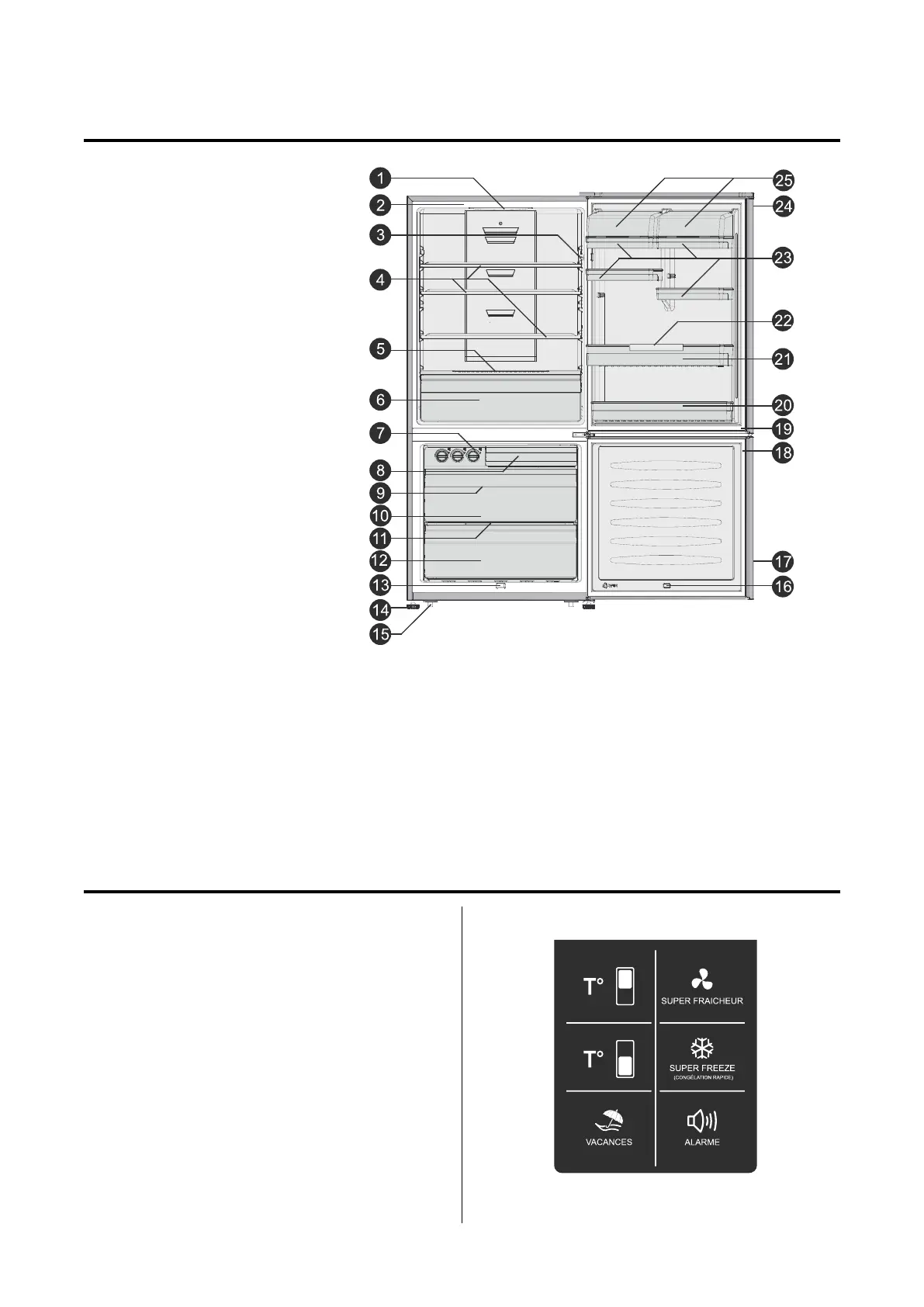
Use your appliance according to the following control
regulations. Your appliance has the corresponding
functions and modes as the control panels showed
in the following pictures: When the appliance is
powered on for the rst time, the backlighting of
the icons on the display panel starts working. If
no buttons have been pressed and the doors are
closed, the backlighting will turn o.
DESCRIPTION OF THE APPLIANCE
DISPLAY CONTROLS
1. LED light (inside)
2. Cabinet
3. Door switch
4. Glass shelf
5. Crisper cover
6. Fruit and vegetables crisper
(with divider)
7. Twist ice tray
8. Upper freezer drawer
9. Ice storage box (inside)
10. Middle freezer drawer
11. Middle freezer glass shelf
12. Lower freezer drawer
13. Sensor
14. Adjustable foot
15. Roller
16. Magnetic switch
17. Freezer door
18. Freezer door seal
19. Refrigerator door seal
20. Lower door rack
21. Middle door rack
22. Bottle holder
23. Small door rack
24. Refrigerator door
25. Covered dairy rack
NOTE:
• Due to unceasing modication of our products, your refrigerator may be slightly dierent from this Instruction
Manual, but its functions and using methods remain the same.
• Shelves and drawers are arranged for optimum energy eciency on delivery.


 To Next Page