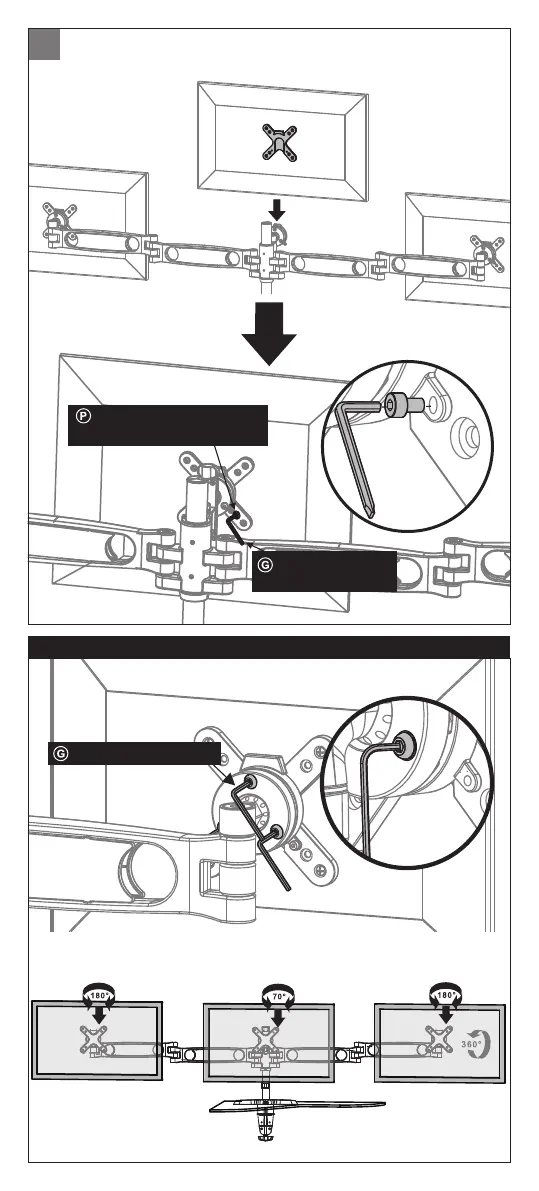
Hang the monitor on the arm and fasten the screws with a
3 mm hex key
7
Slightly loosen or tighten the screw by a 4 mm hex key when the
monitor is too tight or loose
Slightly loosen or tighten the screw by a 4 mm hex key when the
monitor is too tight or loose
Hex Key (3 mm) x 1
Adjust the Tightness of the Monitors
Hex Key (3 mm)
x 1
Socket Head M4 Screw
(8 mm) x 6



 To Next Page