10
Installation
It is essential that you switch off the amplifier along with the rest of your system at all
times when working on the cabling!
Please take care to ensure that the loudspeaker does not fall lower than a minimum impedance
of 4 ohm. Also ensure that there is no short-circuit at this port, so that no damage results for
the output stage.
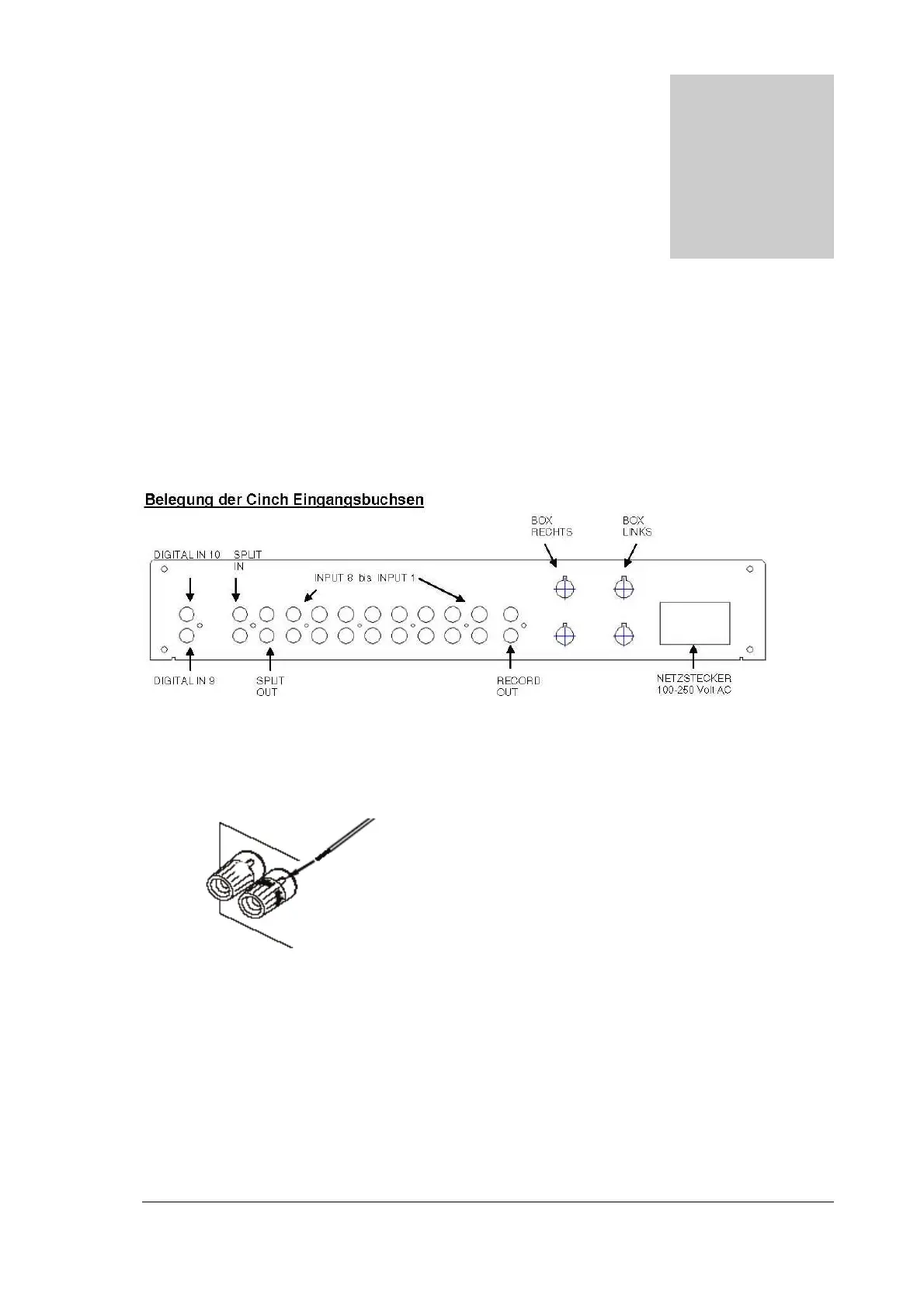
Connecting the loudspeakers
1. Rotate the screwing terminal anti-clockwise until the cable opening becomes visible.
2.
Insert the cable end into the opening and rotate the screwing terminal clockwise until
the cable is secure.
Attention!
In doing so, make sure that each of the loudspeakers is correctly connected with the relevant
amplifier output. Also pay attention to the correct polarity (+ -).
Section
6


 To Next Page