12
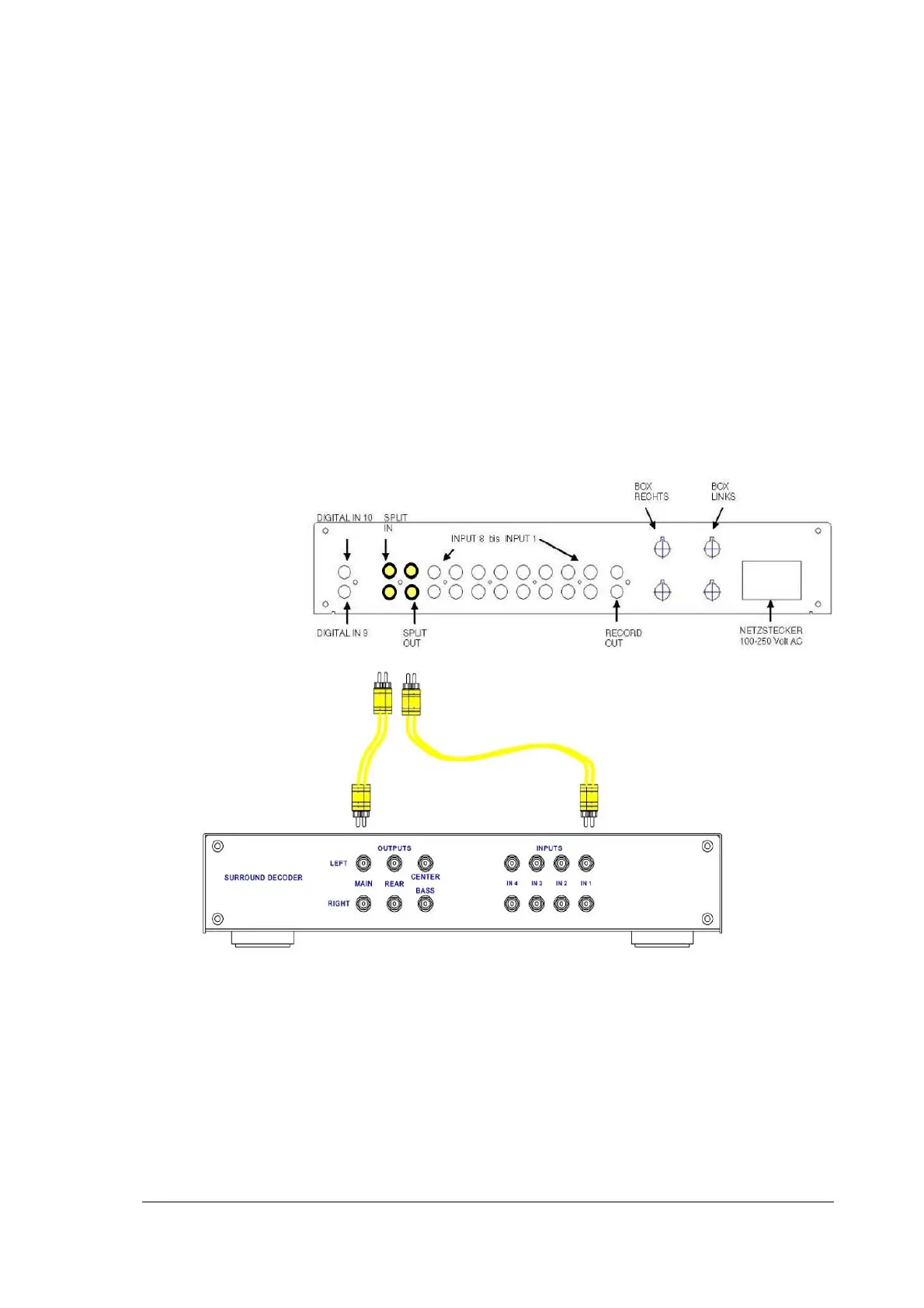
You connect the input of the surround decoder with the ports at SPLIT OUT. The
output ports for the principal channels left front and right front are connected with the
ports at SPLIT IN.
The SPLIT button is pressed and the principal loudspeakers are now connected with
the surround decoder via the principal output stage.
The output stages for the two rear channels and the middle channel are connected
directly to the surround decoder.


 To Next Page