An NTC (negative thermal coefficient) sensor provides overtemperature shutoff to the battery. The battery fuel
gauge provides an indication of the remaining battery capacity.
There are three main power lines provided:
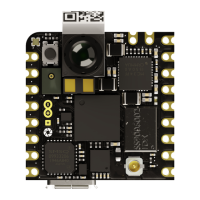
+3V1 provides power to the microprocessor (U1), 25 MHz oscillator (U14), 32.768 kHz oscillator (Y1), USB
transceiver (U5) and Wi-Fi®/Bluetooth® module.
+2V8A provides power to the camera (M1) and time-of-flight sensor (U4)
+1V8 provides power to the microprocessor (U1), camera (M1), USB transceiver (U5), Wi-Fi®/Bluetooth®
module (U9), accelerometer (U3), microphone (U6), crypto (U8), FLASH (U13), 27 MHz oscillator (U15) as well as
the two level translators (U11, U12).
Additionally, a dedicated analog supply rail (VDDA) is provided for the microcontroller (U1). The camera module
(M1) also has a dedicated power rail (+1V8CAM).
4 Board Operation
4.1 Getting Started - IDE
If you want to program your Arduino® Nicla Vision while offline, you need to install the Arduino® Desktop IDE [1].
To connect the Arduino® Vision to your computer, you will need a micro USB cable. This also provides power to the
board, as indicated by the LED.
4.2 Getting Started - Arduino Cloud Editor
All Arduino® boards, including this one, work out-of-the-box on the Arduino® Cloud Editor [2] by installing a simple
plugin.
The Arduino® Cloud Editor is hosted online. Therefore, it will always be up-to-date with all the latest features and
support of the boards. Follow [3] to start coding in the browser and upload your sketches to your board.


 To Next Page
 Loading...