English - 37 -
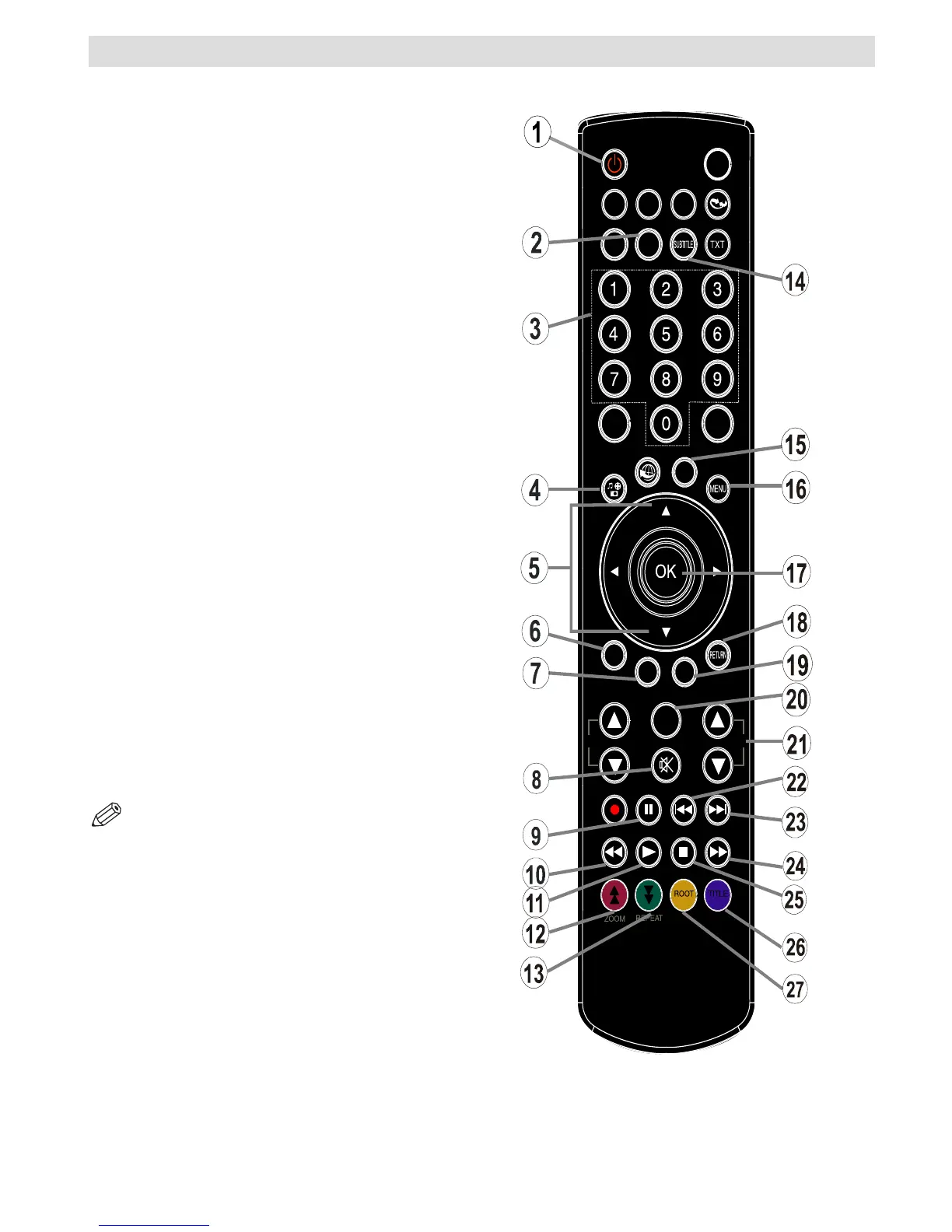
Viewing remote control - DVD
1. Standby
2. Language selection (Set language)
3. Numeric buttons
4. Angle
5. Navigation buttons (Up/Down/Left/Right)
6. Clear
7. Display time / DVD menu
8. Mute
9. Pause
10. Rapid reverse
11. Play
12. Zoom
13. Repeat
14. Subtitle
15. AV / Source selection
16. Menu
17. OK
18. Return
19. Search Mode
20. Info
21. Volume Up / Down
22. Skip Previous
23. Skip Next
24. Rapid advance
25. Stop
26. Title
27. Root
NOTE: Remote Control buttons that are not
indicated with a number cannot be used in DVD mode.



 To Next Page