
 To Next Page
K
Kathryn HansonJul 28, 2025
Why my argon audio Media Player failed to connect?
- Jjohn90Jul 29, 2025
Your argon audio Media Player may have failed to connect because MAC filtering is enabled on your router.

Why my argon audio Media Player failed to connect?
Your argon audio Media Player may have failed to connect because MAC filtering is enabled on your router.
Essential safety guidelines to prevent hazards during product use and handling.
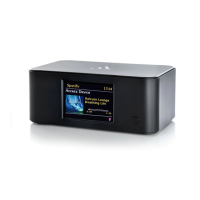
Details the various capabilities and functions of the Argon Stream2 audio system.
Specifies the necessary external components and connections required for Stream2 operation.
Explains the typographic and symbolic conventions used throughout the manual.
Details the primary physical buttons and operational controls of the remote control unit.
Instructions for connecting and using the Spotify Connect feature for music playback.
Illustrates and lists the various input and output connectors located on the rear panel.
Describes the different types of display screens shown on the Argon Stream2 unit.
Guides initial setup for date, time, and network settings via an automated wizard.
Covers connecting the Stream2 to a wireless network via SSID and password.
Provides access to additional configuration options for network and language settings.
Guides users on registering the device with the Frontier Silicon portal for radio management.
Explains how to configure a computer to share media files for playback.
Step-by-step instructions for enabling media sharing using Windows Media Player.
Details the process of enabling the 'Play To' feature for media streaming from Windows 7.
Accesses previously played internet radio stations from a history list.
Instructions on storing and selecting favorite internet radio stations using presets.
Manages favorite internet radio stations via the Frontier Silicon portal.
Navigates through internet broadcasts by category like genre, location, or podcasts.
Enables searching for internet radio stations or podcasts using keywords.
Allows users to add and access custom internet radio stations via the portal.
Displays detailed information about the currently playing audio track or station.
Connects to and plays audio files from UPnP-compatible media servers.
Manages a queue of up to 500 tracks for sequential playback from UPnP servers.
Configures track playback order for repeating or random play.
Shows details of the currently playing track, including progress and codec information.
Step-by-step instructions for streaming media using Windows Media Player's 'Play To' function.
Explains streaming media to Stream2 using 'Play To' from other Windows applications.
Detailed setup for the two wake-up alarms, including frequency, mode, and volume.
Sets a sleep timer to automatically turn off the system after a specified period.
Instructions for downloading and installing the Argon Audio remote control app from app stores.
Guides on establishing a network connection between the mobile device and the Stream2.
Steps to launch the installed Argon Audio remote control application on a mobile device.
Describes the main navigation menu icons within the remote control application.
Explains the hierarchical structure of menus within the remote control application.
Instructions on how to play the current or last played internet radio station.
Guides on playing audio files from a computer network using the Music player mode.
Instructions for selecting and playing pre-configured internet radio stations.
Details various general settings available within the remote control application.
Compares features available between the device's EUI and the mobile app.
Guides on how to update the Stream2's software, including automatic and manual methods.
Steps to restore the device to its default factory settings, erasing user configurations.
Details error messages encountered during operation and potential causes.
Provides solutions for common problems like network connectivity and playback issues.
Technical specifications of the Argon Stream2, including inputs, outputs, and performance metrics.
 General
| Brand | argon audio |
|---|---|
| Model | Stream2 |
| Category | Media Player |
| Language | English |
