7. Alarms and sleep
As well as a clock/calendar, there are two versatile
wake-up alarms with snooze facility, and a sleep function
to turn the system off after a set period. Each alarm can
be set to start in a particular mode. To set the
clock/calendar, see page 19
7.1 Alarms
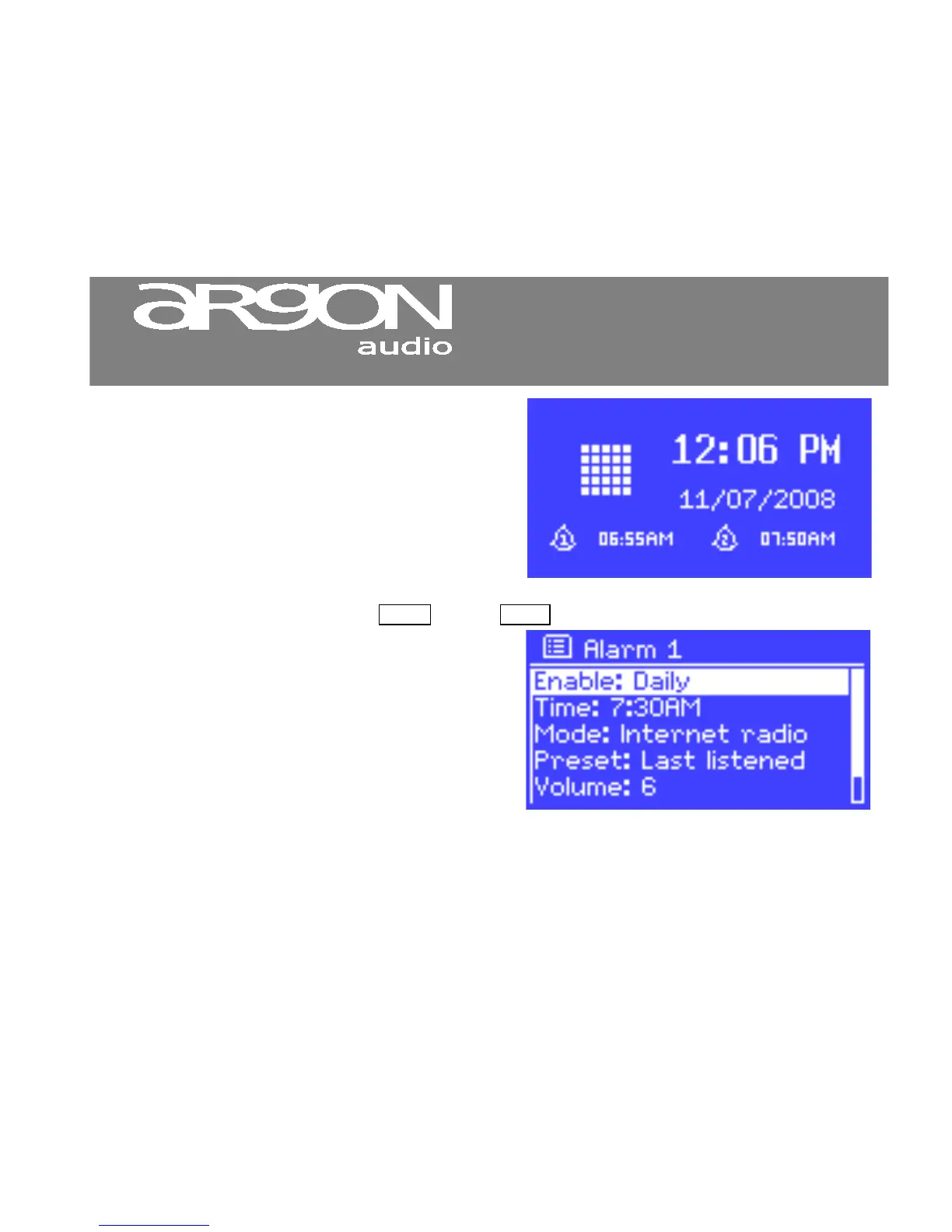
To set or change an alarm, either press Alarm or select Menu > Main menu > Alarms.
Select the alarm number (1 or 2) then configure the
following parameters:
• Enable: on/off,
• Frequency: Daily, Once, Weekends or
Weekdays,
• Time,
• Mode: Buzzer, Internet radio
• Preset: Last listened or 1-6,
• Volume: 0 – max.
To activate the new settings, scroll down and select Save.
The screen shows active alarms with an icon at the bottom left.


 To Next Page