Need help?
Do you have a question about the Argos Opti 621/4151 and is the answer not in the manual?
Safety precautions during the assembly process.
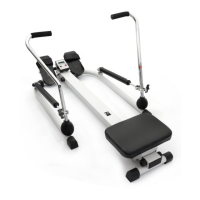
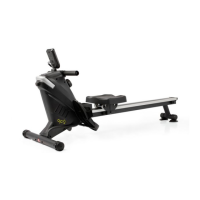
Guidelines for safe operation and use of the rower.
Precautions related to battery installation and disposal.
Attaching the base frame to the main assembly.
Attaching the rear stand to the main assembly.
Attaching the rail to the base frame.
Attaching the front cover to the base frame.
Attaching the seat carriage to the main body.
Installing the handlebar and strap.
Installing the bottle holder.
Attaching pedal caps to the pedal shaft.
Installing the console and connecting wires.
Adjusting the pedal strap for user comfort.
Specifications for safe clearance around the equipment.
Overview of the console's display items and their functions.
Description of the console's buttons: Mode, Reset, Set.
Instructions for powering on, off, and workout modes.
Instructions on how to store the magnetic rower.
Guidance on how to safely move the rower.
Detailed steps for performing the basic rowing motion.
Guidance on duration and frequency for workouts.
Description of different rowing techniques for targeted muscle toning.
Advice on preparing for exercise based on physical condition.
Using heart rate to gauge and maintain exercise intensity.
Benefits and importance of aerobic exercise for fitness.
Role of weight training in building and strengthening muscles.
Essential components of a workout for preparation and recovery.
Recommendations for workout scheduling and consistency.
Basic stretching exercises for warm-up and flexibility.
Stretch targeting calves and Achilles tendons.
Stretch targeting quadriceps and hip muscles.
Stretch targeting quadriceps and hip muscles.
Regular inspection for damage and wear.
Lubricating moving parts to prevent wear.
How to clean the equipment using damp cloth and mild detergent.
Guidance on seeking professional help for repairs or missing parts.
Details of the 12-month guarantee and its provisions.
Contact information for product issues and support.
 General
| Brand | Argos |
|---|---|
| Model | Opti 621/4151 |
| Category | Fitness Equipment |
| Type | Exercise Bike |
| Resistance | Magnetic |
| User Weight Capacity | 100kg |
| Display | LCD |
| Display Metrics | Speed, Distance, Calories, Time, Pulse |

 To Next Page