Need help?
Do you have a question about the Argos roger black series and is the answer not in the manual?
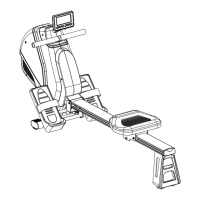
Safety precautions for assembling the rower, including component checks and workspace.
Safety guidelines for operating the rower, emphasizing user responsibility and correct usage.
Attach the base frame to the main frame using specified bolts and washers.
Attach the rear stand to the rail using button head bolts and washers.
Unfold the rail and attach it to the base frame with button head bolts and washers.
Attach the seat to the seat carriage using round head bolts and washers.
Install the handlebar onto the strap, ensuring the strap is correctly positioned.
Install end caps, slide on covers, and attach the bottle holder.
Insert the pedal shaft, slide on pedal caps, and secure with bolts and washers.
Connect the power adapter to the rower and an electrical outlet.
Initial power on sequence, system reset, and explanation of main control buttons.
Details on TIME, DISTANCE, CALORIE, WATT, STROKES/MIN displays and modes.
Explanation of program structure, timing division, and user program settings.
Step-by-step guide for setting up and using preset workout programs.
Instructions for creating and configuring custom user workout programs.
Instructions on how to adjust the pedal straps for optimal comfort and fit.
Guidelines for safely storing the rower and instructions for moving it.
Detailed steps and illustrations for performing the fundamental rowing motion.
Recommendations for workout duration, progression, and alternate rowing exercises.
Advice on starting, doctor consultation, equipment placement, and target heart rate zones.
Diagram of targeted muscle groups and discussion of weight training benefits.
Importance, components, and suggested stretches for pre- and post-exercise routines.
Instructions for calf/achilles and quadriceps stretches.
Detailed instructions for performing the inner thigh stretch.
Procedures for periodic examination, lubrication of moving parts, and tightening.
Guidelines for cleaning, advice against self-repair, and product disposal information.
Details on the product guarantee period, coverage, and contact details.
 General
| Category | Home Gym |
|---|---|
| Model | Series |
| Weight stack | 60kg |
| Material | Steel |
| Color | Black |
| Included Accessories | Lat bar, curl bar |

 To Next Page