9
H
H
H
H ow
ow
ow
ow
To
To
To
To
Scan
Scan
Scan
Scan
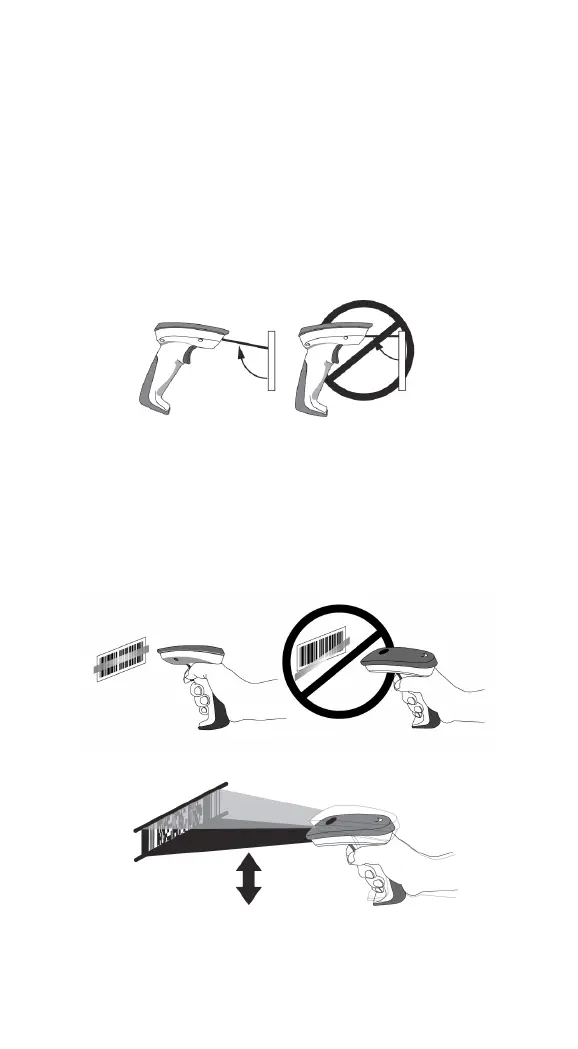
1. The imager must be pointed at slight angle to the
barcode so that the light reflected off the barcode can
be seen by the imager. Do not hold the imager
perpendicular to the barcode.
2. The scan line must cross the entire barcode . The
imager can not read the barcode data without seeing
the entire barcode.


 To Next Page
 Loading...
