HARDWARE INSTALLATION
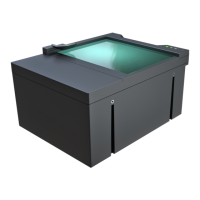
Please follow the steps below to connect your PR device to the PC.
1. Connect the PR device to one of the USB 2.0 or 3.0 ports of your PC with the supplied USB
cable.
2. Connect the power supply
*
to the device.
*
Only applicable to the devices shipped with a power supply.
3. If the device is equipped with a power button, switch it on. Models that do not have power
buttons will power on automatically once power is supplied.
If the device is used with a laptop, please make sure that the output voltage of the USB ports is
not less than 5V. For this reason, it is highly recommended that you use the laptop on AC power
(with the power cord connected).
It is strongly recommended to use the USB ports found on the motherboard of your
computer. When connecting the USB cable to a front panel USB port, make sure that
the cable connecting the front panel and the motherboard is shielded.



 To Next Page