• Next, locate the downloaded software package and run pr-2.1.x-x86.msi (in case of 32-bit
operating systems) or pr-2.1.x-x64.msi (in case of 64-bit operating systems). These files are
located within the win folder of the Passport Reader package.
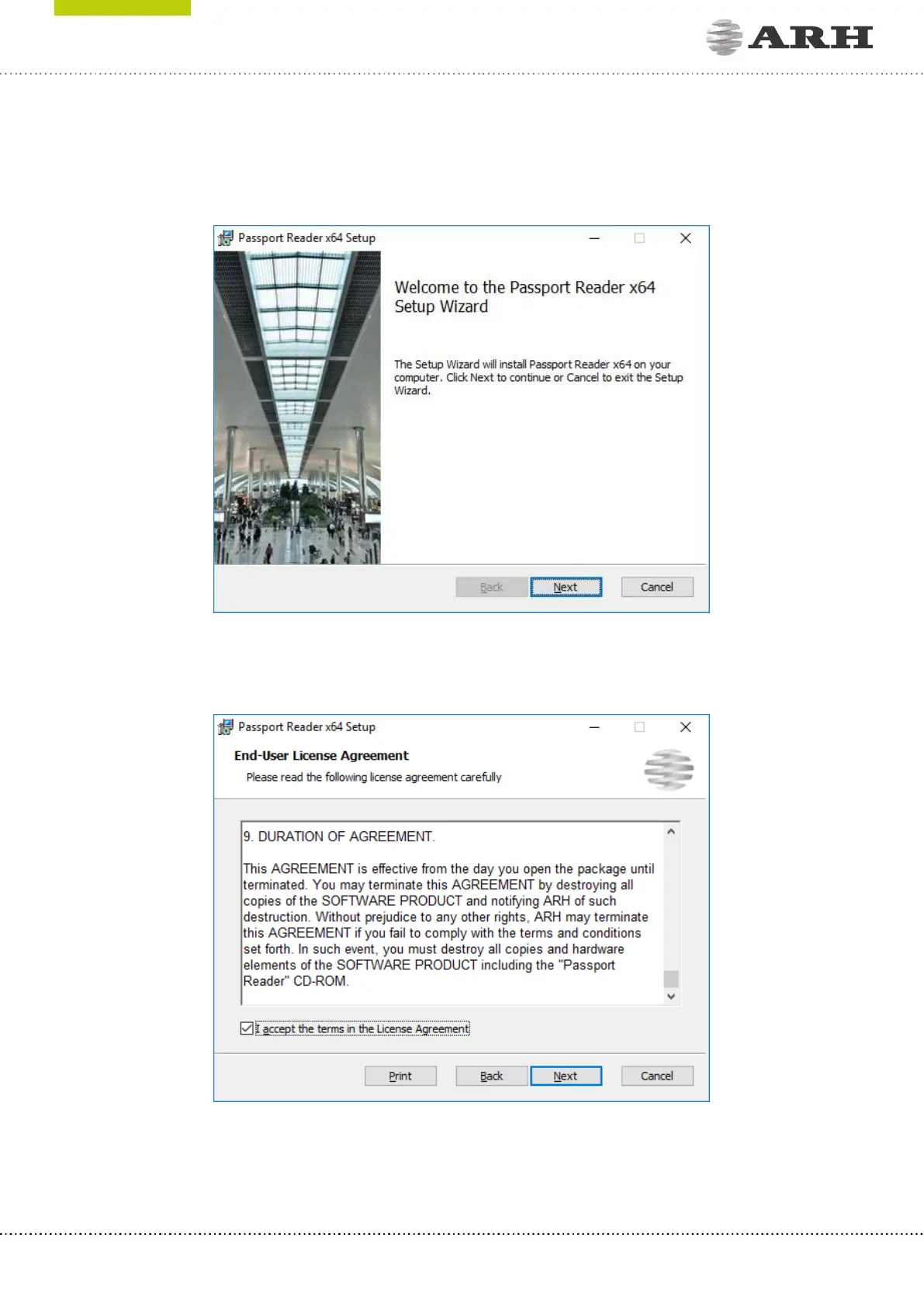
• The installation starts with the following window:
Welcome Page of Passport Reader x64 setup
• Click [Next] to launch installation.
End-User License Agreement
• Accept the EULA (by ticking the checkbox above) and start the custom installation process
by clicking on [Next].



 To Next Page