
 Need help?
Do you have a question about the Arista 720XP Series and is the answer not in the manual?
Lists the sequential steps required for switch installation and usage.
Provides information on laser product safety and proper disposal of the equipment.
Criteria for choosing an appropriate installation site, including temperature, airflow, and rack space.
Guidelines to prevent ESD damage during installation and servicing of the equipment.
Instructions for mounting the switch into a two-post equipment rack using provided brackets.
Detailed steps for attaching mounting brackets to the switch chassis for rack mounting.
Procedure for placing the switch, with attached brackets, into the equipment rack.
Instructions for mounting the switch into a four-post equipment rack using rail assemblies.
Procedure for attaching the extracted mounting brackets to the switch chassis for four-post racks.
Details on connecting power cables, including electrical codes, grounding, and overcurrent protection.
Commands to set the admin password, configure a default route, and assign an IP to the management port.
 General
| Series | 720XP |
|---|---|
| Category | Switch |
| Max PoE Budget | 740W |
| MTU | 9216 Bytes |
| Additional Ports | 4 x 10G SFP+ |
| Layer | Layer 2/3 |
| Operating Temperature | 0°C to 40°C |
| Humidity | 5% to 95% non-condensing |
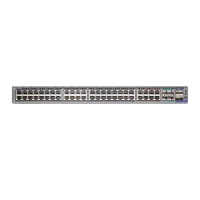
| Ports | 48x 10/100/1000BASE-T |


 To Next Page