
 Need help?
Do you have a question about the Arista DCS-7280CR3-32P4 and is the answer not in the manual?
Details specific Arista Networks Data Center Switches covered by this guide.
Outlines the key steps involved in installing and setting up the Arista switch.
Directs users to essential safety warnings and guidelines for handling the equipment.
Guidelines to prevent ESD damage during switch installation and servicing.
Instructions for connecting the switch to the data center ground using grounding adapters.
Guidelines for connecting power cables to the switch, including AC and DC supplies.
Steps for removing and installing power supply modules in the switch.
Procedures for removing and installing fan modules to maintain switch operation.
 General
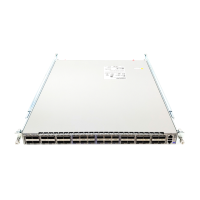
| Model | DCS-7280CR3-32P4 |
|---|---|
| Product Series | 7280R3 |
| Form Factor | 1RU |
| Switching Capacity | 6.4 Tbps |
| System Memory | 16 GB |
| Operating System | Arista EOS |
| AC Power Input | 100-240VAC |
| Cooling | Front-to-back airflow |
| Humidity | 5% to 95% non-condensing |
| CPU | Intel x86 |
| Storage | SSD |
| Power Supply | Dual |
| Dimensions (W x D x H) | 17.3 x 21.6 x 1.7 in (43.9 x 54.9 x 4.3 cm) |
| Operating Temperature | 0°C to 40°C |
| Storage Temperature | -40°C to 70°C (-40°F to 158°F) |
| Ports | 32 x 100GbE QSFP28 |
| Weight | 25.4 lb (11.5 kg) |


 To Next Page