
 Need help?
Do you have a question about the Arista DCS-7280CR3K-96 and is the answer not in the manual?
Steps for installation, safety information, and critical precautions.
Guidelines for choosing an installation site, focusing on ventilation and temperature.
Essential guidelines to prevent electrostatic discharge damage during handling.
Procedures for grounding the switch to the data center ground.
Guidelines for connecting AC and DC power supplies, including preparation.
Steps to bypass ZTP, set password, IP address, and default route.
 General
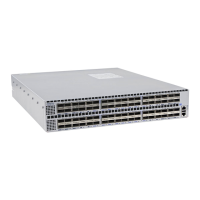
| Model | DCS-7280CR3K-96 |
|---|---|
| Total Ports | 96 |
| Switching Capacity | 19.2 Tbps |
| Operating System | Arista EOS |
| Operating Temperature | 32°F to 104°F (0°C to 40°C) |
| CPU | Intel |
| Form Factor | 19-inch rack mount |
| Port Type | 100G QSFP |
| Ports | 96 x 100GbE QSFP |
| Power Supply | Dual redundant power supplies |


 To Next Page