
 Need help?
Do you have a question about the Arista DCS-7280TR3-40C6 and is the answer not in the manual?
Directs users to essential safety warnings and guidelines for handling equipment.
Essential guidelines to prevent damage from static discharge during installation.
Procedures for mounting 1RU switches in a two-post rack.
Procedures for mounting 1RU switches in a four-post rack.
Instructions for connecting the switch to the data center ground.
Guidance on connecting AC and DC power supplies, including redundancy.
Step-by-step guide to manually configure switch settings after bypassing ZTP.
Steps for safely removing and installing power supply modules.
Steps for safely removing and installing fan modules.
 General
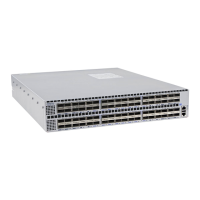
| Model | DCS-7280TR3-40C6 |
|---|---|
| Type | Switch |
| Product Series | 7280R3 |
| Power Supply | Dual, hot-swappable |
| Flash Storage | 16GB |
| Operating System | Arista EOS |
| Operating Temperature | 0°C to 40°C |
| Ports | 40 x 100GbE QSFP+ and 6 x 400GbE QSFP-DD |
| Dimensions | 1.72 x 17.3 x 22.5 in (4.37 x 43.94 x 57.15 cm) |


 To Next Page