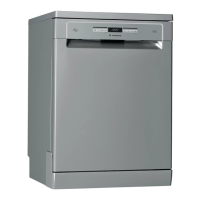
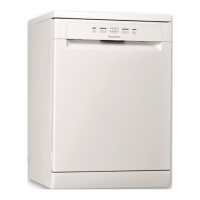
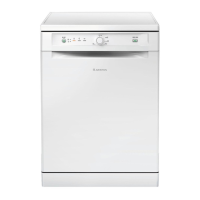
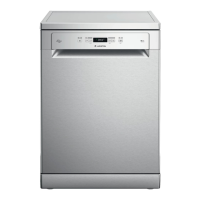
This document provides a comprehensive guide for the Ariston dishwasher, covering its product description, first-time use, program table, options and functions, loading instructions, daily use, advice and tips, care and maintenance, and troubleshooting.
Product Description and Specifications
The Ariston dishwasher features an intuitive design with two main racks: an upper rack and a lower rack, complemented by a dedicated cutlery rack. The upper rack includes a height adjuster, allowing for flexible loading of bulky crockery in the lower basket or creating more space for tip-up supports. It also has foldable flaps with adjustable positions for securing wine glasses and other delicate items. The lower rack is designed for pots, lids, plates, and salad bowls, featuring tip-up supports and a "Space Zone" pull-out support for efficient loading of frying and baking pans. Both racks are equipped with spray arms for effective water distribution. The cutlery rack is a third rack designed to house cutlery, with sliding side trays to optimize space for taller items in the upper rack.
Key components include a filter assembly, salt reservoir, and detergent and rinse aid dispensers. The control panel features an On-Off/Reset button, program selection button, Zone Wash 3D button (which also functions as a Keylock), Eco program indicator, Keylock indicator, display showing program number and remaining time, Tablet (Tab) indicator, closed water tap indicator, Rinse Aid refill indicator, Salt refill indicator, Short Time button, Delay button, and Start/Pause button. The display also indicates "Drain out" functionality.
First Time Use and Settings
Before initial use, stoppers from the racks and elastic elements from the upper rack should be removed. The salt reservoir, located in the lower part of the dishwasher, must be filled with approximately 1 kg of salt when the SALT REFILL indicator light is lit. It is crucial to set the water hardness according to local water supply information. This involves switching the appliance on and off, holding the START/Pause button for 5 seconds, switching it on again, and then pressing the P button to select the desired hardness level from the Water Hardness Table (ranging from Soft to Very hard).
The rinse aid dispenser (A) should be filled when the RINSE AID REFILL indicator light is lit. The dosage of rinse aid can be adjusted from level 1 (ECO, no rinse aid) to a maximum of 5 levels to optimize drying results. This adjustment is performed by switching the dishwasher on and off, pressing START/Pause three times, switching it on again, and then using the P button to select the desired level.
The detergent dispenser (D) is opened using device C. Detergent should be introduced into the dry dispenser, with pre-washing detergent placed directly inside the tub. The dispenser automatically opens during the program. For all-in-one detergents, the TABLET button should be used to optimize washing and drying.
Programs and Options
The dishwasher offers a variety of programs:
- Eco (50°C): Most efficient for normally soiled tableware in terms of energy and water consumption. Duration: 3:10, Water: 9.5L, Energy: 0.85 kWh.
- Auto Intensive (65°C): Automatic program for heavily soiled dishes and pans. Duration: 2:00-3:10, Water: 14.0-17.0L, Energy: 1.50-1.85 kWh.
- Auto Mixed (55°C): Automatic program for normally soiled pans and dishes. Duration: 1:30-2:30, Water: 14.5-16.0L, Energy: 1.15-1.30 kWh.
- Auto Fast Wash (50°C): Automatic program for limited quantities of normally soiled crockery, ensuring optimal cleaning in shorter time. Duration: 0:55-1:20, Water: 13.0-14.5L, Energy: 1.15-1.25 kWh.
- Rapid 30' (50°C): For half loads of lightly-soiled dishes with no dried food residues; no drying phase. Duration: 0:30, Water: 9.0L, Energy: 0.50 kWh.
- Good Night (50°C): Suitable for night-time operation, ensuring optimal cleaning and drying with lowest noise emission. Duration: 3:30, Water: 15.0L, Energy: 1.15 kWh.
- Sanitizing (65°C): For normally or heavily soiled crockery with additional antibacterial wash. Can be used for dishwasher maintenance. Duration: 1:40, Water: 10.0L, Energy: 1.30 kWh.
- Soak: To refresh crockery planned for later washing; no detergent needed. Duration: 0:12, Water: 4.5L, Energy: 0.01 kWh.
- Self-Clean (65°C): For dishwasher maintenance using specific detergents, to be carried out when empty. Duration: 0:50, Water: 8.0L, Energy: 0.85 kWh.
Available options include:
- 3D Zone Wash: Allows washing with one rack at a time, saving energy or increasing washing performance. It can reduce energy consumption by up to 40% with the Mixed cycle or increase washing performance by up to 40% with the Intensive cycle.
- Delay: Delays the start of a program from 0:30 to 24 hours.
- Drain Out: Stops and cancels the active cycle, draining water from the dishwasher.
- Keylock: Blocks the control panel (except ON/OFF button) to prevent accidental changes.
- Short Time: Reduces program duration while maintaining washing and drying performance.
- Tablet (Tab): Optimizes program performance for combined detergents in tablet form.
- ActiveDry: A convection drying system that automatically opens the door during/after the drying phase for exceptional drying performance. This feature can be disabled or enabled via a specific button sequence.
- Internal Lights: LEDs in the tub automatically switch on/off when the door is opened/closed.
Daily Use and Advice
For daily use, ensure the water connection is open, switch on the dishwasher, load the racks, fill the detergent dispenser, choose a program and desired options, and press START/Pause. The end of the wash cycle is indicated by beeps and "End" on the display. The machine automatically switches off after extended periods of inactivity to minimize electricity consumption.
If a wrong program is selected, it can be changed if it has just begun by pressing and holding ON/OFF, then selecting a new program. Extra crockery can be added during a cycle by opening the door (beware of hot steam), placing items inside, and pressing START/Pause. If the cycle is interrupted by opening the door or a power cut, it resumes from where it left off once the door is closed or power is restored and START/Pause is pressed.
Tips for optimal performance include removing food residues before loading, arranging crockery firmly, ensuring spray arms can rotate freely, and placing very soiled items in the lower basket. Unsuitable crockery includes wooden items, delicate decorated glasses, synthetic materials not resistant to high temperatures, copper, tin, and items soiled with ash, wax, grease, or ink.
To save energy, run the dishwasher when fully loaded and use dedicated wash options for partial loads. Manual pre-rinsing is not recommended as it increases water and energy consumption. For hygiene, run a high-temperature program at least once a month with a teaspoon of detergent when empty.
Care and Maintenance
Regular cleaning of the filter assembly is essential to prevent clogging and ensure proper water drainage. The filter assembly consists of cylindrical filter A, cup filter B, and stainless-steel plate filter C. These should be cleaned monthly or after 30 cycles by disassembling and rinsing under running water with a non-metallic brush.
The spray arms should also be checked periodically for encrusted food residues. The upper spray arm can be removed by turning its plastic locking ring anti-clockwise, and the lower spray arm by pulling it upwards.
The water softening system automatically reduces water hardness and regenerates itself with salt. Regeneration occurs once per 6 Eco cycles (with water hardness level set to 3), consuming approximately 3.5L of water and adding up to 5 minutes to the cycle.
If water hoses are new or unused for a long time, let water run through them to clear impurities before connecting to prevent blockages.
Troubleshooting
The manual provides a detailed troubleshooting guide for common issues:
- Salt/Rinse aid indicator lit: Refill the respective reservoirs and adjust water hardness/rinse aid dosage.
- Dishwasher won't start/respond: Check power plug, door closure, ActiveDry pin, and ensure no accidental interruptions. If F9 or F12 error codes appear, switch off/on and restart.
- Dishwasher won't drain (F3 error): Check for bent drain hose, blocked sink drain pipe, or clogged filter.
- Excessive noise: Ensure crockery is positioned correctly and not rattling, and that spray arms can rotate freely.
- Dishes not clean: Check crockery arrangement, wash cycle selection, detergent quantity/suitability, rinse aid dispenser cap, and filter cleanliness.
- Dishwasher won't fill (F1/F6 error): Check water supply, open tap, ensure inlet hose is not bent, and clean the sieve in the inlet hose.
- Premature cycle finish (F15 error): Check drain hose height and for siphoning into home sewage system, or air in water supply.
For further assistance, users can visit www.aristonchannel.com, use the QR Code, or contact After-sales Service with the product's identification plate codes. The model information is also available via the QR-Code on the energy label.


 To Next Page
 General