EasyManua.ls Logo

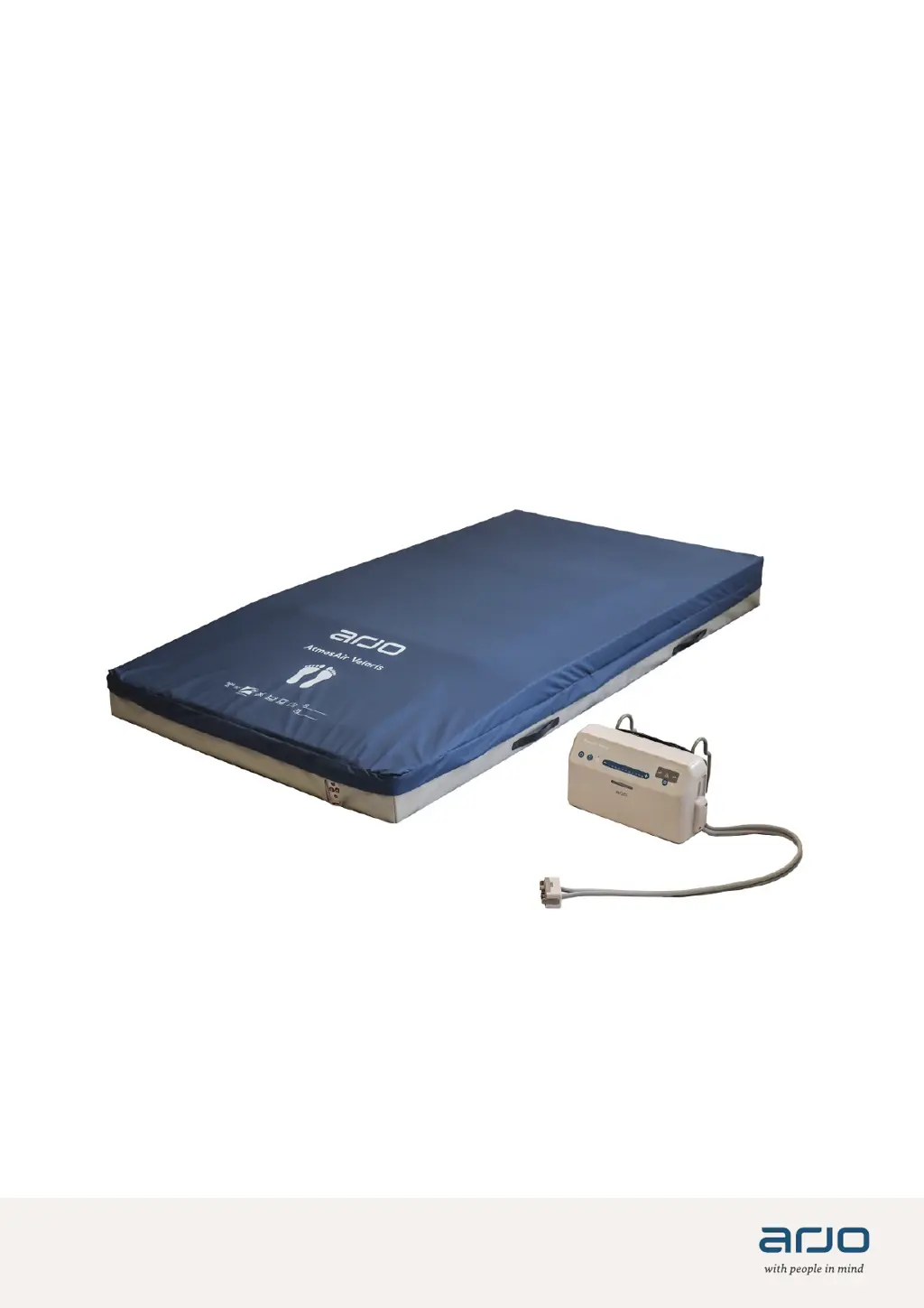
Arjo AtmosAir Velaris - User Manual

Arjo AtmosAir Velaris
52 pages
Print Icon
To Next Page IconTo Next Page
Loading...
INSTRUCTIONS FOR USE
AtmosAir Velaris
Hybrid mattress system
04.AAV.00EN_02 • 10/2021

Other manuals for Arjo AtmosAir Velaris

Questions and Answers

  • R
    rebekahhubbardAug 18, 2025
    What to do if Arjo AtmosAir Velaris has a power failure?
    • M
      mrandallAug 18, 2025
      If the Arjo Indoor Furnishing unit experiences a power failure, where all lights are off, it could be due to a disconnected or removed power source. In this case, switch the power source back on or reconnect it. Another reason could be a power outage. If this is the case, wait for the power to be restored. You can also press and hold the run/standby button to cancel the alarm.
  • A
    Alexander HansenAug 21, 2025
    Why is the low pressure repeater light on for Arjo Indoor Furnishing?
    • A
      anthony18Aug 21, 2025
      If the repeater light is on for the Arjo Indoor Furnishing, and there is low pressure, it might be caused by the mattress to pump connector not being correctly connected or a leak in the pneumatic system. Ensure that the tube-set connector is correctly connected to the pump; you should hear an audible click.
  • M
    Mr. Vernon MitchellAug 23, 2025
    What to do if Arjo AtmosAir Velaris has a hardware failure?
    • N
      Nancy ThomasAug 23, 2025
      If the repeater light is on for the Arjo Indoor Furnishing due to a hardware failure, on initial power up, replace the pump. During normal operation, after a successful start-up, select standby, remove the power source, re-power, and if the pump fails the Built-In Self-Test (BIST), replace the pump.
  • A
    Andrew CarlsonAug 26, 2025
    How to unlock Arjo Indoor Furnishing?
    • B
      barnettjeffAug 26, 2025
      If the Arjo Indoor Furnishing is in lock mode, press and hold the Lock button for more than 2 seconds to unlock it.
  • J
    Jason LopezAug 27, 2025
    What does audio alarm pause mean for Arjo AtmosAir Velaris Indoor Furnishing?
    • K
      Karen ZhangAug 27, 2025
      The pump audio alarm has been paused during LOW PRESSURE OR HARDWARE FAIL condition. If the fault condition clears, the audio alarm pause is reset and the light is off. After 15 minutes, the audio alarm pause will reset and the light is off.
  • R
    Robert WilsonAug 30, 2025
    What to do if Skin IQ blower is not operational for Arjo AtmosAir Velaris?
    • T
      Timothy SmithAug 30, 2025
      If the Skin IQ is connected to the Arjo Indoor Furnishing, but the blower is not operational, replace the Skin IQ coverlet or replace the control PCBA.
  • A
    Austin SharpSep 1, 2025
    What to do if the Arjo AtmosAir Velaris Indoor Furnishing power fails and all lights are off?
    • D
      David PooleSep 1, 2025
      If the power source is removed, switched off, or disconnected, switch the power source back on or reconnect it. In case of a power outage, wait for the power to be restored. You can also press and hold the run/standby button to cancel the alarm.
  • N
    Natalie BergSep 3, 2025
    How to unlock Arjo AtmosAir Velaris Indoor Furnishing lock mode?
    • M
      Maria SanchezSep 3, 2025
      To unlock the pump, press and hold the lock button for more than 2 seconds. The lock button light will turn off, indicating that all buttons are unlocked.
  • J
    Jennifer JohnsonSep 6, 2025
    What to do if Arjo Indoor Furnishing shows low pressure and the repeater light is on?
    • R
      Robert HillSep 6, 2025
      First, check that the tube-set connector is correctly connected to the pump; you should hear an audible click. If the issue persists, there may be a leak in the pneumatic system, and you should contact qualified service personnel.
  • P
    Pamela FaulknerSep 8, 2025
    Why is the audio alarm paused on my Arjo AtmosAir Velaris?
    • J
      Justin PetersSep 8, 2025
      The pump audio alarm may have been paused during a LOW PRESSURE OR HARDWARE FAIL condition. If the fault condition clears, the audio alarm pause is reset and the light is off. After 15 minutes, the audio alarm pause will reset and the light is off. If the fault condition persists, the audio alarm sounds again.

Summary

Foreword

Customer Contact Information

Contact details for product support, maintenance, and services.

Read and Understand IFU

Emphasizes the importance of reading and understanding instructions for safety and operation.

Service and Support

Outlines routine maintenance and where to get further information or spare parts.

Serious Incident Reporting

Procedure for reporting serious incidents involving the medical device.

Definitions in IFU

Explains the meaning of warning, caution, and note indicators used in the document.

Intended Use

Contraindications

Conditions where the hybrid mattress system should not be used.

Patient Assessment Criteria

Guidelines for assessing patients, including weight limits for different system components.

Expected Service Life

Specifies the expected lifespan of the system's components (mattress, pump).

Safety Instructions

Electrical and Physical Safety

Warnings about electrical hazards, tripping, entanglement, sharp objects, heat, and CPR.

Patient Safety and Fire Prevention

Precautions for pressure injury, mattress assembly, layers, movement device, and fire hazards.

Preparation

Bed Frame Recommendation

Guidance on compatible bed frames and assessment for mattress and frame selection.

Pre-Use Actions

Steps to take before the first use, including package inspection and reading IFU.

Routine Checks

Actions required before every use and after each patient.

Parts Designation

Alternating Pressure Pump Components

Identifies and labels the parts of the alternating pressure pump.

Control Panel Overview

Labels and identifies the buttons and lights on the control panel.

Standard and Plus Mattress Parts

Identifies the components of the Standard and Plus mattress models.

Stretcher (ST) Mattress Parts

Identifies the components of the Stretcher (ST) mattress model.

Seat Cushion Parts

Identifies the components of the Seat Cushion.

Control Panel Functions

Run;Standby and Lock Functions

Explains the operation of the Run/Standby and Lock buttons and their indicator lights.

Audio Off Indicator

Describes the function of the Audio Off light and its relation to audio notifications.

Weight Selection Controls

Details the buttons and lights used for setting the patient's weight on the pump.

Alarm Pause Function

Explains how to pause audible alarms and the associated indicator light.

System Status Indicators

Describes the Power Fail, System Fault, Low Pressure, and Skin IQ indicator lights.

Product Description: Alternating Pressure Pump

Repeater Light

Explains the normal and fault condition indications of the repeater light.

Hanging Brackets

Describes the function and placement of the pump's hanging brackets.

Power Cable Management

Instructions for positioning the power cable using cable management loops.

Skin IQ Port

Details the purpose and use of the Skin IQ port for connecting the coverlet.

Audio On;Off Switch

Explains the function and location of the switch to disable pump sound notifications.

Day;Night Mode

Describes the automatic brightness adjustment of pump lights in low ambient light.

Product Description: Standard and Plus Mattress

Mattress Covers and Connectors

Describes the mattress covers, zip, and the mattress connector.

Connecting the Pump

Step-by-step guide on how to connect the pump to the mattress connector.

Disconnecting the Pump

Step-by-step guide on how to disconnect the pump from the mattress connector.

Mattress Handling and Stability

Details the use of handles for moving the mattress and non-slip base for stability.

Cable Management Loops

Instructions for securing the power cable using the loops on the mattress.

Product Description: Stretcher (ST) Mattress

ST Mattress Components

Identifies the covers, handles, and non-slip base of the ST mattress.

Product Description: Seat Cushion

Seat Cushion Components

Identifies the covers, handle, and non-slip base of the seat cushion.

Assemble the Hybrid Mattress System

Mattress Placement on Bed;Trolley

Instructions for correctly positioning the mattress on different bed or trolley frames.

Pump Assembly and Connection

Steps for hanging the pump, connecting the tube-set, and managing the power cable.

Therapy Modes

Reactive Therapy

Instructions for using the mattress in reactive (unpowered) mode and patient positioning.

Active Therapy (Standard or Plus)

Steps for setting up and starting active (alternating) therapy with the pump.

Turn-off and Store Pump

Procedures for safely turning off the pump and storing it after use.

Homecare Use

General Homecare Safety Precautions

Warnings for caregivers operating the system in a home environment, covering patient injury and entanglement.

Device Operation in Home Setting

Guidelines for operating the system safely at home, including environment and supervision.

Cleaning and Disinfection

Safety Precautions for Cleaning

Essential safety measures during cleaning and disinfection processes.

Equipment Damage Prevention

Prohibits specific cleaning agents and methods that could damage the device.

Allowed Disinfectants and Procedures

Lists approved disinfectants and guidelines for cleaning pump and covers.

Mattress Cover Washing

Instructions for washing and drying the removable mattress top cover.

Care and Preventive Maintenance

Pre-Use System Checks

Routine operational and visual checks performed before using the hybrid mattress system.

Post-Use and Maintenance Checks

Procedures for cleaning, disinfecting, and inspecting components after patient use.

Troubleshooting and Alarms

Pressure and Power Status Indicators

Explains causes and solutions for Low Pressure and Power Fail indicators.

System Fault and Lock Status

Addresses Hardware Fail alarms and the Lock Mode feature.

Audio and Skin IQ Status

Details the Audio Alarm Pause, Audio Off, and Skin IQ indicators.

Technical Specifications

General and Electrical Specifications

Provides details on pump model, materials, size, weight, electrical ratings, and operating conditions.

Transport, Storage, and Disposal

Information on conditions for transport, storage, expected service life, and end-of-life disposal.

Allowed Combinations

Lists compatible Skin IQ coverlets for different Arjo Velaris mattress models.

Measurements and Compatibility

Mattress and Seat Cushion Dimensions

Details part numbers, sizes, materials, weights, and compatible Arjo bed frames/trolleys.

Top Cover Specifications

Cover Material Properties

Describes features like removability, moisture permeability, antimicrobial coating, stretch, and abrasion resistance.

Care and Durability

Information on fire retardancy, washing/drying temperatures, wipe-down chemicals, and lifetime expectancy.

Labels

Labels on the Pump

Identifies and explains the product and serial number labels on the pump unit.

Labels on the Surfaces

Surface Label Types

Identifies and explains the types of labels found on the mattress and seat cushion surfaces.

Symbol Explanations

Regulatory and General Symbols

Explains common symbols like CE, MD, SN, REF, manufacturer, and manufacturing date.

Safety and Environmental Symbols

Explains symbols related to electrical safety, environmental limits, and recycling.

Surface Symbol Explanations

Operational and Care Symbols

Explains symbols for washing, drying, cleaning, facility identification, and fitting dates.

List of Standards and Certificates

Relevant Standards Compliance

Lists the medical electrical equipment standards and certificates the product complies with.

Electromagnetic Compatibility (EMC)

EMC Requirements and Guidance

Outlines EMC compliance, installation precautions, and warnings about interference.

Emission Guidance

Provides guidance on electromagnetic emission levels and suitability for different environments.

Immunity Guidance

Details immunity test levels and recommended separation distances for RF equipment.

Immunity to Electrical Disturbances

Explains immunity requirements for electrostatic discharge, transients, surges, and power quality variations.

Arjo AtmosAir Velaris Specifications

General IconGeneral
BrandArjo
ModelAtmosAir Velaris
CategoryIndoor Furnishing
LanguageEnglish