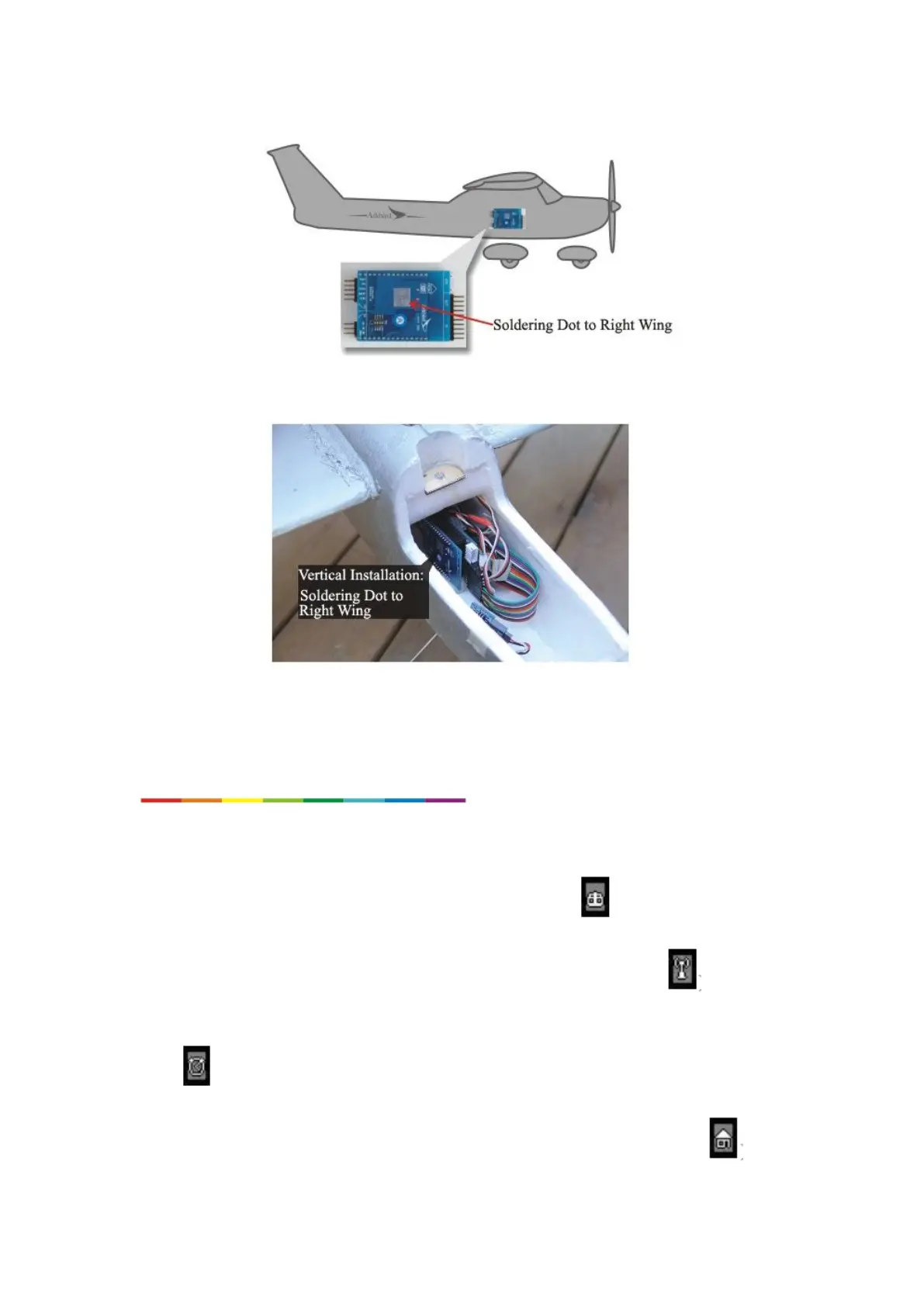
-7-
2 ways of installation
4. Switch Modes through CH5 and CH6:
1. After installation, test OSD and the radio control. Use CH5 and CH6 (0% to 100%) to switch
flight mode.
2. While CH5 < 50%, it switches to Manual Mode(OSD shows ),
3. While CH5 > 50% and CH6 < 30%, it switches to Balance Mode(shows );
While CH5 > 50% and 30% < CH6 < 70%, it switches to Custom Mode(Way point
Mode or Fence Mode),
While CH5 > 50% and CH6> 70%, it switches to Return-to-home Mode.(shows ).



 To Next Page