-17-
11. Balance Mode and RTH Adjustment (Very Important)
Arkbird’s default parameters will be ok for most plane types. But if the most ideal situation
expected, please refer to the following methods:
First time installation, do a neutral point alignment. Plane shall be put paralleled to the
ground before neutral point check, moving aileron stick left and right to get start. (Refer to CTL
menu)
Roll the plane to right and left 45 degree after neutral point check to see if OSD horizon tilts
accordingly and quickly.
Please fly on default and record OSD video on the ground. Observe the attitude through OSD
and adjust parameters.
Adjusting Balance Mode:
Purpose: Stick and SUB-TRIM back to center, plane can be able to flight levelly.
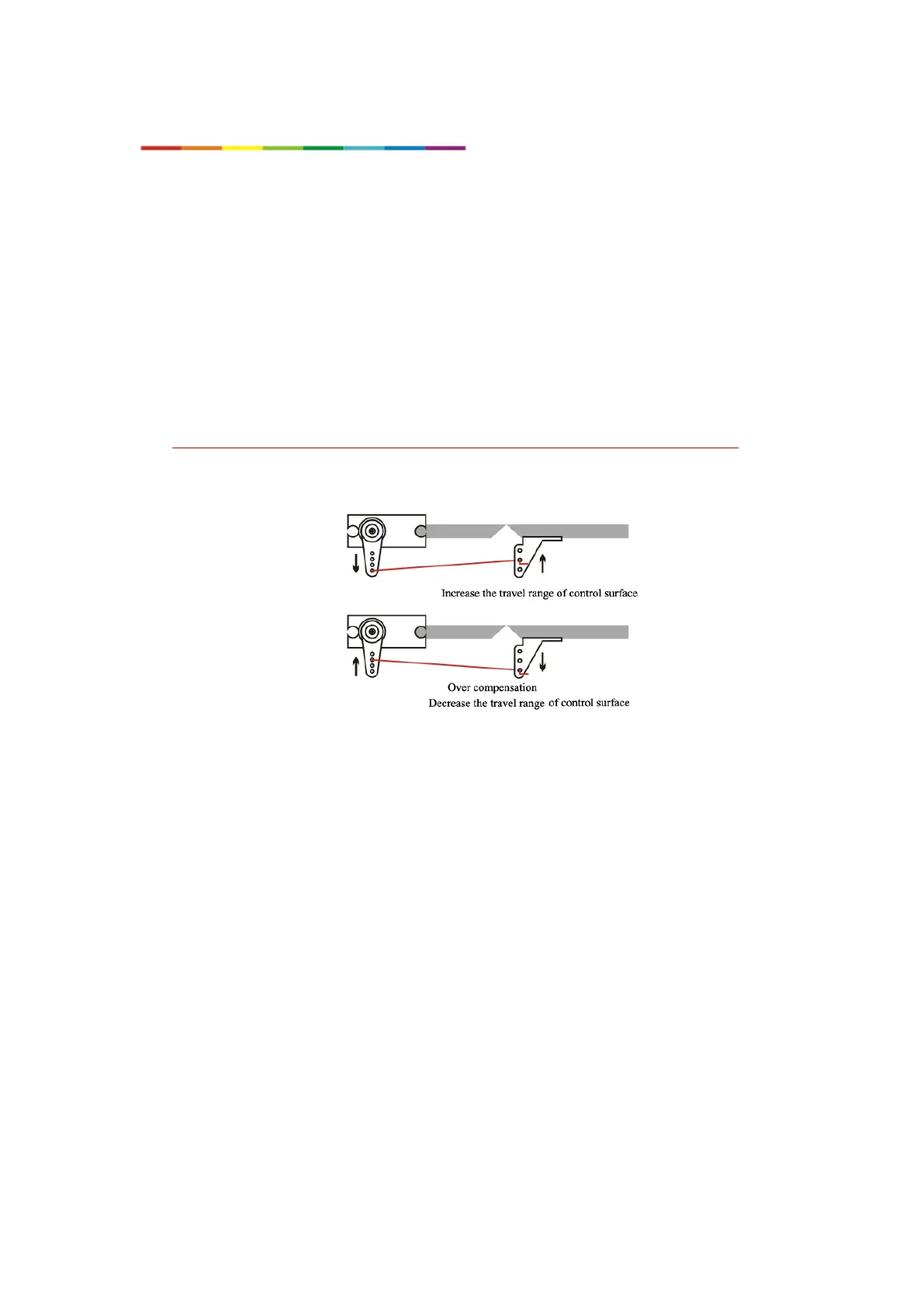
1. Please increase control value (“ctl” in CTL menu) or plane’s control surface when the
stability not good enough (drift even stick back to center), and decrease it when the plane swings.
2. If plane pitches up or down when stick back to center, please adjust the “elevate angle”
value (Do not adjust through SUB-TRIM, otherwise RTH Mode won’t be precise.)



 To Next Page