ARKSCAN 2054A LAN LABEL PRINTER © 2020 ARKSCAN, LLC
7
----------------------------------------------------------------------------------------------------------------------------------------------------------------
Email: support@arkscan.com Please visit www.arkscan.com for live chat support and product updates
4 Create IP port for Printer
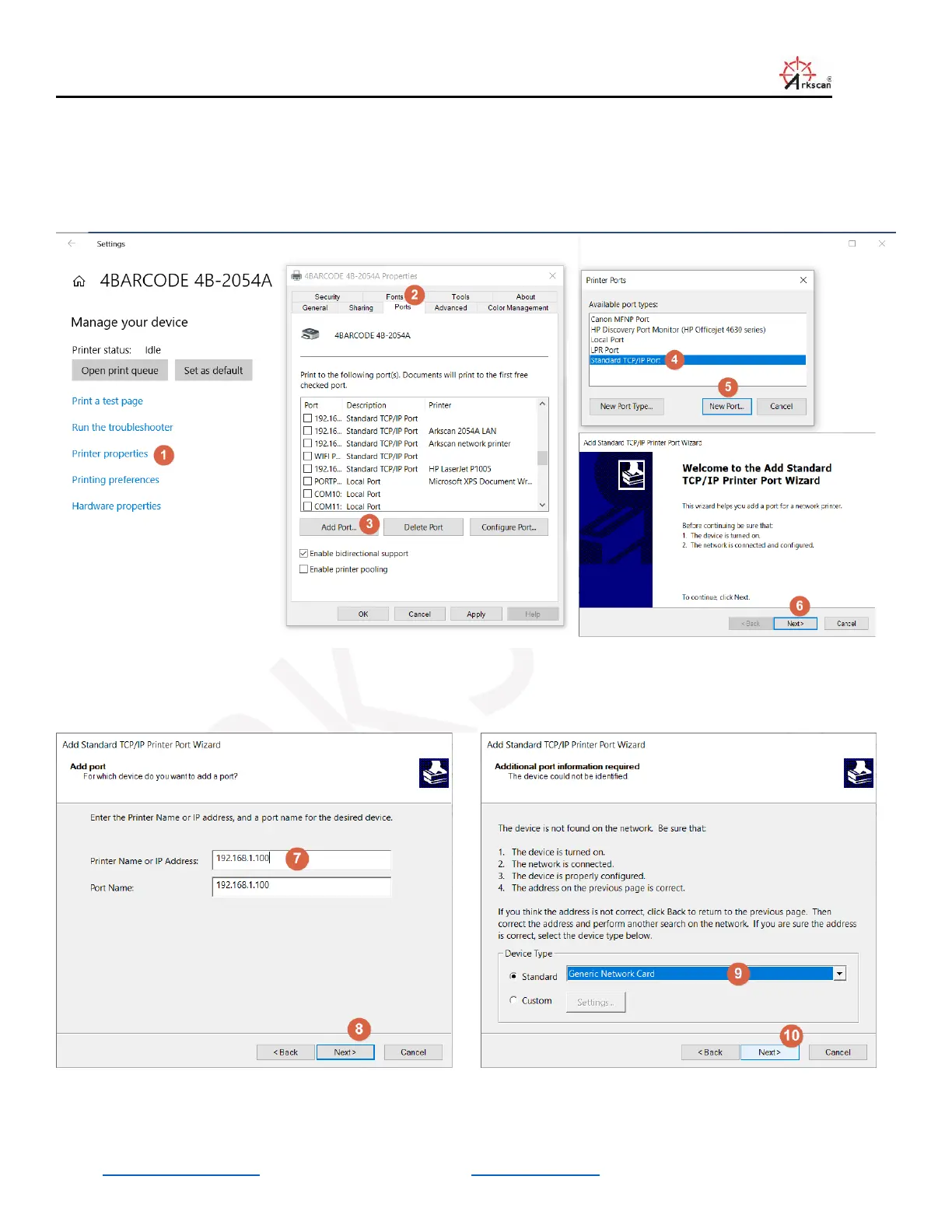
Go to the printer driver that you installed with the USB interface under Printer and Scanner, the driver usually named as
4BARCODE 4B-2054A, and go to its Printer Property, and then click on Port tab, and follow the steps below:
And key in the IP address of the printer in ‘Printer Name or IP Address’ field (step #7).


 To Next Page