Setting the controls
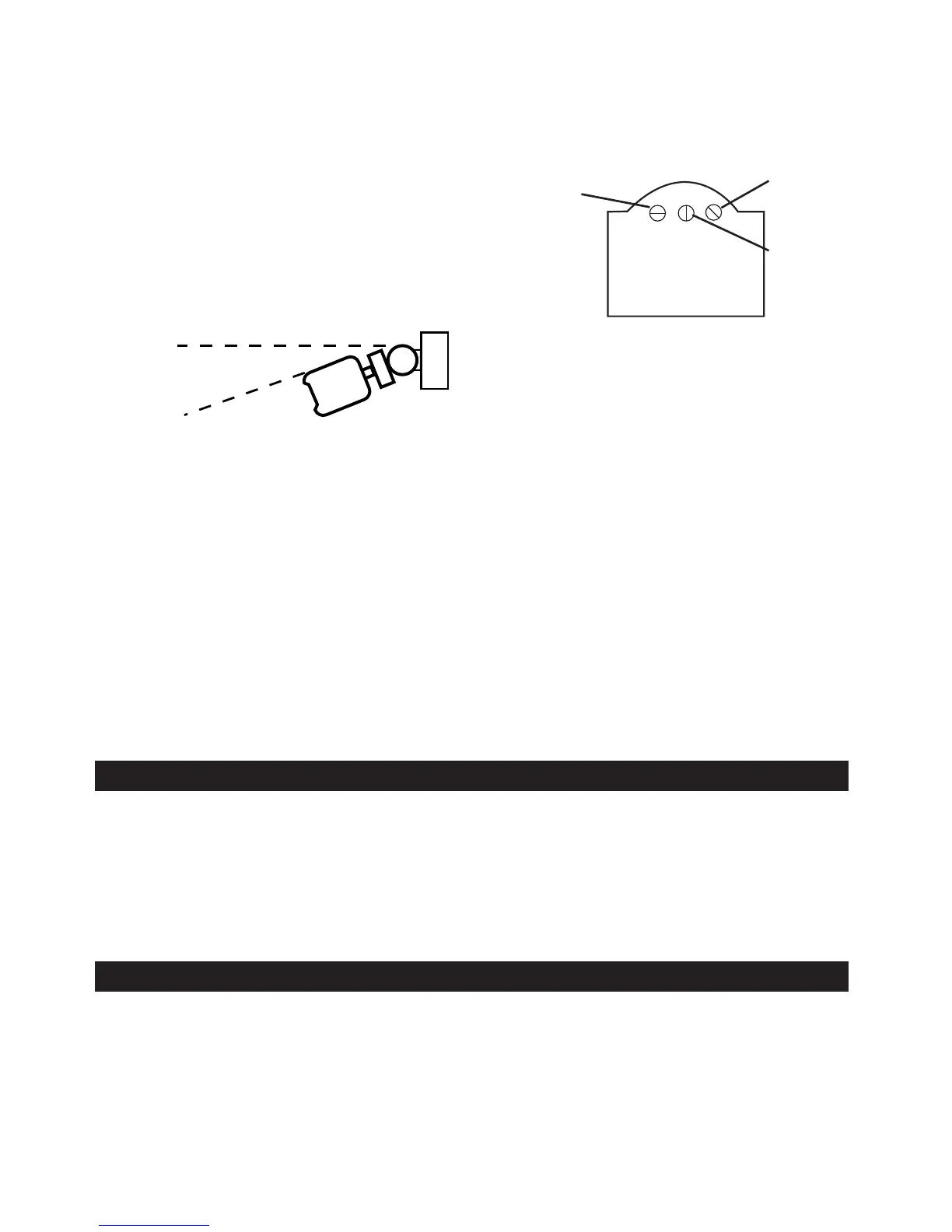
1. Turn the “LUX” or light control to minimum, turn the wall switch ON and wait for half a
minute for the control circuit to stabilise. At this stage ensure that the time control is set
to “minimum”. The Floodlights will now switch
on and remain on for about 10 seconds.
2. Turn the “SENS” control to minimum.
3. Direct the sensor toward the desired area to
be scanned by adjusting the elbow joint and
ball joint on the sensor arm. Loosen lock nuts
and screws before attempting to adjust sensor
arms.
NOTE: Always tilt sensor unit head below
horizontal for weatherproofing.
4.Have another person move across the centre of the area to be scanned and slowly adjust
the “SENS” control toward maximum until the unit senses the presence of the moving
person, causing the Floodlights to switch on.
5. Adjust time control to required setting.
6. To set the light level at which the Floodlight automatically switches “ON” at night, turn
the “LUX” or light control from minimum to maximum. If the Floodlight is required to
switch on earlier, e.g. dusk, simply wait for the desired light level, then slowly turn the
“LUX” or light control towards minimum while someone walks across the centre of the
area to be detected. When the Floodlight switches “ON” release the “LUX” or light con-
trol knob. You may need to make further adjustments to achieve your ideal light level set-
ting.
IMPORTANT: When adjusting lamp holders, ensure that PAR38 lamps are not touching or in
close proximity to sensing unit or connecting lead. Heat from the PAR38 lamps may distort the
sensor unit or damage the lead. Allow 40mm minimum between sensor and PAR38 lamps.
To override the automatic mode, the light must be switched ON in the “Automatic” mode. Now
switch your wall switch OFF and back ON within two seconds. Your Floodlight will now stay on
continuously, just like a normal light. This override function can be selected during daytime or
night time.
To return your Floodlight to the “Automatic” mode, switch your wall switch OFF for at least ten
seconds, then switch it on again. To switch your Floodlight off completely, switch your wall
switch OFF.
Turn your wall switch OFF for at least five seconds and then turn the wall switch back ON. This
will put the Floodlight into “Automatic” mode. The unit will then start sensing after dusk. The
Floodlights will switch ON and automatically switch OFF after the pre-set time elapses and
then only operate again when heat movement is detected.
Manual Operation (Automatic Override)
Sensitivity Control
Light “Lux” Control
Time Control
SENS
TIME
LUX
TOP
Automatic Mode
4


 To Previous Page
 Loading...