13Get Started
Arlo Ultra Camera
User Manual
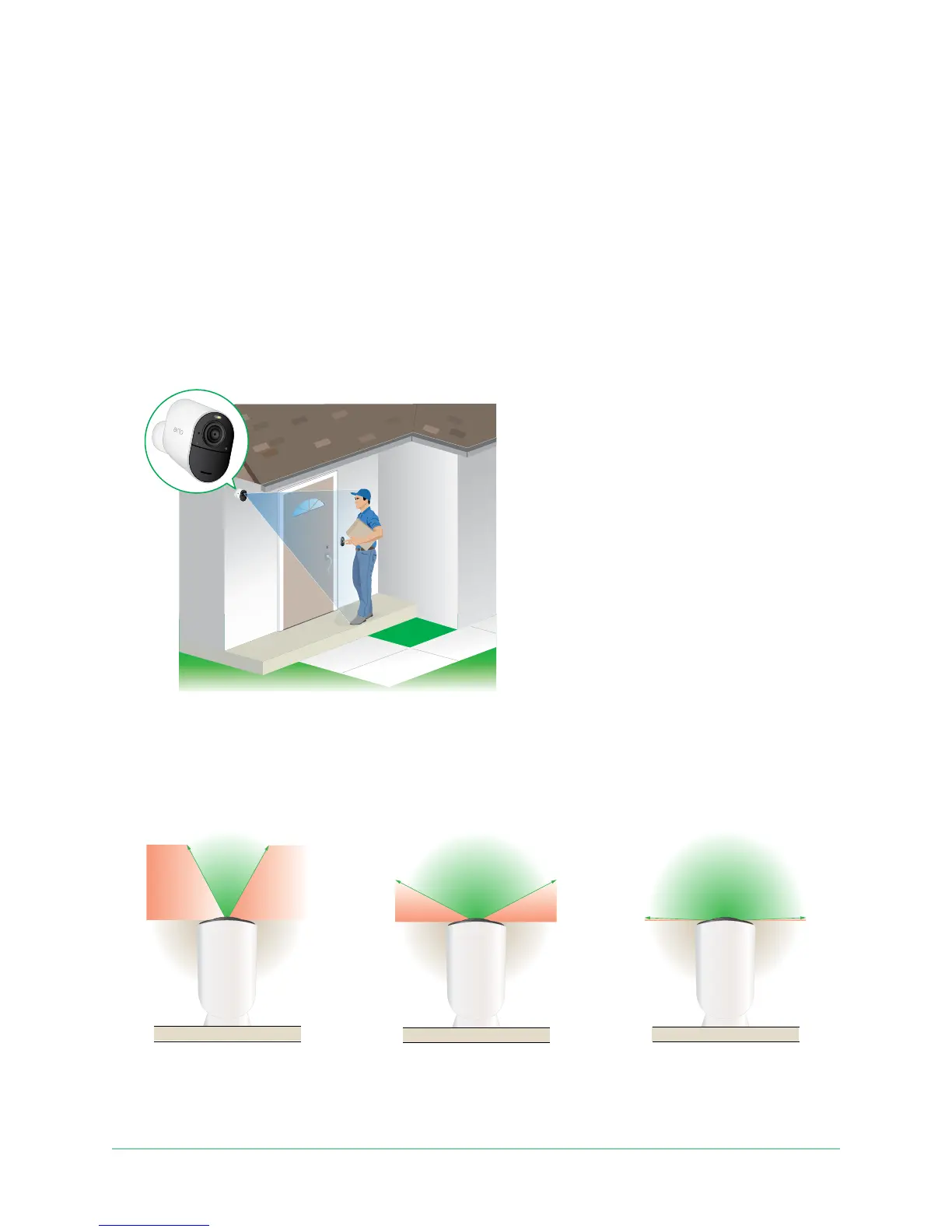
Find a good spot to detect motion
When positioning your Arlo Ultra camera, keep these tips in mind:
• Place your camera so the area you want to monitor is within the camera’s eld of
view.
• Mount your camera at least 7 feet (2 meters) above the oor or the ground and
aim it slightly downward for the best sensor performance.
• Place your camera so that side-to-side trafc crosses its eld of view. Arlo’s motion
sensor is most sensitive to side-to-side motion that’s 5 to 20 feet (1.5 to 6 meters)
from the camera.
Arlo Ultra’s eld of view
The eld of view is the area in which the camera can detect motion. You can set the
eld of view to Full (120 degrees), Wide (155 degrees), or Super wide (180 degrees).
Each setting auto corrects the image to reduce the sheye effect. The Full setting
completely eliminates the sheye effect.
120°
155°
180°



 To Next Page