5
Indication of Different Status
Standby Status: Red LED ashes once every 40 seconds indicating
the smoke alarm is operating properly.
Alarm & Test Status: When the test button is pressed or when the
smoke alarm senses particles of combustion and goes into alarm
(constant pulsed sound), the red LED will ash once per second.The
ashing LED and pulsating alarm will continue until the air is cleared or
the test button is released. For the rst six horn pulses, the alarm
operates at a lower noise level to make testing more comfortable for
users.
Low Battery Voltage Status: An intermittent chirp with red LED
ashes once every 40 seconds.
Fault Status: The alarm chirps every 40 seconds and 16 seconds after
each chirp, the red LED ashes once.
Silence Mode Status: The red LED will ash once every 8 seconds
after pressing the Hush button during alarm status.
Operation
After installing the smoke alarm, it is important to activate it and test it
for correct operation.
Activation
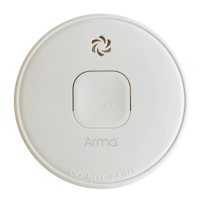
Press the test button and hold it for approximately 5 seconds until the
LED indicator lights up and then release the test button immediately
(the red LED will show through the Test button). The smoke alarm will
generate a beep to indicate that it's activated. Note: If no sound is


 To Next Page