Clamp Meter
9
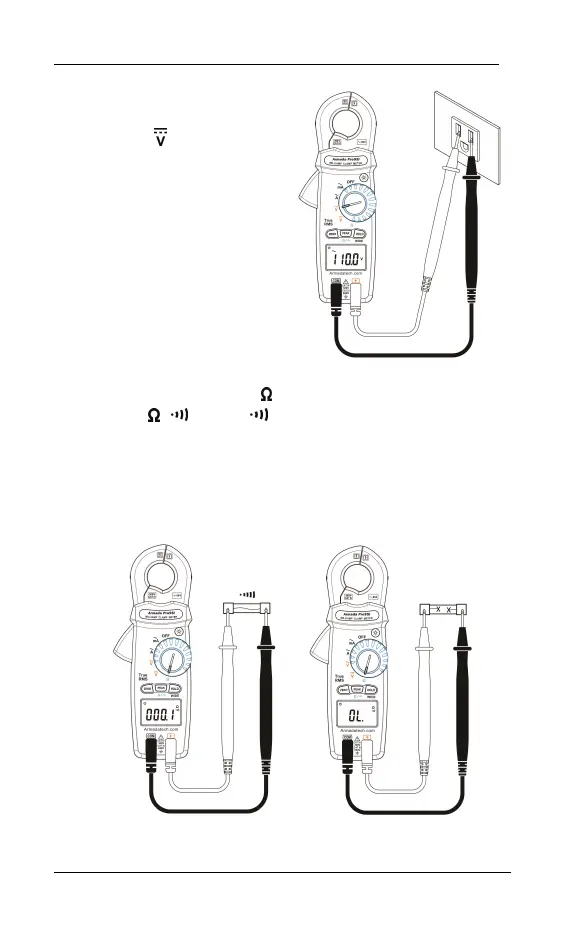
6-3 DCV Measurement:
Switch the main function
selector to
range.
Connect the red test lead to
the “ + ” terminal and black
lead to the “COM” terminal.
Measure the voltage by
touching the test lead tips to
the test circuit where the
value of voltage is needed.
Read the result from the LCD.
6-4 Continuity Test With Buzzer:
Switch the main function to
range.
Press the
/ button to range
Connect the red test lead to the “ + ” terminal and the black lead to
the “COM” terminal.
Connect tip of the test leads to the points between which continuity
is to be measured.
If the resistance is under 45Ω, the beeper will sound continuously.
Short circuit Open circuit


 To Next Page