7
Time and Date Setting
1. Before setting the time, make sure the chronograph is stopped and set to zero
(12:00) position.
2. Pull crown out to position 2 and turn crown clockwise to set date to the previous day.
3. Pull crown out to position 3 when the second hand is at the 12:00 position, and turn
clockwise until the present date is displayed. Continue turning crown to set the correct
a.m./p.m. time.
4. Return crown to position 1.
NOTE: When crown is in position 2, do not press the pushers. Otherwise the
chronograph hands will move.
NOTE: To ensure accuracy, do not set the date between 9:00 p.m. and 1:00 a.m.
Chronograph Functions
Basic Function
1. Press A to start/stop the chronograph.
2. Press B to reset to zero.
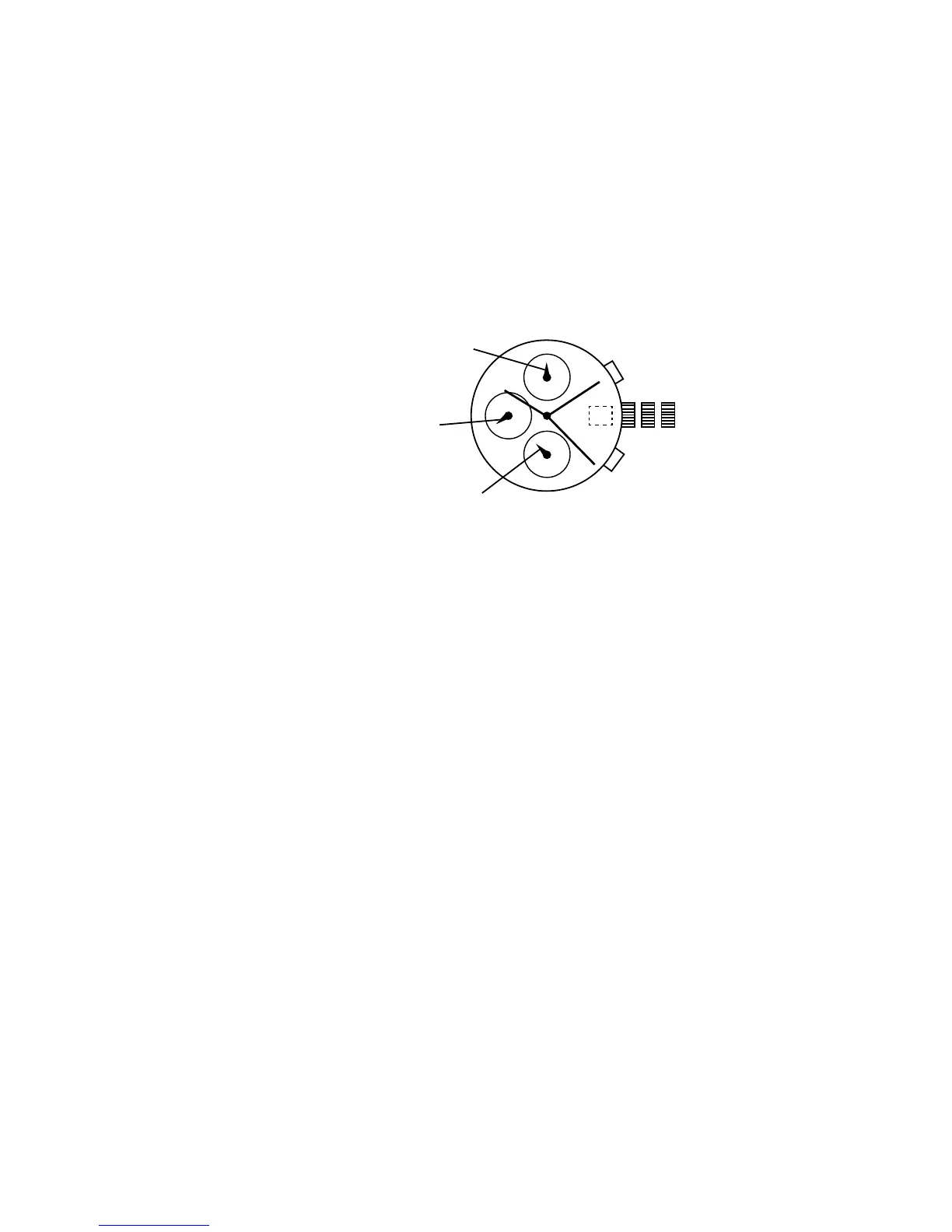
CHRONOGRAPH STOPWATCH VD55
(with date-VD57)
A
B
1 2 3
MINUTE COUNTER
SECOND COUNTER
1/10 SECOND
COUNTER



 To Next Page