EasyManua.ls Logo

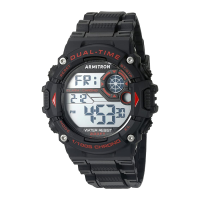
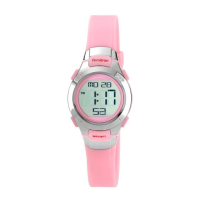
Armitron 40/8284 MD0699 - User Manual

Armitron 40/8284 MD0699
1 page
Print Icon
Loading...
MD0699
LIMITED LIFETIME WARRANTY & INSTRUCTIONS MANUAL
FEATURES
SELECTING FEATURES
SPLIT TIME
SETTING THE TIME AND CALENDAR
1. Standard display mode: Hour, Minutes, Seconds, Month, Day of the
Week.
2. Function:
Alarm function with buzzer signal output.
Chronograph function with lap operation.
Hourly Chime
12/24 Hour (Military Time).
Second Time Zone
Water Resistant as indicated on the watch
INSTALITE - Electro Luminescent Display
3. Press ‘A’ Minutes flash. Press ‘C’ to advance the Minutes.
4. Normal operating temperature range: 10”C-40’C.
5. Press ‘B’ twice return to Time Telling Mode.
1. Time Telling Mode displays Hours, Minutes, Seconds, Date, and Day of
the Week.
2. From Time Telling Mode, press ‘B’ once. Alarm Mode appears. Press ‘B’
three times to return to Time Telling Mode.
3. From Time Telling Mode, press ‘B’ twice. Stopwatch Mode appears.
Press ‘ B’ two times to return to Time Telling Mode.
1. While in Stopwatch Mode, press ‘D ‘to start timing.
2. Press ‘A’ to display split time, stopwatch timing continues internally.
3. Press ‘A’ to clear sp lit time and continue time measurement.
4. Repeat step 2 and 3 and u can measure the multi-split time.
5. Press ‘D’ to stop the stopwatch
6. Press ‘A’ to reset to zero.
7. Press ‘B’ twice return to Time Telling Mode.
1. From Time Telling Mode, press and hold ‘A’. Seconds flash. Press ‘D’ to
zero out the seconds.
NOTE: Zeroing out 30 or more seconds automatically adds one minute to
time.
2. Press ‘B’. Hours flash. Press ‘D’ to advance the Hour.
NOTE: Pressing and holding ‘D’ will advance digits rapidly.
3. Press ‘B’ Minutes flash. Press ‘D’ to advance the Minutes.
SETTING THE 24 HOUR ALARMS
1. From lime Telling Mode, press ‘B’ once to enter the Alarm Mode.
2. Press ‘A’. Alarm Hours flash. Press ‘D’ to advance the Alarm Hour.
3. Press ‘B’ Alarm Minutes flash. Press ‘D’ to advance the Alarm Minute.
NOTE: Pressing and holding ‘D’ will advance digits rapidly.
4. Press ‘A’ to exit the set date.
4. Press ‘B’ three times to return to Time Telling Mode.
ACTIVATING ALARM + HOURLY CHIME
DUAL TIME ZONE
EL LIGHT FEATURE
1. While in Alarm Mode, press ‘D’ to deactivate the Alarm and Chime.
2. Press ‘D’ again to activate the Alarm.
3. Press ‘D’ again to activate the Chime. The Hourly Chime symbol appears
to indicate the Hourly Chime will sound every hour on the hour.
4. Press ‘D’ again to activate the Alarm and Chime.
5. Press ‘B’ three times to return to Time Telling Mode.
1. From Time Telling Mode, press ‘B’ three times to enter the Second Time
Zone Mode.
2. Press ‘A’ Hours flash. Press ‘D’ to advance the Hour.
3. Press ‘ B’ Minutes flash. Press ‘D’ to adjust the Minutes.
4. Press ‘A’ to end set sequence.
5. Press ‘B’ to return to Time Telling Mode.
NOTE: Second Time Zone Clock may be used to keep track of a foreign
time.
1. Press ‘C’ or the ‘EL’ button in any mode to illuminate the watch face.
The backlight will remain lit for 3 seconds.
NOTE: EXCESSIVE USE OF LIGHT WILL SHORTEN BATTERY LIFE.
WATER RESISTANCE
This is a WATER RESISTANT watch. Do not operate push buttons below
the surface of the water. Should water or condensation appear in the
watch, immediately have the watch checked. Water can corrode electron-
ic parts inside the case.
CHANGING THE BATTERY
Change the battery when the watch becomes slow, the readout darkens or
does not appear, or the backlight fails. Before removing the old battery, be
sure to denote its polarity so that the new battery is installed in exactly the
same way. Replace with the same kind or equivalent only. This watch
contains precise electronic components and should only be opened by
a qualified watch technician. However, it is not necessary to return your
watch to the manufacturer for battery replacement. It is recommended that
you bring your timepiece to a local jeweler.
RETURN YOUR WATCH FOR SERVICING
USE OUR NATIONWIDE SERVICE CENTERS. YOU
CANNOT RETURN WATCH FOR SERVICE WHERE
IT WAS PURCHASED.
Please call (718) 482-4195 for a listing of all approved and authorized
service centers and locations, or visit our website at:
WWW.ARMITRON.COM
YOUR WATCH SHOULD NOT BE RETURNED TO THE PLACE OF
PURCHASE. Carefully pack your watch in a sturdy box (do not send in a
gift box for same will not be returned) and mail to the nearest approved
authorized service station. Because of possible loss, we recommend that
you insure the watch, return receipt requested, when using the mail. If you
do not receive a receipt within a reasonable time, start a tracer through
the originating post office. Never include a special watch band or any
other article of personal value in your shipment.
If your watch requires cleaning, lubrication, battery changing, or needs
a crystal replaced, Armitron Adventure approved Service Centers are
available in your area. These repair facilities use Armitron Adventure parts
and components to assure quality and future performance. Free estimates
are available in advance, should you need servicing or repairs not covered
under the warranty. Repairs covered under the warranty may require proof
of purchase, so retain the purchase receipt.
Question and Answer IconNeed help?

Do you have a question about the Armitron 40/8284 MD0699 and is the answer not in the manual?

Overview

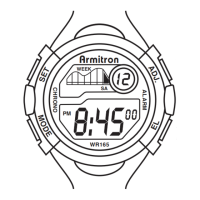
This document outlines the features, usage, and maintenance of an Armitron ProSport digital watch, model MD0699.

Function Description

The Armitron ProSport watch offers a variety of timekeeping and utility functions. Its standard display mode shows the Hour, Minutes, Seconds, Month, and Day of the Week, providing comprehensive time and date information at a glance.

Beyond basic time telling, the watch includes an Alarm function with a buzzer signal output, allowing users to set audible reminders. A Chronograph function is also integrated, featuring lap operation for timing events with precision. For those who prefer hourly alerts, an Hourly Chime function is available, which sounds every hour on the hour.

The watch supports both 12-hour and 24-hour (Military Time) formats, catering to different preferences. A Second Time Zone feature is included, which can be particularly useful for tracking time in a different geographical location. The watch is designed to be Water Resistant, as indicated on the device itself, allowing for use in various conditions, though specific operational guidelines apply. For low-light conditions, an INSTALITE - Electro Luminescent Display provides a backlight to illuminate the watch face, ensuring readability.

Usage Features

Operating the Armitron ProSport watch involves a series of button presses, primarily using buttons labeled 'A', 'B', 'C', and 'D'.

Selecting Features: The watch defaults to the Time Telling Mode, displaying the current Hour, Minutes, Seconds, Date, and Day of the Week. To access other modes:

  • Pressing 'B' once from Time Telling Mode will display the Alarm Mode. To return to Time Telling Mode from Alarm Mode, press 'B' three times.
  • Pressing 'B' twice from Time Telling Mode will display the Stopwatch Mode. To return to Time Telling Mode from Stopwatch Mode, press 'B' two times.

Setting the Time and Calendar: To set the time and calendar:

  1. Press and hold 'A' from Time Telling Mode. The Seconds will flash.
  2. Press 'D' to zero out the seconds. If 30 or more seconds are zeroed out, one minute is automatically added to the time.
  3. Press 'B'. The Hours will flash.
  4. Press 'D' to advance the Hour. Holding 'D' will advance digits rapidly.
  5. Press 'B'. The Minutes will flash.
  6. Press 'D' to advance the Minutes.
  7. Continue pressing 'B' to cycle through setting the Month, Date, and Day of the Week, using 'D' to advance each setting.
  8. Press 'A' to exit the set sequence.

Setting the 24 Hour Alarms: To set the alarm:

  1. Press 'B' once from Time Telling Mode to enter Alarm Mode.
  2. Press 'A'. The Alarm Hours will flash.
  3. Press 'D' to advance the Alarm Hour.
  4. Press 'B'. The Alarm Minutes will flash.
  5. Press 'D' to advance the Alarm Minute. Holding 'D' will advance digits rapidly.
  6. Press 'A' to exit the set date.
  7. Press 'B' three times to return to Time Telling Mode.

Activating Alarm + Hourly Chime: To control the alarm and chime:

  1. While in Alarm Mode, press 'D' to deactivate both the Alarm and Chime.
  2. Press 'D' again to activate only the Alarm.
  3. Press 'D' again to activate only the Chime. A Hourly Chime symbol will appear, indicating that the chime will sound every hour on the hour.
  4. Press 'D' again to activate both the Alarm and Chime.
  5. Press 'B' three times to return to Time Telling Mode.

Split Time (Stopwatch Function): To use the stopwatch with split time:

  1. While in Stopwatch Mode, press 'D' to start timing.
  2. Press 'A' to display the split time. The stopwatch will continue timing internally.
  3. Press 'A' again to clear the split time and continue the overall time measurement. This allows for multi-split time measurements by repeating steps 2 and 3.
  4. Press 'D' to stop the stopwatch.
  5. Press 'A' to reset the stopwatch to zero.
  6. Press 'B' twice to return to Time Telling Mode.

Dual Time Zone: To set the second time zone:

  1. Press 'B' three times from Time Telling Mode to enter the Second Time Zone Mode.
  2. Press 'A'. The Hours will flash.
  3. Press 'D' to advance the Hour.
  4. Press 'B'. The Minutes will flash.
  5. Press 'D' to adjust the Minutes.
  6. Press 'A' to end the set sequence.
  7. Press 'B' to return to Time Telling Mode. This feature is useful for keeping track of a foreign time.

EL Light Feature: To illuminate the watch face:

  • Press 'C' or the 'EL' button in any mode. The backlight will remain lit for 3 seconds. Note that excessive use of the light will shorten battery life.

Maintenance Features

Proper maintenance ensures the longevity and optimal performance of the Armitron ProSport watch.

Changing the Battery: The battery should be changed if the watch becomes slow, the readout darkens or disappears, or the backlight fails. Before removing the old battery, it is crucial to note its polarity to ensure the new battery is installed correctly. Only a battery of the same kind or an equivalent should be used as a replacement. This watch contains precise electronic components, and it is recommended that it only be opened by a qualified watch technician. However, it is not mandatory to return the watch to the manufacturer for battery replacement. Bringing the timepiece to a local jeweler is advised for battery changes.

Water Resistance: This is a water-resistant watch. It is important not to operate any push buttons while the watch is submerged in water. If water or condensation appears inside the watch, it should be checked immediately by a professional, as water can corrode the electronic parts within the case.

Servicing and Repairs: For cleaning, lubrication, battery changes, or crystal replacements, Armitron Adventure approved Service Centers are available. These facilities use genuine Armitron Adventure parts and components to ensure quality and future performance. Free estimates are available for servicing or repairs not covered under the warranty. For warranty-covered repairs, proof of purchase is required, so it is important to retain the purchase receipt.

Returning Your Watch for Servicing: To find a list of approved and authorized service centers and their locations, or to visit the website, please call (718) 482-4195 or visit WWW.ARMITRON.COM. It is important that the watch is NOT returned to the place of purchase. When mailing the watch for service, carefully pack it in a sturdy box (avoid using a gift box, as it will not be returned) and mail it to the nearest approved authorized service station. Due to the possibility of loss, it is recommended to insure the watch and request a return receipt when using mail. If a receipt is not received within a reasonable time, a tracer should be started through the originating post office. Do not include a special watch band or any other personal articles of value in the shipment.

Armitron 40/8284 MD0699 Specifications

General IconGeneral
BrandArmitron
Model40/8284 MD0699
CategoryWatch
Case MaterialResin
Band MaterialResin
Band Width20 mm
Water Resistance50 meters
MovementQuartz
Battery Life2-3 years
FunctionsDate, Time

Related product manuals