
 Need help?
Do you have a question about the Armitron PRO SPORT M807 and is the answer not in the manual?
Press and hold 'A' from Time Telling Mode, seconds flash. Press 'C' to zero.
Press 'B', hours flash. Press 'C' to advance the Hour. Holding 'C' advances rapidly.
Press 'B', minutes flash. Press 'C' to advance the Minutes.
Press 'B', months flash. Press 'C' to advance the Month.
Press 'B', date flashes. Press 'C' to advance the Date.
Press 'B', day of week flashes. Press 'C' to advance the Day of the Week.
Press 'B', time format flashes. Press 'C' to select 12 Hour or 24 Hour.
Press 'A' to end the setting sequence and return to Time Telling Mode.
From Time Telling Mode, press 'B' once to enter Stopwatch Mode.
Press 'C' to start timing, press 'C' again to stop timing.
Press 'A' to reset the stopwatch to zero.
Press 'B' to return to Time Telling Mode from Stopwatch Mode.
While timing, press 'A' to measure and display Split Time.
After stopping, press 'A' to reveal the final Lap Time.
From Time Telling Mode, press 'B' twice to enter Alarm Mode.
Hold 'A', alarm hours flash. Press 'C' to advance the Alarm Hour.
Press 'B', alarm minutes flash. Press 'C' to advance the Alarm Minute.
Press 'B', alarm number flashes. Press 'C' to select Alarm One or Alarm Two.
In Alarm Mode, press 'C' to activate Alarm. Press 'C' again for Alarm and Hourly Chime.
Press 'C' repeatedly to deactivate the Alarm and then the Hourly Chime.
Enter Second Time Zone Mode by pressing 'B' four times. Hold 'A' to set hours.
Press 'D' or 'EL' in any mode to illuminate the watch face for 3 seconds.
Enter Timer Mode by pressing 'B' three times. Hold 'A' to set hours.
After setting, press 'A' to end set sequence. Press 'C' to start the Countdown Timer.
Replace battery when slow or dim. Consult a qualified technician or jeweler.
Do not operate buttons underwater. Have watch checked if water appears inside.
Use approved service centers for cleaning, battery changes, or crystal replacement.
Pack securely and insure watch. Do not return to place of purchase.
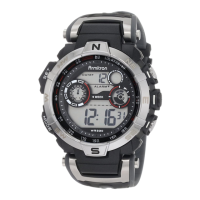
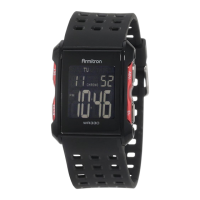
The Armitron ProSport M807 is a digital watch designed for active lifestyles, offering a comprehensive set of timekeeping, alarm, and stopwatch functions, along with an electro-luminescent display for low-light visibility. Its robust design is indicated by its water resistance, making it suitable for various environments.
The core functionality of the M807 revolves around its Time Telling Mode, which displays the Hours, Minutes, Seconds, Date, and Day of the Week. This mode serves as the default display and the entry point for accessing other features.
The Calendar Mode provides a detailed view of the current date, including the month, date, and day of the week. This is accessible by pressing and holding the 'C' button from the Time Telling Mode.
For alerts, the watch includes a 24 Hour Alarm(s) function, capable of setting one or two distinct alarms. When an alarm is activated, it sounds a buzzer signal for approximately 20 seconds or until any button is pressed. The alarm symbol on the display indicates its active status.
An additional alert feature is the Hourly Chime, which emits a single 'Beep' sound every full hour. This can be activated independently or in conjunction with the alarm. The hourly chime symbol on the display confirms its activation.
For timing events, the Chronograph Mode (Stopwatch) allows for precise measurement of Hours, Minutes, Seconds, and hundredths of a Second. It supports both standard start/stop timing and Lap Operation (Split Time), enabling users to record intermediate times during an event.
The Countdown Timer is a versatile feature for tracking specific durations. Users can set a timer for hours, minutes, and seconds. Once activated, the timer counts down, and an alarm sounds for about 10 seconds when it expires. The timer can continue to run in any mode until manually stopped.
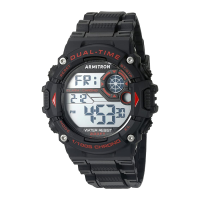
The watch also includes a Second Time Zone (Dual Time) feature, allowing users to keep track of a foreign time simultaneously with their local time. This is particularly useful for travelers or those communicating across different time zones.
For visibility in dark conditions, the INSTALITE - Electro Luminescent Display illuminates the watch face for 3 seconds when the 'D' or 'EL' button is pressed. This backlight ensures readability in low-light environments.
While specific technical specifications like battery type or movement caliber are not explicitly detailed in the provided text, the manual highlights several key operational aspects:
The M807's operation is primarily controlled by four buttons: 'A', 'B', 'C', and 'D' (or 'EL').
The manual provides clear guidelines for maintenance, particularly concerning battery replacement and water resistance:
Armitron emphasizes the use of their nationwide service centers for any cleaning, lubrication, battery changing, crystal replacement, or repairs. These approved centers use genuine Armitron Adventure parts and components. Free estimates are available for non-warranty repairs. For warranty repairs, proof of purchase may be required.
For servicing, customers are instructed to call (718) 482-4195 or visit WWW.ARMITRON.COM for a list of authorized service centers. The manual explicitly states that the watch should not be returned to the place of purchase. When mailing the watch for service, it should be carefully packed in a sturdy box (not a gift box) and mailed to the nearest authorized service station. It is recommended to insure the watch and request a return receipt due to possible loss. Customers are also advised not to include any special watch bands or other personal valuables with the shipment.


 To Next Page
 General