
 Need help?
Do you have a question about the Armitron M1179B and is the answer not in the manual?
From Time Telling Mode, press 'C' to view Calendar Mode for 15 seconds.
From Time Telling Mode, press 'B' once to enter Chronograph Mode.
From Time Telling Mode, press 'B' twice to enter Countdown Timer Mode.
From Time Telling Mode, press 'B' three times to enter Alarm Mode.
From Time Telling Mode, hold 'A', then press 'C' to advance the Hour.
Press 'B' to flash Minutes, then press 'C' to advance the Minutes.
Press 'B' to flash Seconds, then press 'C' to zero out the Seconds.
Press 'B' to flash Time Format, then press 'C' to select 12 or 24 Hour.
Press 'B' to flash Date, then press 'C' to advance the Date.
Press 'B' to flash Month, then press 'C' to advance the Month.
Press 'B' to flash Calendar Format, then press 'C' to select US or European.
Press 'B' to flash Year, then press 'C' to advance the Year.
Press 'C' to start timing and press 'C' again to stop timing.
Press and hold 'D' to reset the Chronograph to zero.
While timing, press 'D' to measure Laps.
Enter Alarm Mode, press 'B' to flash Hour/Minute, press 'C' to adjust.
Press 'C' in Alarm Mode to toggle Alarm ON/OFF.
Hold 'A' in Timer Mode, press 'C' to advance the Timer Hours.
Press 'B' to flash Minutes, press 'C' to advance the Minutes.
Press 'B' to flash Seconds, press 'C' to advance the Seconds.
Press 'B' to toggle Timer Repeat Feature ON or OFF.
Press 'C' to start, stop, or resume the Countdown Timer.
Hold 'A' in Time Telling Mode, press 'B' to select 12 or 24 Hour format.
Hold 'C' in Time Telling Mode, press 'A' to select US or European Calendar.
Hold 'A' in Time Telling Mode, press 'C' to activate Hourly Chime.
Press 'C' again to activate the Alarm.
Press 'D' in any mode to activate the watch face backlight.
Replace battery when slow or dim; consult a technician for precision.
Do not operate buttons underwater; seek immediate service if water enters.
Utilize approved centers for cleaning, battery change, or repairs.
Mail watch to nearest authorized station, do not return to place of purchase.
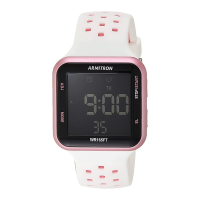
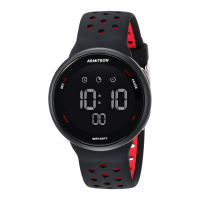
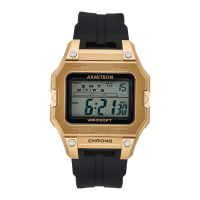
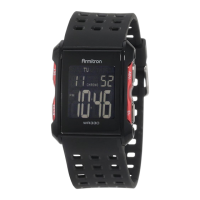
The Armitron ProSport M1179A/M1179B/M1185A is a digital wristwatch designed for active individuals, offering a range of timekeeping and utility functions. This manual provides comprehensive instructions for its operation, setting, and basic maintenance.
The watch primarily functions as a time-telling device, displaying hours, minutes, and seconds. It also incorporates a calendar function, showing the month, date, and day of the week, with options for both US and European calendar formats. For those who prefer military time, the watch supports a 24-hour format alongside the standard 12-hour display, which includes AM/PM indicators.
Beyond basic timekeeping, the Armitron ProSport features a 24-hour daily and weekly alarm, allowing users to set reminders for specific times. A chronograph mode is included for precise timing, capable of measuring hours, minutes, seconds, and even 1/100th of a second. This mode also supports lap operation, enabling users to record intermediate times during an event. For activities requiring a countdown, a dedicated countdown timer mode is available, which can be set for specific durations and includes a repeat feature.
The watch is water-resistant, as indicated on the dial, making it suitable for various activities where exposure to water might occur. However, it's crucial to note that push buttons should not be operated below the water's surface to maintain its water resistance. An EL light feature illuminates the watch face for a few seconds, enhancing visibility in low-light conditions.
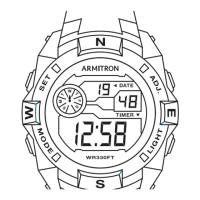
The watch's operation is managed through a series of buttons: 'A' (RESET), 'B' (MODE), 'C' (ST/STP or PAUSE/START), and 'D' (LIGHT or EL/SET). The specific function of each button can vary depending on the watch model and the current mode. The manual provides two distinct sets of instructions based on the placement of the 'ADJ' button (either bottom right or top left of the dial), ensuring users follow the correct procedure for their specific model.
To navigate between the different modes, the 'B' (MODE) button is primarily used. Pressing 'B' cycles through Chronograph Mode, Countdown Timer Mode, and Alarm Mode, eventually returning to Time Telling Mode. The 'C' button can also be used from Time Telling Mode to briefly display the Calendar Mode.
Setting the time and calendar involves entering a dedicated setting sequence, typically initiated by pressing and holding the 'A' (RESET) button from Time Telling Mode. Once in setting mode, specific digits (hours, minutes, seconds, date, month, year) will flash, indicating they are ready for adjustment. The 'C' (ST/STP) button is used to advance the flashing digits, with a press and hold action allowing for rapid advancement. The 'B' (MODE) button is used to move between the different time and calendar parameters. Users can select between 12-hour and 24-hour time formats, as well as US and European calendar formats. Zeroing out seconds (if 30 or more seconds are present) will automatically add one minute to the time.
To use the chronograph, the user first enters Chronograph Mode via the 'B' button. The 'C' (ST/STP) button starts and stops the timing, while the 'D' (LIGHT or EL/SET) button is used to measure laps. After stopping the timing, the 'D' button can also be used to reset the chronograph to zero.
During chronograph timing, pressing 'D' records a lap time. The 'C' button stops the overall timing. The final lap time can be revealed by pressing 'A', and then 'A' again to reset the chronograph.
The alarm is set by entering Alarm Mode (usually via the 'B' button) and then pressing and holding 'A'. The alarm indicator will flash, allowing the user to activate or deactivate the alarm using the 'C' button. The 'B' button moves between setting the alarm hour and minutes, which are adjusted with the 'C' button. When activated, an alarm symbol appears on the display, and the alarm will sound for 20 seconds or until any button is pressed.
The countdown timer is accessed via the 'B' button. Setting the timer involves pressing and holding 'A', then using 'C' to adjust hours, minutes, and seconds. The 'B' button moves between these parameters. A repeat feature can be activated or deactivated using 'C', which causes the timer to automatically restart after reaching zero until 'C' is pressed again. The 'C' button starts, stops, and resumes the countdown. An alarm will sound when the timer reaches zero.
This setting is typically adjusted by pressing and holding 'A' from Time Telling Mode, then using 'B' to toggle between 12-hour and 24-hour formats.
Similar to the 12/24 hour setting, the calendar format can be changed by pressing and holding 'C' from Time Telling Mode, then using 'A' to select between US and European formats.
This is a specific alarm setting process, entered by pressing and holding 'B' from Time Telling Mode. 'A' advances the alarm hour and minutes, while 'C' moves between these settings.
Both the alarm and hourly chime can be activated or deactivated by pressing and holding 'A' from Time Telling Mode, then using 'C' to cycle through the activation/deactivation states. Symbols on the display indicate when these features are active.
Pressing the 'D' button in any mode will illuminate the watch face for 2-3 seconds. Excessive use of the light will shorten battery life.
The manual advises changing the battery when the watch slows down, the readout darkens, or the backlight fails. It emphasizes noting the polarity of the old battery to ensure the new one is installed correctly. Only the same kind or equivalent battery should be used. The watch contains precise electronic components, so it should only be opened by a qualified watch technician. It is recommended to take the timepiece to a local jeweler for battery replacement rather than returning it to the manufacturer.
The watch is water resistant, but users are cautioned against operating push buttons underwater. If water or condensation appears inside the watch, it should be checked immediately, as water can corrode internal electronic parts.
Armitron provides nationwide service centers for cleaning, lubrication, battery changes, or crystal replacement. These authorized centers use genuine Armitron parts and components. Free estimates are available for repairs not covered under warranty. For warranty repairs, proof of purchase may be required.
If a watch needs servicing, users are instructed to call a specific phone number or visit the Armitron website for a list of approved service centers. It is explicitly stated that the watch should NOT be returned to the place of purchase. When mailing the watch for service, it should be carefully packed in a sturdy box (not a gift box) and sent to the nearest authorized service station. To mitigate loss, it is recommended to insure the watch and request a return receipt. If a receipt is not received within a reasonable time, a tracer should be initiated through the originating post office. Users are advised not to include special watch bands or other personal valuables with the shipment.
 General
| Brand | Armitron |
|---|---|
| Model | M1179B |
| Category | Watch |
| Case Material | Resin |
| Band Material | Resin |
| Display Type | Digital |
| Movement | Quartz |
| Style | Sport |
| Display | LCD |
| Features | Backlight, Alarm |
| Functions | Time, Date |



 To Next Page