EasyManua.ls Logo

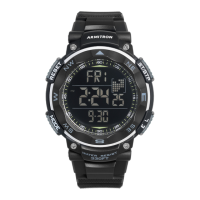
Armitron pro sport MD0346 - User Manual

Armitron pro sport MD0346
2 pages
Print Icon
To Next Page IconTo Next Page
Loading...
MD0346
FEATURES
SELECTING FEATURES
SETTING THE TIME AND CALENDAR
SECOND TIME ZONE
BIRTHDAY MODE
SETTING THE ALARM
STOP WATCH
SPLIT TIME
COUNTDOWN TIMER
Time Telling Mode (Hours, Minutes, Seconds, Date and Day of the
Week)
Calendar Mode (Month, Date and Day of the Week)
24 Hour Alarms
Hourly Chime: One ‘Beep’ sound every full Hour
Chronograph Mode: Hours, Minutes, Seconds and 1/100 of a Sec-
ond with Lap Operation
Countdown Timer
Second Time Zone
12/24 Hour (Military Time)
Water Resistant as indicated on the watch
Birthday Mode
INSTALITE - Electro Luminescent Display
1. Time Telling Mode displays Hours, Minutes, Seconds, Date, and Day of
the Week.
2. From Time Telling Mode, press ‘B’ once. Chronograph Mode appears.
Press ‘B’ five times to return to Time Telling Mode.
3. From Time Telling Mode, press ‘B’ twice. Countdown Timer Mode ap-
pears. Press ‘B’ four times to return to Time Telling Mode.
4. From Time Telling Mode, press ‘B’ three times. Alarm Mode appears.
Press ‘B’ three times to return to Time Telling Mode.
5. From Time Telling Mode, press ‘B’ four times. Countdown Timer Mode
appears. Press ‘B’ twice to return to Time Telling Mode.
6. From Time Telling Mode, press ‘B’ five times. Birthday Mode appears.
Press ‘B’ to return to Time Telling Mode.
1. From Time Telling Mode, press and hold ‘A’. Seconds flash. Press ‘C’ to
zero out the Seconds.
2. Press ‘B’. Hours flash. Press ‘C’ to advance the Hour.
NOTE: Pressing and holding ‘C’ will advance digits rapidly. When 12 Hour
Format is selected, ‘AM’ indicates ‘a.m.’ times; ‘PM’ indicates ‘p.m.’ times.
3. Press ‘B’ Minutes flash . Press ‘C’ to advance the Minutes.
4. Press ‘B’ Year flash. Press ‘C’ to advance the Year.
5. Press ‘B’ Months flash. Press ‘C’ to advance the Month.
6. Press ‘B’ The Date flashes. Press ‘C’ to advance the Date.
7. Press ‘A’ to end sequence and return to Time Telling Mode.
1. From Time Telling Mode, press ‘B’ four times to enter the Second Time
Zone Mode.
2. Press ‘A’ Hours flash.
3. Press ‘C’ to increase the Hour, press and hold for a quick change
4. Press ‘B’ to select the Minutes.
5. Press ‘C’ to change the Minutes, each press change 30 minutes.
6. Press ‘A’ to end set sequence.
7. Press ‘B’ twice to return to Time Telling Mode.
1. From Time Telling Mode, press ‘B’ five times to enter the Birthday Mode.
Press ‘C’ to ON/OFF the Birthday Mode.
2. Press ‘A’ Months flash.
3. Press ‘C’ to increase the Month, press and hold for a quick change
4. Press ‘B’ to change to the next selections: Month-Date-Hour-Minutes-
ON/OFF.
5. Repeat steps #3 and #4 to complete the Birthday setting.
6. Press ‘A’ to exit the setting mode.
7. Press ‘D’ to advance to the next Birthday.
8. Setting the operation of Birthday 1-8 are the same.
9. The alarm will sound on the preset Birthday for about 60 seconds. Press
any button to stop the alarm.
10. Press ‘B’ once to return to Time Telling Mode.
1. While in the Alarm Mode, press ‘A’. Hours flash.
2. Press ‘C’ to increase the Hours, press and hold for a quick change.
3. Press ‘B’ to select the Minutes.
4. Press ‘C’ to increase the Minute number.
5. The Alarm will sound at the preset Alarm time each day for about 60
seconds. Press any button to stop the alarm.
6. Setting the operation of Alarms 1 to 5 are the same.
7. Press ‘A’ to end set sequence.
8. Press ‘B’ three times to return to Time Telling Mode.
1. From Time Telling Mode. Press ‘B’ once to enter the Chronograph Mode.
2. Press ‘C’ to start timing.
3. Press ‘C’ again to stop timing.
4. Press ‘A’ to reset to zero.
5. Press ‘B’ five times to return to Time Telling Mode. Measuring range is
zero to 23:59’59”
1. While in the Chronograph Mode. Press ‘C’ to start timing.
2. Press ‘A’ to display the Split Time.
3. Press ‘A’ to clear the Split Time and continue time measurement.
4. Repeat steps #2 and #3 to measure multi-Split Times.
5. Press ‘C’ to stop the Chronograph.
6. Press ‘A’ to reset the Chronograph to zero.
7. Press ‘B’ five times to return to Time Telling Mode.
1. From Time Telling Mode, press ‘B’ twice to enter the Timer Mode.
2. Press ‘A’ Hours flash.
3. Press ‘C’ to increase the Hour, press and hold for a quick change.
4. Press ‘B’ to select the Minutes.
5. Press ‘C’ to increase the Minute number.
6. Repeat steps #4 and #5, the selection in the following sequence:
Hours-Minutes_Seconds.
7. Press ‘A’ to exit the setting mode.
COUNTDOWN TIMER OPERATION
1. While in the Timer Mode, press ‘C’ to start the countdown.
2. Press ‘C’ again to pause the countdown.
3. When the countdown reaches zero, the alarm will sound for about 60
seconds. Press any button to stop the alarm.
4. Press ‘B’ four times to return to Time Telling Mode.
12/24 HOUR (MILITARY) TIME
1. From Time Telling Mode. Press ‘C’ to enter 12/24 Hour Formal.
ACTIVATING ALARM + HOURLY CHIME
1. From Time Telling Mode, press ‘B’ three times to enter the Alarm Mode.
2. Press ‘C’ to turn ON/OFF the Chime, press ‘D’ to select Alarms 1 to 5.
3. While in Alarms 1 to 5, press ‘C’ to turn ON/OFF the Alarm.
INSTRUCTIONS MANUAL
Question and Answer IconNeed help?

Do you have a question about the Armitron pro sport MD0346 and is the answer not in the manual?

Summary

Time Telling Mode

Setting the Time and Calendar

Instructions for setting hours, minutes, date, month, and year.

12;24 Hour Format

How to switch between 12-hour and 24-hour (Military) time.

Chronograph Mode

Stopwatch Operation

Instructions for starting, stopping, and resetting the stopwatch.

Split Time Measurement

How to measure and display split times during stopwatch operation.

Countdown Timer

Setting and Operating the Timer

Instructions for setting countdown hours, minutes, seconds and starting.

Alarm and Hourly Chime

Activating Alarms and Chime

How to turn on/off the hourly chime and select/activate alarms.

Setting Individual Alarms

Procedure for setting the time for each of the 5 available alarms.

Second Time Zone

Setting the Second Time Zone

Instructions for setting the hours and minutes for a second time zone.

Birthday Mode

Setting and Advancing Birthdays

How to set up to 8 birthdays and advance through them.

Battery Replacement

Changing the Battery

Guidance on when and how to replace the watch battery.

Water Resistance

Watch Service and Return

Nationwide Service Centers

Information on using authorized service centers for repairs.

Returning Watch for Servicing

Instructions on how to pack and mail the watch for servicing.

Overview

The Armitron ProSport MD0346 is a multi-functional digital watch designed for active individuals, offering a comprehensive suite of timekeeping, tracking, and alarm features. Its robust design and water resistance make it suitable for various environments and activities.

Function Description:

The watch primarily operates in a Time Telling Mode, displaying Hours, Minutes, Seconds, Date, and Day of the Week. This is the default mode from which all other features are accessed.

The Chronograph Mode (Stopwatch) allows for precise timing with a resolution of 1/100 of a second, up to 23 hours, 59 minutes, and 59 seconds. It includes a Split Time function, enabling users to record multiple intermediate times without stopping the main timer. This is particularly useful for tracking laps or segments in sports.

A Countdown Timer is integrated, allowing users to set a specific duration and receive an alarm when the time expires. This feature is versatile for various tasks requiring timed intervals.

The watch includes a Calendar Mode that displays the Month, Date, and Day of the Week, ensuring users are always aware of the current date.

For alarms, the MD0346 offers 24 Hour Alarms, allowing up to five distinct alarms to be set for daily reminders. Additionally, a Hourly Chime provides a single 'Beep' sound at the top of every hour, a useful auditory cue for time awareness.

A unique Birthday Mode allows users to set specific birthdays, which will trigger an alarm on the designated date, providing a personalized reminder. Up to eight birthdays can be set.

The Second Time Zone feature is convenient for travelers or those who need to keep track of time in a different geographical location.

The watch supports both 12-Hour and 24-Hour (Military) Time formats, offering flexibility based on user preference.

An INSTALITE - Electro Luminescent Display ensures visibility in low-light conditions, illuminating the digital display with the press of a button.

Important Technical Specifications:

  • Time Resolution: Hours, Minutes, Seconds.
  • Date Display: Month, Date, Day of the Week.
  • Chronograph Resolution: 1/100 of a second.
  • Chronograph Range: 0 to 23:59'59".
  • Alarms: Up to 5 daily alarms, plus hourly chime.
  • Birthday Alarms: Up to 8 programmable birthdays.
  • Time Formats: 12-Hour (AM/PM indicator) and 24-Hour.
  • Display Type: Digital with Electro Luminescent (INSTALITE) backlight.
  • Water Resistance: As indicated on the watch (specific depth rating not provided in the manual, but implies suitability for general water exposure, not deep diving, and cautions against operating buttons underwater).

Usage Features:

The watch features a four-button operation system (A, B, C, D) for navigating modes and setting functions:

  • Button A (RESET ST/STP): Used for resetting functions (e.g., Chronograph, Seconds), confirming settings, and exiting setting modes.
  • Button B (MODE): Primarily used for cycling through the main modes (Time Telling, Chronograph, Countdown Timer, Alarm, Second Time Zone, Birthday).
  • Button C (MODELIGHT): Used for advancing digits during setting, starting/stopping the Chronograph or Countdown Timer, turning ON/OFF Chime/Alarms/Birthday Mode, and activating the backlight. Holding 'C' during setting allows for rapid digit advancement.
  • Button D (WATER RESISTANT): Used to select between Alarms 1 to 5, and to advance to the next Birthday setting.

Setting the Time and Calendar:

  1. From Time Telling Mode, press and hold 'A'. Seconds flash.
  2. Press 'C' to zero out Seconds.
  3. Press 'B' to select Hours, then 'C' to advance.
  4. Repeat with 'B' to select Minutes, Year, Month, and Date, using 'C' to advance each.
  5. Press 'A' to exit.

Setting Alarms:

  1. From Time Telling Mode, press 'B' three times to enter Alarm Mode.
  2. Press 'A'. Hours flash.
  3. Press 'C' to increase Hours.
  4. Press 'B' to select Minutes, then 'C' to increase.
  5. Press 'A' to exit.
  6. Use 'C' to turn ON/OFF the Chime, and 'D' to select Alarms 1-5, then 'C' to turn ON/OFF the selected alarm.

Setting Countdown Timer:

  1. From Time Telling Mode, press 'B' twice to enter Timer Mode.
  2. Press 'A'. Hours flash.
  3. Press 'C' to increase Hours.
  4. Press 'B' to select Minutes, then 'C' to increase.
  5. Press 'A' to exit.
  6. Press 'C' to start/pause the countdown.

Setting Birthday Mode:

  1. From Time Telling Mode, press 'B' five times.
  2. Press 'C' to ON/OFF Birthday Mode.
  3. Press 'A'. Months flash.
  4. Press 'C' to increase Month.
  5. Press 'B' to cycle through Month-Date-Hour-Minutes-ON/OFF, using 'C' to adjust each.
  6. Press 'A' to exit.
  7. Press 'D' to advance to the next Birthday (1-8).

Maintenance Features:

Changing the Battery:

The manual advises changing the battery when the watch slows, the readout darkens, or the backlight fails. Users are instructed to note the polarity of the old battery before removal and replace it with the same kind or equivalent. It is recommended that this be done by a qualified watch technician or a local jeweler, as the watch contains precise electronic components. The manufacturer explicitly states that it is not necessary to return the watch to them for battery replacement.

Water Resistance:

The watch is described as "WATER RESISTANT." Users are cautioned not to operate push buttons below the surface of the water. In case of water or condensation appearing inside the watch, it should be checked immediately, as water can corrode internal electronic parts. The specific depth rating is not provided, but the general advice suggests it is suitable for everyday exposure to water rather than prolonged submersion or diving.

Servicing and Repairs:

Armitron emphasizes the use of their nationwide service centers for cleaning, lubrication, battery changing, crystal replacement, or any other repairs. These centers use approved parts and components. Free estimates are available for repairs not covered under warranty. For warranty claims, proof of purchase (receipt) is required.

Returning Watch for Servicing:

Users are instructed not to return the watch to the place of purchase. Instead, they should contact Armitron directly (via phone or website) for a list of approved service centers. When mailing the watch for service, it should be carefully packed in a sturdy box (not a gift box) and mailed to the nearest authorized service station. It is strongly recommended to insure the watch and request a return receipt due to possible loss in transit. Users are advised not to include special watch bands or other personal valuables in the shipment.

Armitron pro sport MD0346 Specifications

General IconGeneral
BrandArmitron
Modelpro sport MD0346
CategoryWatch
LanguageEnglish

Related product manuals