82
CZ
Language settings
In Glory Fit on your phone, tap on Universal settings –
Language in the “Device” folder and select the language
of your choice.
Watch controls
Press and hold the side button to turn the watch on/off.
Press the side button briefly to turn on the display or to
return to the menu.
Swipe from left to right to show a function menu.
Swipe from right to left to show basic stats and selected
functions.
Swipe from top to bottom to show the quick settings menu.
Swipe from bottom to top to display the messages page.
Swipe from bottom to top then from top to bottom to
switch between functions.
A short tap activates the function of your choice.
To avoid damage, always press the side button gently and
do not twist it.
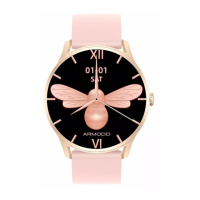
Watch face
Change the watch face
Holding your finger on the display shows an overview of
watch faces to select from by swiping from right to left. Tap
on the watch face of your choice to select it.
Other watch faces can be added directly from the app. In
the app, tap on “Watch face settings” (Fig. 3) and from the
EN


 To Next Page