18
TO STEAM (CONT.)
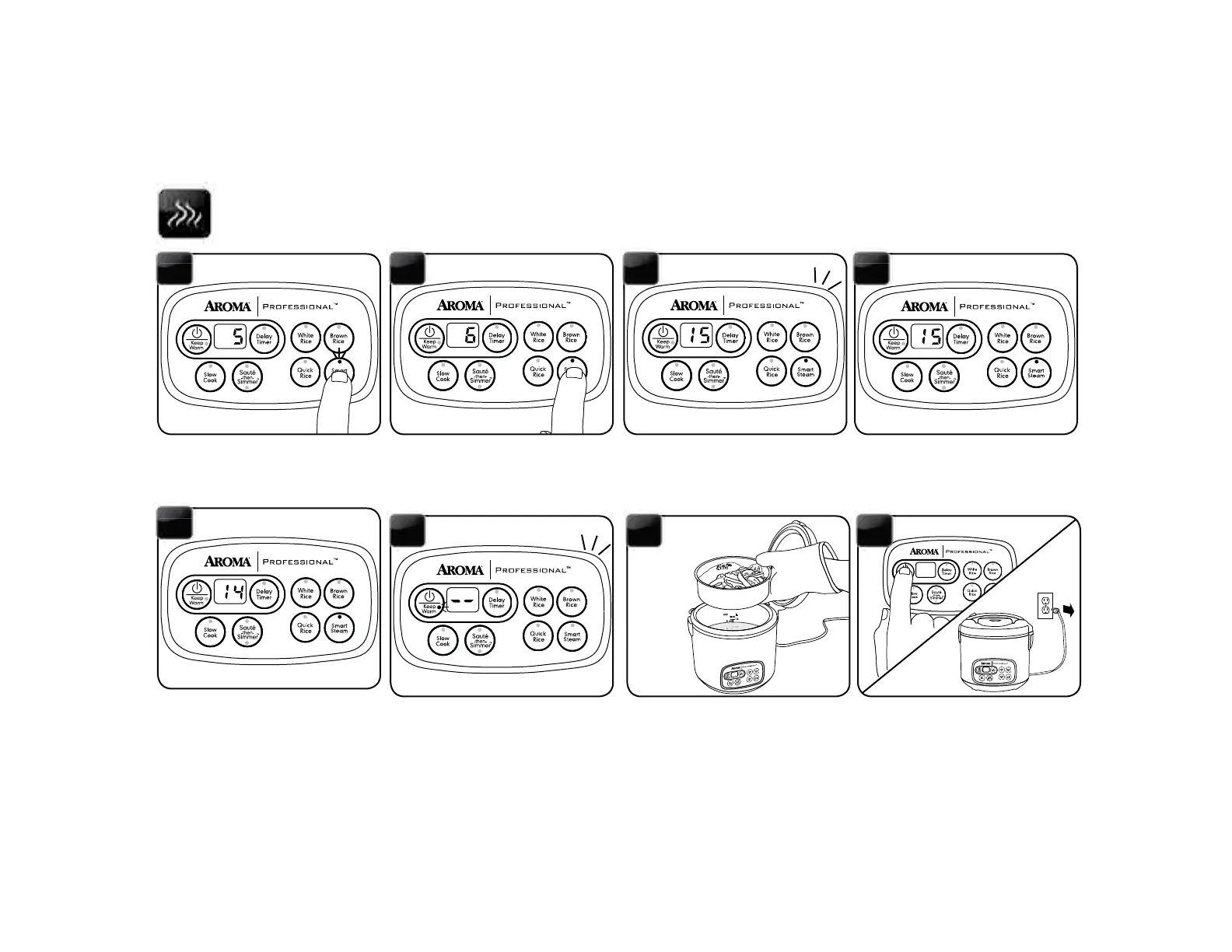
Press the STEAM button. The digital
8 9
Each press of the STEAM button
will increase steaming time by one
minute, up to 30 minutes. After 30
minutes.
Once the needed time is selected, the
rice cooker will beep to indicate it is
setting at the displayed time. It will
beep once more and the display will
10
The cooking indicator light will
illuminate to indicate it has begun
steaming.
11
Once the water reaches a boil, the
digital display will countdown in one
minute increments from the selected
time.
12
Once the selected time has passed,
the rice cooker will beep and switch
to Keep-Warm.
13
Check steamed food for doneness.
pad or oven mitt and remove food
immediately to avoid overcooking.
14
rice cooker off by pressing the
POWER/KEEP WARM button twice
and unplug the power cord.
15


 To Next Page