8
Step 10.
When using your Ambience diffuser manually:
We recommend creating schedules and setting intensity levels in the AromaTech App to
ensure your space is scented to your liking. You can set up to 5 schedules in the App. Our
recommendation is that you create a schedule that matches your lifestyle or business
needs so that the diffuser will only run when desired.
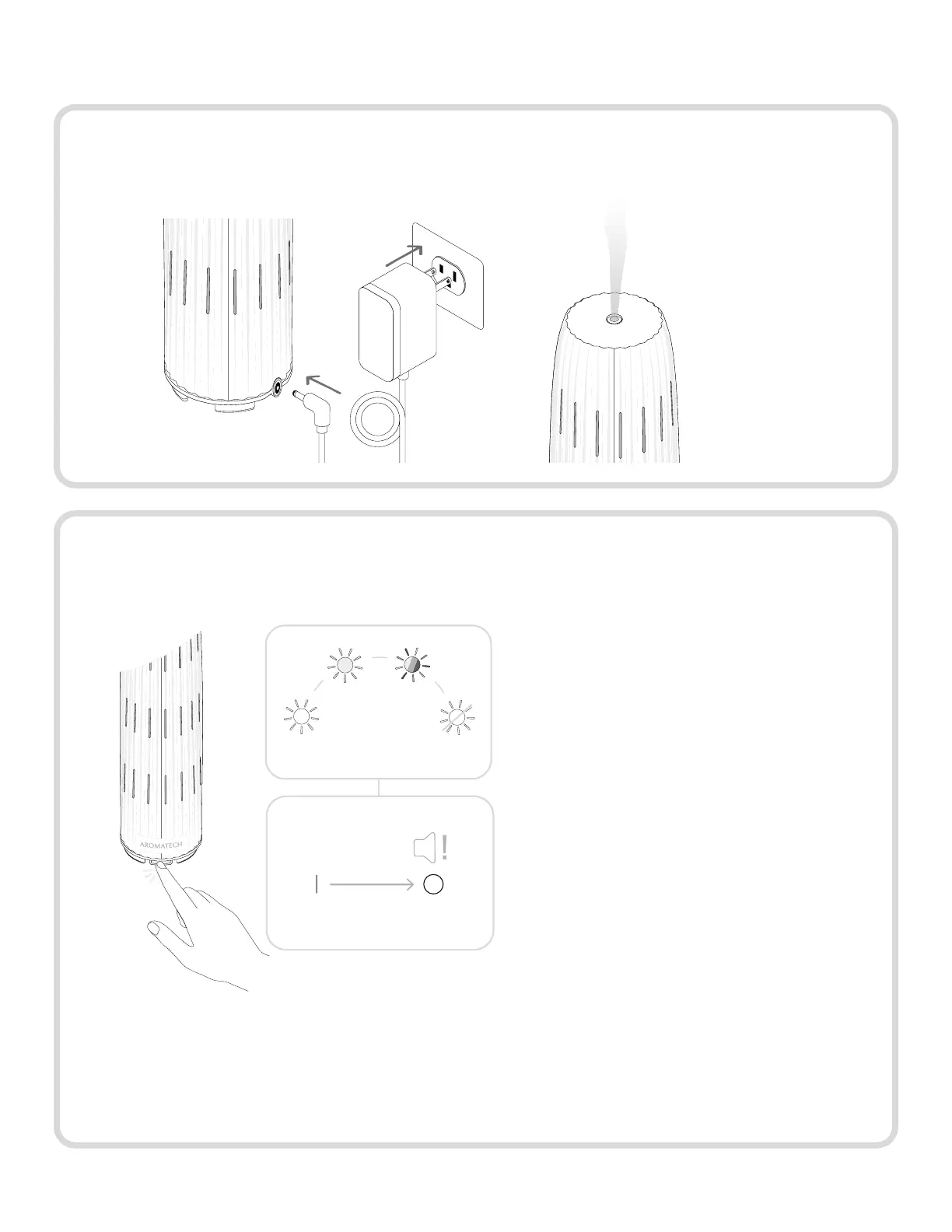
Cycle through each ambient light
option by tapping the power button.
To manually stop/start diffusing oil,
hold down the power button until you
hear a long beep.
Plug in your diffuser. It will immediately begin diffusing oil.
Step 9.



 To Next Page