21
Troubleshooting
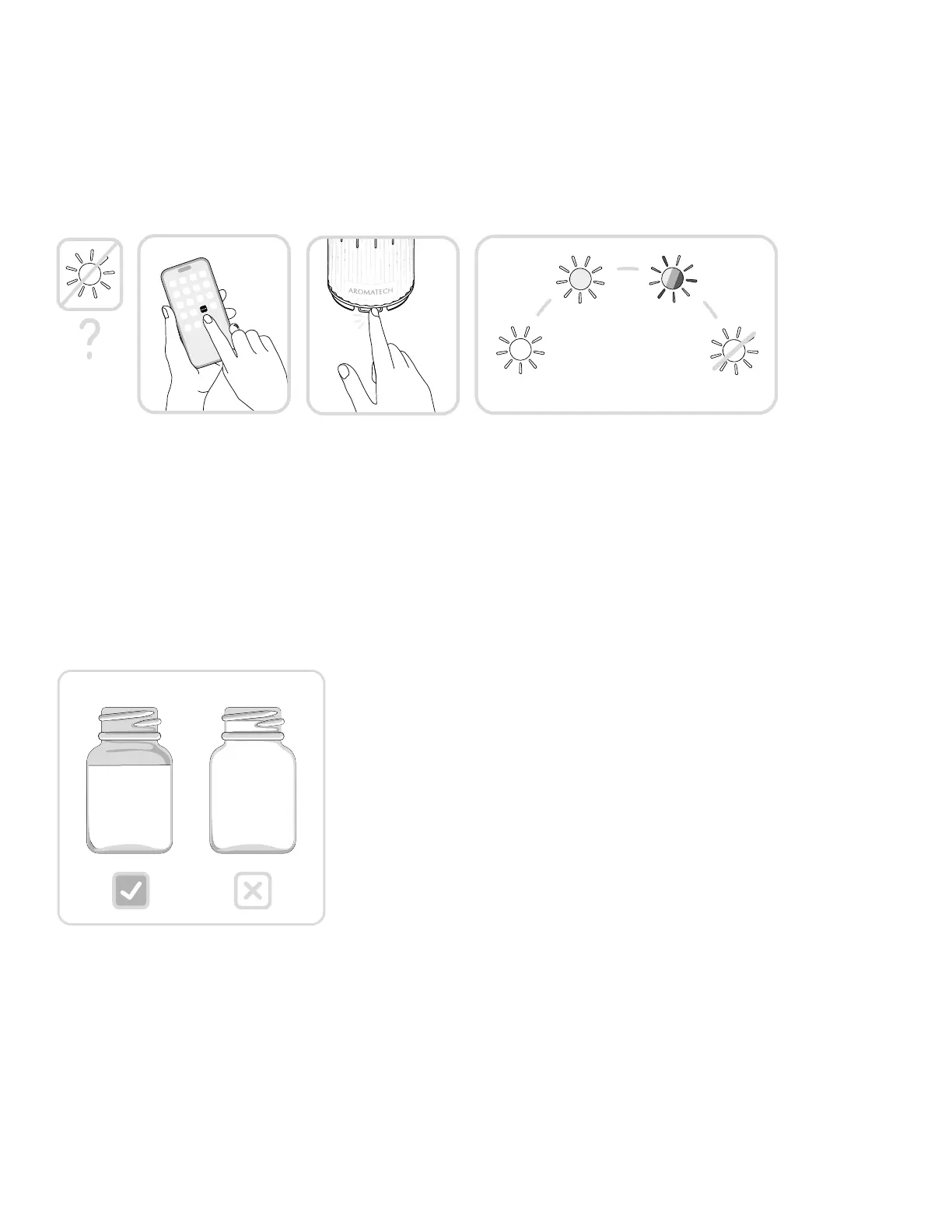
How do I choose a different ambient lighting color? How do I turn off
the ambient light?
To choose a different ambient light in the App, connect your diffuser via Bluetooth to the
AromaTech App, select which diffuser you’d like to adjust, then select the ambient light. You
can choose between cool light, warm light, color light, or off.
To manually choose a different ambient light or turn the light off, press the power button to
cycle through the options. You can choose between a variety of light settings.
Cool Off
Warm Color
My diffuser is making a gurgling sound.
It’s likely that you’ve overfilled the glass oil vessel. Simply pour out some of the oil in the glass
oil vessel. Be sure to only fill to the shoulder of the vessel and not to the very top.



 To Next Page