Fixture Menu
45
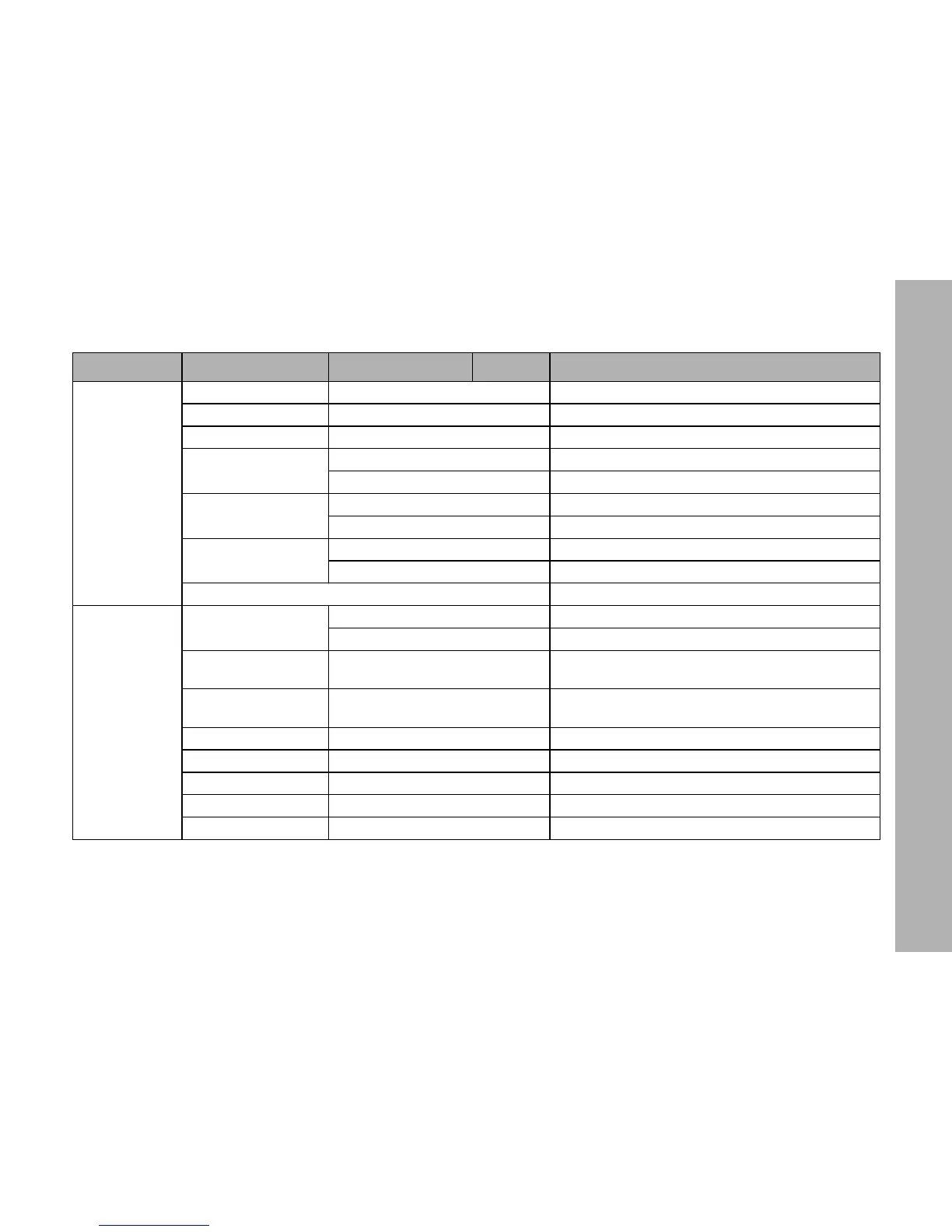
Art-Net Settings
Art-Net Net 0 - 127 Select Art-Net net (see page 40)
Art-Net Subnet 0 - 15 Select Art-Net subnet in Art-Net net
Art-Net Universe 0 - 15 Select Art-Net universe in Art-Net subnet
Art-Net Merge Mode
LTP Select Merge-Mode „LTP“ (Last Take Precedence)
HTP Select Merge-Mode „HTP“ (High Take Precedence)
Art-Net State
Disabled Art-Net disabled
Enabled Art-Net enabled
Art-Net Gateway
Off Gateway disabled
On Gateway enabled (see page 40)
IP Mode --> Shortcut to menu „Fixture Settings“
Fixture Info
Fixture Status
System Ready No error
<Error Message> Error message (see page 51)
Light Engine Temp.
xx.x °C
xx.x °F
Recent light engine temperature
Hour Counter
xxh - Light Engine
yyh - System
Working hours of the light engines and of the system
since production of the fixture
Battery Status x.y V Recent voltage of an external battery
MAC Address u:v:w:x:y:z The fixtures MAC address
Network Name Sxx-xxxxxxx-xxx The fixtures network name (ident and serial number)
Fixture Serial No. L1.xxxxxxx-xxx The fixtures serial number
Firmware Version x.xx.xx.xxxx The fixtures firmware version
Level 1 Level 2 Level 3 Level 4 Explanation (default setting = bold)


 To Next Page