40
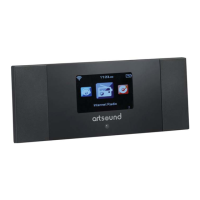
R4 also provides the following features:
• Large TFT Color display for easy control and
clear information display.
• Clock with auto-update capability and dual
independent alarms
• Sleep/snooze
• UPnP Music player modes
• Multiple network profiles for easy setup and
portability
• Multiple operating languages
1.3 Carton contents
After you unpack the box, you will find the follow-
ing items
• 1 R4 unit
• 1 DC13.5V 1.8A power adapter
• 1 User manual
1.4 External resources
To operate R4, the following external resources are
needed:
• A power source (100-240 V mains supply)
• A wireless (Wi-Fi) network (provided through a
router) with Appropriate
permissions and password if necessary (for
Internet radio and Network Music player modes)
• Broadband Internet access (for Internet radio
mode and Internet Software Update)
• A music library stored on the network
• An external audio source (for Aux in mode)
1.5 Conventions used in this manual
Button (press) Physical button on the keypad
Option (select) Menu option shown on the
display
Name Menu, screen or other name
2 Controls, connectors and display
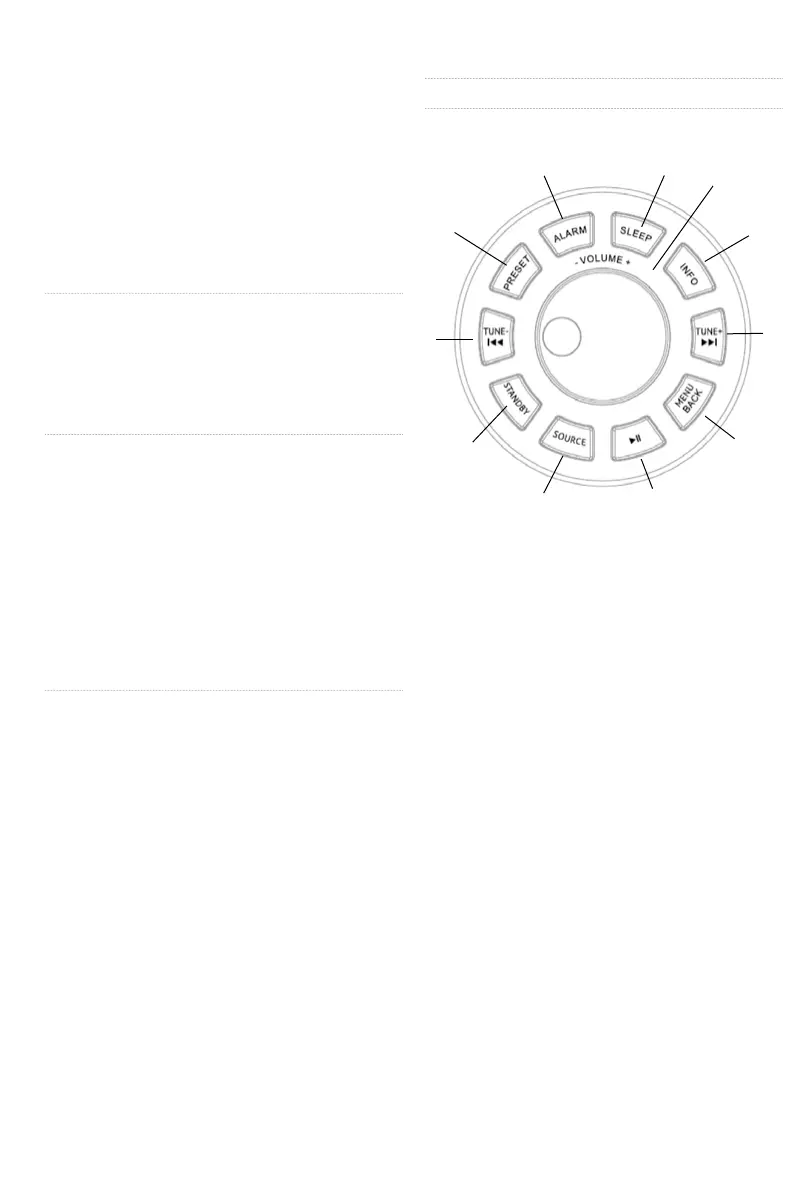
2.1 Main controls
1. TUNE/SELECT/ VOLUME/MUTE/
SNOOZE: Turn to scroll through a menu or
station list.
The chosen option is highlighted in reverse
text (dark characters on a white background),
Press to the button to select. Turn to the
button to adjust the volume up or down when
playback. Press to the button to mute the mu-
sic when playing. Press the button to snooze
a set time when alarm sounding.
2. STANDBY: Turn on or back to standby mode
(showing clock and date) or cancel sleep or
cancel alarm function.
3. SLEEP: When playing, press SLEEP, R4 will
back to standby after a set time.
4. SOURCE: Press to select different modes
Internet Radio, Music player, DAB, FM, Aux.
5. ALARM: Press to Alarm, the screen will
display Alarm 1 and Alarm 2; then Rotate and
press the SELECT button to select alarm 1 or
alarm 2 to set up.
6. INFO: View more information about the station
or track playing. Press again to cycle through
further information screens then return to the
normal Now playing screen.
7. BACK /MENU: BACK : Return to previous
screen. In play mode, this button may be
used to return to the last track list or station


 To Next Page