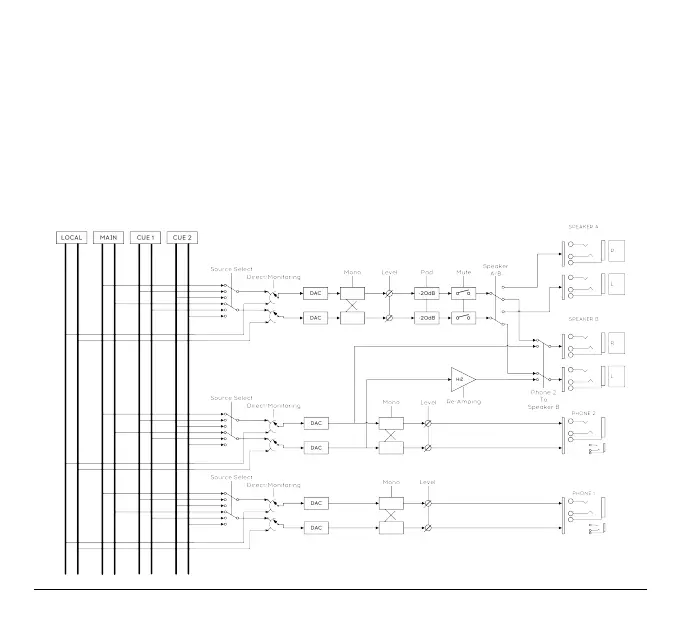
3.3.6. Phone Outputs
Phone output is similar to main output. You can select your source and mix down to mono.
Phone 2 output has a secondary function. You can send it to speaker B outputs. By activating
the Phone 2 to Speaker B function in the AudioFuse control Center, you send the phone 2
signal to speaker B output.
In this case, speaker A is automatically selected for speaker Output.
You can then use the Re-Amping Function on speaker B Left output. (Refer to Re-Amping
below)
Arturia - User Manual AudioFuse - Getting started 24












 To Next Page